
Web Development
How Website Performance Optimization Saves You Customers
How website performance optimization saves you customers by reducing friction, improving trust, and lifting conversions across mobile, cloud, and web stacks.
S
Shayma Parween
Lead Developer
Jun 18, 2026
10 min read
Why website performance directly affects customer retention
How Website Performance Optimization Saves You Customers by removing the friction that makes people leave before they buy, book, or contact you. Faster sites build trust, reduce abandonment, and make every ad, email, and organic visit work harder; slow sites quietly leak demand at the point of decision.
Key takeaways
- Website performance affects customer trust before it affects rankings, because slow pages create friction at the exact moment of intent.
- The biggest gains usually come from image optimization, script reduction, caching, better hosting, and fixing render-blocking resources.
- Performance work should be measured in Core Web Vitals, real user monitoring, and conversion paths, not just synthetic speed scores.
- A practical optimization plan starts with measurement, then fixes the highest-impact bottlenecks, then validates results on real devices and networks.
- Performance is a product decision as much as a technical one, because every extra second can increase abandonment risk.
From a buyer's perspective, performance is part of your brand promise. If a page hesitates on mobile, a form lags, or checkout feels unstable, many visitors assume the company behind it is equally unreliable. That reaction is especially costly for B2B firms, SaaS products, and service businesses where a website is the first sales conversation.
In our experience, decision-makers often think of speed as an engineering concern, but it is really a revenue and credibility concern. If your site is the front door to lead generation, support, recruiting, or e-commerce, performance should be treated like a core customer experience metric, not a nice-to-have technical polish.
How website performance optimization saves you customers in practice
The customer journey rarely fails because of one dramatic outage. It usually fails through small delays: a hero image that loads late, a script that blocks interaction, a search box that feels sluggish, or a checkout button that responds after a pause. Each micro-friction increases the chance that the visitor closes the tab and chooses a competitor.
The effect is strongest on mobile and in high-intent moments. Someone comparing vendors, requesting a quote, or completing payment is less patient than a casual browser. If the experience feels heavy, they may not complain; they simply move on. That is why performance improvements often protect revenue more than they increase vanity metrics.
Common customer-facing pain points include:
- Slow first content paint on mobile networks
- Large media files that delay the page from feeling usable
- Heavy JavaScript bundles that block interaction
- Third-party tags that compete for bandwidth and main-thread time
- Forms, search, and filters that respond slowly or fail under load
- Inconsistent performance across geographies such as the USA, UK, Canada, Australia, UAE, Saudi Arabia, Qatar, and the Netherlands
The practical takeaway is simple: if your site feels fast, customers feel in control. If it feels uncertain, they hesitate.
What actually slows a site down
Most slowdowns are not caused by one big mistake. They are caused by a stack of moderate problems that compound: oversized media, inefficient code, poor caching, weak hosting choices, and too many external dependencies. When these stack up, even a well-designed site can feel broken.
A useful way to diagnose performance is to separate network cost, rendering cost, and application cost. Network cost includes image and file size. Rendering cost includes how much the browser has to process before the page becomes visible and interactive. Application cost includes API latency, database response time, and client-side logic that makes the interface feel sluggish.
Typical culprits we see across web and mobile projects include:
- Uncompressed or improperly sized images, especially hero banners and product galleries
- Render-blocking CSS and JavaScript loaded too early
- Excessive client-side frameworks for pages that do not need them
- No CDN or a poorly configured CDN
- Cache settings that ignore repeat visitors
- Third-party scripts for chat, analytics, and marketing that load indiscriminately
- Slow backend queries, missing indexes, or inefficient API endpoints
- Hosting environments that cannot scale during traffic spikes
The fix is rarely a single plugin or plugin-like shortcut. It is usually a combination of front-end discipline, backend tuning, infrastructure optimization, and ongoing observability.
The optimization stack that protects conversions
A solid performance program starts with the user-facing assets because they often deliver the fastest wins. Compress and resize images using modern formats such as WebP or AVIF where supported, serve responsive images, lazy-load below-the-fold media, and preload only the assets that matter for the first view. For video, use lightweight posters and avoid auto-playing heavy files unless they are essential.
Next, reduce JavaScript and CSS overhead. Split bundles, remove unused dependencies, defer non-critical scripts, and audit third-party tags. If a page can be server-rendered or statically generated instead of fully client-rendered, that often improves perceived speed and reduces main-thread pressure. Modern frameworks such as Next.js, Nuxt, Remix, and Astro can help when applied intentionally, but they can also become part of the problem if every page is over-engineered.
On the infrastructure side, caching and delivery matter. Use a CDN for static assets, configure browser caching properly, and consider edge caching for frequently requested pages. On the backend, optimize queries, introduce indexes where the data model justifies them, and use queues or asynchronous processing for non-immediate tasks. In cloud environments, autoscaling and right-sized instances can help, but only if the application is designed to benefit from them.
A decision framework for founders, CTOs, and IT managers
Start with measurement before making changes. Use Lighthouse for lab checks, PageSpeed Insights for a quick benchmark, and real user monitoring to see what visitors actually experience on different devices and networks. Complement those tools with WebPageTest or similar waterfall analysis so you can see where time is spent rather than guessing.
Then prioritize by business impact, not by technical elegance. A slow checkout, quote form, or product detail page deserves attention before a rarely visited blog archive. As a rule, focus on pages that influence acquisition, activation, and revenue. If a page is important but lightly trafficked, optimize it later unless it is clearly hurting credibility.
A practical decision sequence looks like this:
- Identify the top five money pages and top five drop-off pages.
- Measure current performance on mobile, desktop, and at least two regions relevant to your customers.
- Rank issues by user impact, implementation effort, and dependency risk.
- Fix the high-impact, low-effort issues first: media, caching, script cleanup, and render-blocking code.
- Validate in staging and production with synthetic and real-user data.
- Recheck after releases so new features do not undo the gains.
For many businesses, a focused audit and first remediation cycle typically takes 1 to 3 weeks, depending on site complexity and access to code, hosting, and analytics. Larger platforms with custom integrations, multiple markets, or legacy CMS constraints can take a few weeks longer.
Common mistakes that erase the gains
One of the biggest mistakes is chasing a perfect score instead of a better experience. A site can score well in a lab tool and still feel slow in the real world if third-party scripts, personalization tools, or heavy API calls behave badly on mid-range devices and inconsistent networks.
Another common issue is optimizing only the homepage. In reality, customers often arrive on a product page, landing page, or article, not on the front door. If those deep pages remain heavy, the business still loses visitors where intent is highest. The same mistake happens when teams optimize visually but ignore interaction latency, form responsiveness, and layout stability.
Watch out for these pitfalls:
- Installing performance plugins without understanding the underlying bottleneck
- Removing useful analytics or security tools instead of managing them properly
- Adding a CDN but leaving origin response time untouched
- Compressing images while serving them at the wrong dimensions
- Releasing new features without performance budgets or regression checks
- Treating mobile performance as secondary to desktop performance
The best teams build guardrails. They define performance budgets, monitor regressions in CI/CD, and require that new features prove they do not slow critical journeys. At eSparks IT Solutions, we have found that this discipline matters more than any one framework or tool.
Measuring success beyond speed scores
Performance should be judged by what customers do after the page loads. If speed improves but form completion, product views, or qualified inquiries do not move, you may have fixed the wrong bottleneck or created a new one elsewhere. Measure the full path, not just the landing moment.
The most useful metrics are Core Web Vitals, interaction readiness, error rates, bounce behavior on key pages, and conversion completion by device type. For SaaS and service businesses, also watch trial starts, demo requests, and step-by-step form abandonment. For e-commerce, focus on add-to-cart, checkout completion, and payment failures. For internal platforms, track task completion time and support tickets tied to usability.
A strong reporting loop usually combines:
- Synthetic tests for repeatable benchmarking
- Real user monitoring for field conditions
- Backend observability for API and database bottlenecks
- Release tracking so you can correlate speed changes with deployments
This is also where cloud, DevOps, and security intersect. A faster deployment pipeline helps teams ship performance fixes sooner, while good security architecture prevents extra scripts and legacy workarounds from piling up. A fast site that is fragile or insecure will still lose customers, just through a different failure mode.
Building a performance roadmap that fits real budgets
Not every business needs a complete rebuild. Many sites can gain meaningful improvements through a staged roadmap that balances effort, risk, and urgency. Start with the highest-traffic and highest-value journeys, then expand into supporting pages and infrastructure improvements.
A typical roadmap might look like this:
- Short term: image optimization, script cleanup, caching fixes, critical CSS, and font optimization
- Mid term: backend query tuning, CDN configuration, bundle splitting, and component refactoring
- Longer term: architecture changes, migration to server-side rendering or edge delivery, and platform modernization
Budget and time vary widely, but a targeted optimization project for a business site often lands in the low-to-mid five figures or less when scoped narrowly, while a larger multi-market platform with custom engineering and testing can require a more substantial investment. The key is to align spend with the revenue value of the pages being improved.
The right partner should be able to explain not just what to change, but why the change matters to customers, operations, and growth. That is the standard we apply in our own delivery work: improve performance in ways that are measurable, maintainable, and respectful of the rest of the stack.
FAQ
What is website performance optimization? Website performance optimization is the process of making a site load faster, respond sooner, and feel smoother for real users. It includes front-end work, backend tuning, caching, hosting, and code cleanup.
Why does site speed affect customer loss? Slow sites create friction at moments of intent, such as product research, form submission, or checkout. When a page feels unreliable or delayed, many visitors leave before they complete the action.
Which improvements usually deliver the fastest results? Image compression, script reduction, caching, and removing render-blocking resources often produce the quickest gains. These changes are common because they directly reduce what the browser must fetch and process.
How do I know if my site needs optimization? If users complain about slowness, mobile journeys feel laggy, conversion rates are weaker on important pages, or performance varies by region, the site likely needs optimization. Real user monitoring and Core Web Vitals are the best starting points for evidence.
Frequently Asked Questions
What is website performance optimization?
Website performance optimization is the process of making a site load faster, respond sooner, and feel smoother for real users. It includes front-end work, backend tuning, caching, hosting, and code cleanup.
Why does site speed affect customer loss?
Slow sites create friction at moments of intent, such as product research, form submission, or checkout. When a page feels unreliable or delayed, many visitors leave before they complete the action.
Which improvements usually deliver the fastest results?
Image compression, script reduction, caching, and removing render-blocking resources often produce the quickest gains. These changes are common because they directly reduce what the browser must fetch and process.
How do I know if my site needs optimization?
If users complain about slowness, mobile journeys feel laggy, conversion rates are weaker on important pages, or performance varies by region, the site likely needs optimization. Real user monitoring and Core Web Vitals are the best starting points for evidence.
Work with eSparks IT Solutions
Planning a project around this? We help businesses across the USA, UK, Canada, Australia and the GCC ship it. Explore our Web Development services and portfolio, estimate your project cost, or book a free call.
Related web development services
S
Shayma Parween
Lead Developer
Passionate technology writer and industry expert with years of experience in software development, cloud computing, and digital transformation. Dedicated to sharing insights and helping developers stay ahead of the curve.
Related Topics
Continue Reading
More insights in Web Development

Web Development
Progressive Web Apps for Business: A Practical Guide
Learn when progressive web apps for business make sense, what they cost, key trade-offs, and how to choose the right architecture and partner.
Sep 22, 2026
Read More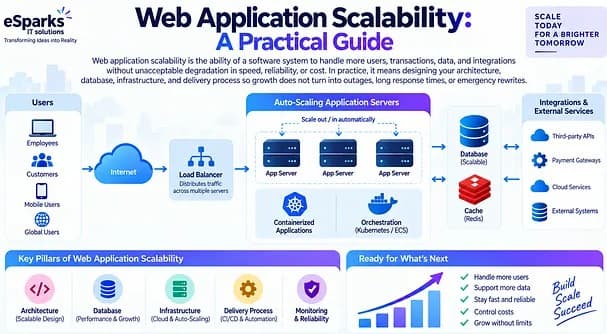
Web Development
Web Application Scalability: A Practical Guide
Learn what web application scalability means, how to design for growth, and which architecture, cloud, data, and DevOps choices matter most.
Sep 21, 2026
Read More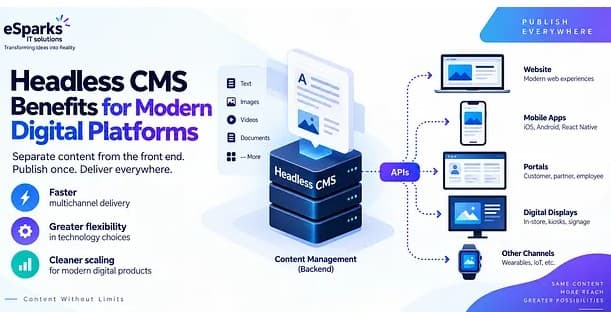
Web Development
Headless CMS Benefits for Modern Digital Platforms
Explore headless CMS benefits for web, mobile and omnichannel delivery, plus costs, pitfalls and a practical decision framework for leaders.
Sep 20, 2026
Read MoreReady to Transform Your Business?
Let's discuss how our expertise can help you achieve your goals