Web Development
Progressive Web Apps for Business: A Practical Guide
Learn when progressive web apps for business make sense, what they cost, key trade-offs, and how to choose the right architecture and partner.
Shayma Parween
Lead Developer
- Published
- Sep 22, 2026
- Reading time
- 10 min read
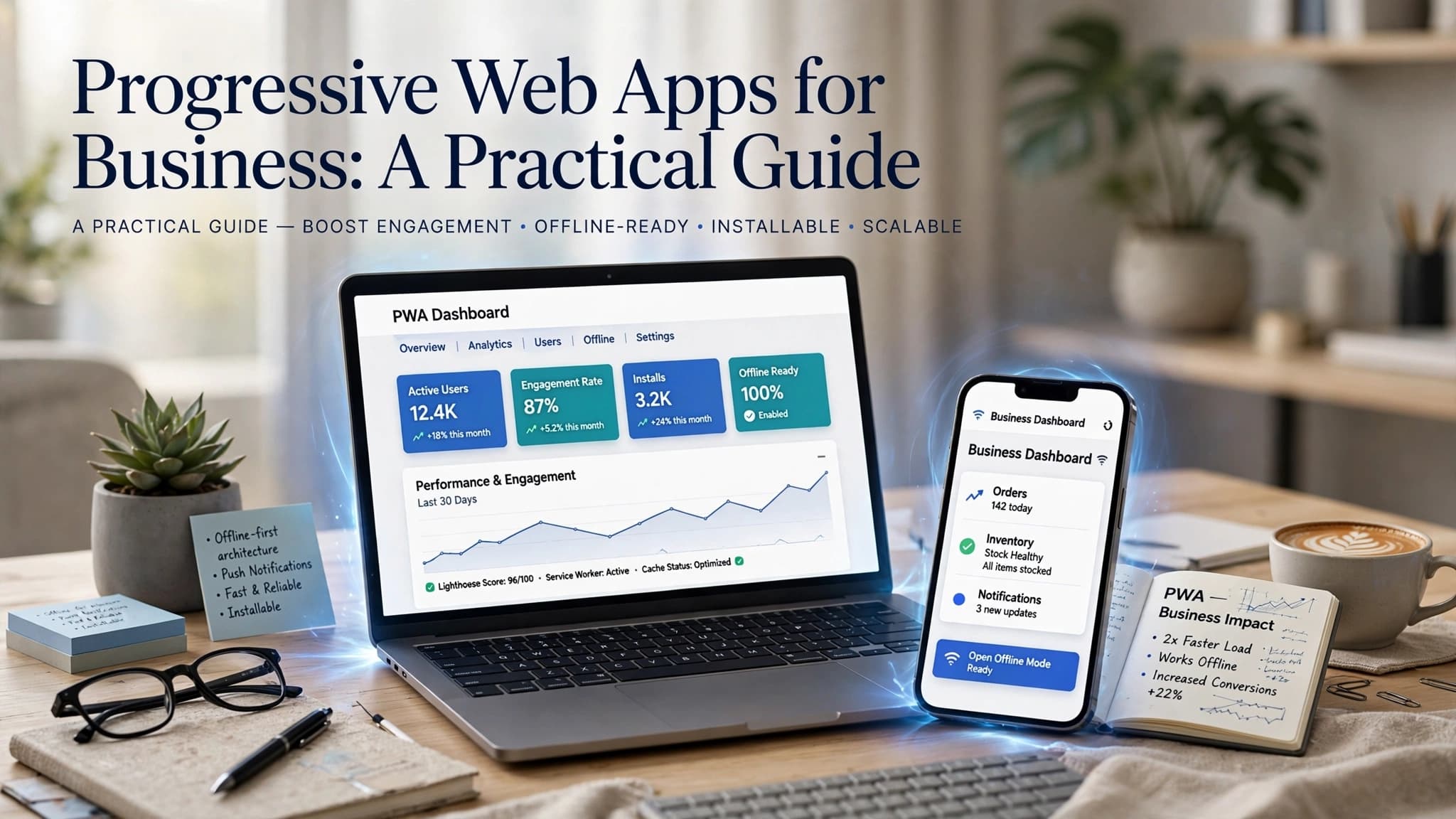
Progressive web apps for business are web applications that deliver app-like speed, installability, offline capability, and cross-device usability without requiring separate native builds for every platform. For many companies, they are the best fit when the goal is to reach users quickly across desktop and mobile while keeping delivery, maintenance, and content updates centralized.
Key takeaways
- Progressive web apps for business combine web reach with app-like capabilities such as offline support, installability, push notifications, and fast performance.
- A PWA is usually the strongest choice when a company needs one cross-platform product for broad access, fast rollout, and lower maintenance than separate iOS and Android apps.
- Service workers, responsive design, secure HTTPS delivery, and a clear caching strategy are core technical requirements for a reliable business-grade PWA.
- The main reason business PWAs fail is not the technology; it is trying to force a PWA into use cases that require deep native device access or strict app-store distribution.
- A realistic PWA decision should weigh user journeys, offline needs, integration complexity, compliance, and long-term operating costs rather than trend-driven feature lists.
What a business PWA actually is
A progressive web app is not just a responsive website with a nicer interface. It is a web application enhanced with modern browser capabilities such as service workers for caching and background tasks, a web app manifest for installability, HTTPS for secure delivery, and performance patterns that make the experience feel closer to a native app.
For business leaders, the useful distinction is this: a standard website is primarily informational, while a business PWA supports repeated operational use. That may include field service checklists, customer self-service portals, B2B ordering, internal approval workflows, booking systems, sales dashboards, or omnichannel commerce. Users can open the app from a browser, add it to the home screen, continue in poor connectivity, and often receive web push notifications on supported platforms.
Typical business capabilities include:
- Responsive layouts for desktop, tablet, and mobile from a single codebase
- Installable experience via a manifest and browser prompt
- Offline-first or low-connectivity support using service workers and local storage layers
- Fast repeat visits through cached assets and preloaded routes
- Background sync for queued form submissions where supported
- Push notifications for reminders, status changes, or re-engagement on supported devices
- API-based integration with CRM, ERP, payment gateways, identity providers, and analytics tools
The strategic appeal is simple: one product can serve customers, partners, or employees across many devices without the overhead of building and maintaining separate iOS, Android, and desktop applications unless the use case truly requires them.
Why progressive web apps for business are gaining traction
The strongest business case for progressive web apps for business is not novelty; it is operational efficiency. Many organizations need digital products that work for mixed audiences: office staff on laptops, field teams on mobile devices, customers on whatever browser they already use, and international users with varying connectivity quality. A PWA can meet those realities with less friction than app-store-first distribution.
In practice, decision-makers tend to care about four outcomes: faster time to market, broader reach, simpler updates, and lower total complexity. A PWA supports all four when the product is mostly workflow, content, transactions, dashboards, or forms. Teams can ship updates centrally on the web, avoid waiting for users to install app updates, and maintain one front-end experience backed by shared APIs.
Common scenarios where PWAs work especially well:
- B2B customer portals with account dashboards, invoices, support tickets, and document access
- eCommerce and reordering journeys where speed, checkout flow, and returning visits matter
- Sales enablement tools for distributed teams using tablets and phones during travel
- Logistics and field operations apps that must keep working when connectivity is unstable
- Event, booking, education, or membership platforms where users return regularly but may resist downloading an app
- Internal line-of-business systems replacing legacy portals with a modern mobile-friendly experience
That said, a PWA is not automatically the right answer. If your product depends heavily on advanced Bluetooth, continuous background processing, highly specialized camera workflows, AR/VR, or deep OS-level integrations, native mobile may still be the better fit. The value comes from choosing the architecture that matches the operational need, not from forcing one pattern everywhere.
When a PWA is the right choice and when it is not
A practical decision framework starts with user behavior, not technology preference. Ask how often people use the product, what tasks they perform, where they are when using it, and what happens when the network is weak or absent. If usage is frequent, workflow-driven, and spread across many device types, a PWA often performs very well.
Use this step-by-step framework to evaluate fit:
-
Define the primary journeys. List the top five actions users must complete, such as approve a request, place a reorder, update a delivery status, view a report, or submit a form from the field.
-
Map device and connectivity realities. Note whether users are mostly on Chrome, Safari, Edge, managed enterprise devices, personal phones, or low-bandwidth networks. This directly affects offline strategy and browser support planning.
-
Identify required device capabilities. Separate must-haves from nice-to-haves: camera, geolocation, barcode scanning, push notifications, file upload, biometric login, background sync, Bluetooth, NFC, or payment APIs.
-
Decide your distribution model. If users should access the product immediately via URL and shared links, the web has a clear advantage. If app-store presence is central to the business model, native or wrapped distribution may matter more.
-
Assess integration and security complexity. A PWA can integrate deeply with backend systems, but identity, role-based access, audit logging, and data handling rules must be designed up front.
-
Compare total cost of ownership. Look beyond build cost. Include update cycles, release governance, QA across platforms, observability, support burden, and future feature additions.
Choose a PWA when the answer is “broad reach, frequent use, browser accessibility, and moderate device integration.” Be cautious when the answer is “specialized hardware access, app-store dependency, or platform-specific mobile behaviors.” In our experience at Esparks, this discipline prevents expensive rebuilds later.
Architecture and technologies that matter in real projects
Business PWAs succeed or fail on implementation quality. The stack can vary, but the architecture should be deliberate. Popular front-end choices include React with Next.js, Angular, Vue with Nuxt, or SvelteKit. On the backend, teams commonly use Node.js, .NET, Java, Python, or serverless services depending on existing enterprise systems and scaling needs. The exact framework matters less than disciplined delivery around performance, resilience, and security.
A solid PWA architecture typically includes:
- HTTPS everywhere, with HSTS and secure cookie policies
- A web app manifest defining icons, display mode, orientation, and install metadata
- Service workers for controlled caching, offline assets, and request handling
- Responsive design with accessible components and mobile-first interaction patterns
- API-first backend services using REST or GraphQL
- Authentication via OAuth 2.0, OpenID Connect, SSO, or enterprise identity platforms such as Azure AD, Okta, or Auth0
- Observability with logging, error tracking, real user monitoring, and uptime alerts
- CI/CD pipelines for testing, linting, security scanning, and controlled deployments
Caching deserves special attention because it is where many teams overpromise. Not every screen should work fully offline. A good strategy distinguishes between static assets, recently viewed records, queued user actions, and truly real-time data. For example, a field inspection app may cache forms, checklists, and the last assigned work orders locally, then queue submissions until connectivity returns. A finance dashboard, by contrast, may show cached shell screens but require live data before displaying balances.
Performance standards also matter. Set concrete budgets for image sizes, JavaScript payloads, time to interactive, and route-level loading. Use lazy loading, code splitting, image optimization, CDN delivery, edge caching where appropriate, and SSR or static rendering for content-heavy routes. If the first experience is slow, installability and offline features will not save adoption.
Security, compliance, and integration considerations
Business decision-makers are right to ask whether a PWA is secure enough for operational use. The answer is yes, if it is engineered as a serious application rather than treated like a marketing site. The security model starts with HTTPS and continues through identity, session management, authorization, API hardening, secure storage decisions, content security policy, dependency management, and auditability.
A few practical rules are non-negotiable:
- Do not store sensitive data in the browser unless there is a clear need and a defined risk treatment.
- Minimize what is cached offline, especially for regulated or confidential workflows.
- Use short-lived tokens, refresh strategies, and server-side access controls; never rely only on front-end checks.
- Apply role-based or attribute-based authorization consistently across APIs and UI.
- Enforce CSP, input validation, output encoding, and standard protections against XSS, CSRF, and injection attacks.
- Keep third-party libraries current and scan dependencies in CI/CD.
Integration planning is equally important. Most business PWAs sit in the middle of a broader system landscape: CRM, ERP, inventory, payment, support, analytics, and identity. If APIs are inconsistent, undocumented, or slow, the front-end will suffer no matter how polished it looks. Before development, validate whether the required systems expose usable endpoints, webhooks, or middleware options. Where they do not, introduce an integration layer rather than coupling the PWA directly to fragile legacy services.
For organizations operating in multiple regions such as the USA, UK, Canada, Australia, UAE, Saudi Arabia, Qatar, or the Netherlands, data residency, privacy, and sector-specific compliance can influence hosting and architecture. A PWA can be deployed on AWS, Azure, Google Cloud, or hybrid environments, but governance should be defined before launch rather than added after users depend on the system.
Realistic timelines, cost ranges, and team setup
One reason executives ask about PWAs is cost efficiency, but useful planning requires realistic ranges rather than simplistic promises. A business-grade PWA is still a software product, not a theme installation. Scope, integrations, offline complexity, security requirements, and design quality drive effort far more than the label “PWA.”
Typical estimates look like this:
- Lightweight PWA with a few core workflows, basic backend integration, and standard UI: roughly 6 to 10 weeks for an experienced team
- Mid-range product with custom dashboards, authentication, several integrations, offline support, and stronger QA: roughly 3 to 5 months
- Complex enterprise PWA with role-based workflows, legacy integration, compliance controls, multilingual needs, and staged rollout: often 5 to 9 months or more
Typical cost bands also vary by region, team model, and complexity:
- Small to moderate PWA: often in the low tens of thousands of USD
- Mid-complexity operational platform: commonly in the tens to low hundreds of thousands
- Enterprise-scale implementations with integration-heavy scope: can move well beyond that range
These are broad planning estimates, not guarantees. The most reliable way to control cost is to phase delivery. Start with the highest-value journeys, define non-negotiable performance and security requirements, and defer edge-case features until usage validates them.
The core team usually includes a product owner or business lead, UX/UI designer, front-end engineer, backend engineer, QA engineer, and DevOps support. Add security review and solution architecture early if the system handles sensitive data or complex integrations. This is where a senior software and IT partner adds value: not by adding headcount, but by narrowing scope intelligently and designing for maintainability from day one.
Common pitfalls and how to avoid them
Most disappointing PWA projects fail for predictable reasons. The technology is capable, but teams either choose it for the wrong use case or skip the engineering discipline that makes it reliable in production.
Here are the issues we see most often:
-
Treating a PWA as a cosmetic rebrand of an existing site If the information architecture, APIs, and workflows are weak, adding install prompts will not create product value.
-
Overcaching or caching the wrong data Users lose trust quickly when the app shows stale operational information without clear indicators. Define freshness rules per data type.
-
Ignoring Safari and browser differences Capabilities such as web push, background behavior, and install patterns differ. Test on the actual browser and device mix your users have.
-
Designing for ideal connectivity Low-signal environments expose flaws in form handling, media upload, and session expiration. Plan retry logic, queueing, and clear status messages.
-
Underestimating backend readiness Slow, inconsistent, or insecure APIs turn a promising PWA into a frustrating one. Stabilize the service layer early.
-
Skipping adoption design Installability alone does not drive use. Navigation, loading states, notifications, and repeated task completion matter more than the badge that says “add to home screen.”
A practical way to reduce risk is to run a focused discovery phase before build. Confirm top user journeys, define browser support, prototype offline behavior, review API contracts, and establish performance budgets. Then release in stages: pilot with one user group, inspect telemetry, and refine before wider rollout. This approach is usually more valuable than trying to predict everything in a long requirements document.
For business leaders evaluating delivery partners, the right questions are specific: How will offline behavior work by workflow? What data will and will not be cached? How will authentication behave after connectivity drops? What is the browser support matrix? How will performance be measured in production? Those questions reveal whether the team has built serious digital products before.
A well-planned PWA can be an excellent business asset: fast to access, easier to maintain than separate mobile apps, and capable enough for many customer and operational use cases. The key is making the decision based on workflows, integrations, and risk, not on trend language alone.
Frequently Asked Questions
What are progressive web apps for business?
Progressive web apps for business are web applications designed to behave more like installed apps while still being delivered through the browser. They typically use HTTPS, a web app manifest, responsive design, and service workers to provide fast loading, installability, and some offline capability.
Are PWAs cheaper than native mobile apps?
They often are when the same product must serve web, Android, and iPhone users with similar workflows. A PWA can reduce duplicated front-end work and simplify updates, but costs still depend heavily on integrations, security requirements, offline complexity, and product scope.
Can a business PWA work offline?
Yes, but offline support must be designed intentionally rather than assumed. A good PWA can cache assets and selected data, let users complete certain tasks offline, and sync queued actions later, while clearly signaling what requires a live connection.
When should a company choose native apps instead of a PWA?
Native apps are usually the better choice when the product depends on deep device integration, specialized hardware access, complex background processing, or app-store-centered distribution. If the main need is broad cross-platform access for workflows, dashboards, forms, or commerce, a PWA is often the stronger option.
Work with Esparks IT Solutions
Planning a project around this? We work with businesses in the United States, Canada and the UAE, as well as the UK and Australia. See how we work with clients in the USA. Explore our Web Development services and portfolio, estimate your project cost, or book a free call.
Written by
Shayma Parween
Lead Developer
Lead Developer at Esparks IT Solutions. Writes from the team's own delivery work across software, cloud, DevOps and security.
Related topics
Continue reading
More in Web Development
Web Development
React vs Angular for Enterprise Apps: How to Choose
Compare react and angular for building a large-scale enterprise web application: architecture, team scaling, security, performance, and cost.
Sep 7, 2026Read

AI & Machine Learning
Choosing the Right AI Development Company in USA
Learn how to evaluate and choose the best AI development company in USA for your business, covering key factors, technologies, and pitfalls.
Jul 11, 2026Read
Web Development
Web Application Scalability: A Practical Guide
Learn what web application scalability means, how to design for growth, and which architecture, cloud, data, and DevOps choices matter most.
Sep 21, 2026Read
Work with us
Have a system to build, fix or scale?
Tell us what you are working on and where it hurts. We will tell you how we would approach it.