Web Development
Headless CMS Benefits for Modern Digital Platforms
Explore headless CMS benefits for web, mobile and omnichannel delivery, plus costs, pitfalls and a practical decision framework for leaders.
Shayma Parween
Lead Developer
- Published
- Sep 20, 2026
- Reading time
- 10 min read
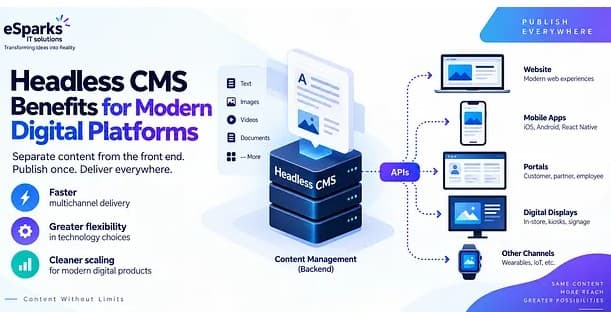
Headless CMS benefits come from separating content management from the front-end experience, so teams can publish the same content to websites, mobile apps, portals, digital displays, and other channels through APIs. For business decision-makers, the core value is faster multichannel delivery, greater flexibility in technology choices, and cleaner scaling for modern digital products.
Key takeaways
- Headless CMS benefits are strongest when a business needs to publish the same content across multiple channels such as websites, apps, portals and kiosks.
- A headless CMS improves flexibility by separating content management from presentation, but it usually requires more upfront architectural planning than a traditional CMS.
- The right implementation depends as much on content modeling, governance and preview workflows as on the CMS product itself.
- Typical headless CMS projects range from a few weeks for a focused marketing site to several months for enterprise-scale migrations with integrations and custom workflows.
- A headless CMS is not automatically cheaper; it often reduces long-term content and channel friction while shifting more responsibility to engineering and platform teams.
What a headless CMS actually changes
A traditional CMS usually bundles three concerns together: content authoring, storage, and presentation. In systems such as WordPress, Drupal, or Sitecore in their more conventional setups, the page template, rendering layer, and editorial interface are tightly connected. That can work well for content-heavy websites, but it often becomes restrictive when the same product information, help content, campaign copy, or localized assets must appear consistently across a website, mobile app, customer portal, in-store display, and partner platform.
A headless CMS removes that coupling. Editors still create and manage content, but delivery happens through APIs rather than a built-in page-rendering engine. Popular options include Contentful, Sanity, Strapi, Hygraph, Storyblok, and headless configurations of enterprise platforms. Front ends are then built in frameworks such as Next.js, React, Vue, Nuxt, Angular, Swift, Kotlin, or Flutter, and can fetch content through REST or GraphQL APIs.
For leadership teams, this architectural shift matters because it changes how digital programs scale. Instead of rebuilding content structures for each channel, you define reusable content models once and distribute them wherever needed. That is especially useful for organizations expanding across regions like the USA, UK, Canada, Australia, UAE, Saudi Arabia, Qatar, and the Netherlands, where localization, device diversity, and multiple customer touchpoints often increase content complexity quickly.
The most important headless cms benefits for business teams
The most cited headless cms benefits are not just technical; they affect speed, governance, and operating efficiency across product, marketing, and engineering. When implemented well, the model creates a cleaner separation of responsibilities: content teams manage structured content, designers shape experiences, and developers control the delivery layer without being constrained by a monolithic template system.
The business advantages typically include:
- Omnichannel publishing: one source of truth can feed websites, mobile apps, knowledge bases, kiosks, smart devices, or internal tools.
- Faster front-end innovation: teams can use modern frameworks like Next.js, Astro, or Nuxt without fighting legacy theming layers.
- Better performance potential: static generation, edge rendering, caching, and CDN delivery often become easier to implement.
- Cleaner localization workflows: content models can support language variants, regional legal notices, and market-specific assets in a more structured way.
- Stronger reusability: product descriptions, FAQs, case studies, pricing snippets, and policy content can be reused instead of duplicated.
- Reduced channel lock-in: changing a mobile app or redesigning a website does not necessarily require reauthoring all content.
A practical example is a SaaS company with a marketing site, customer academy, in-app onboarding, and sales microsites for different markets. In a traditional setup, these may live in separate systems with duplicated messaging and fragmented approvals. In a headless model, shared entities such as product features, testimonials, release notes, or help articles can be modeled once and delivered consistently wherever they are needed.
When headless is the right fit and when it is not
A headless CMS is a strong fit when digital experience is part of the product strategy, not just a brochure website. If your roadmap includes mobile applications, customer portals, personalized content, ecommerce integrations, multilingual rollout, or frequent redesigns, the flexibility usually pays off. It is also useful when engineering teams want modern deployment pipelines, composable architecture, or API-based integration with CRM, PIM, DAM, analytics, and identity systems.
Typical strong-fit scenarios include:
- A retailer syncing content across ecommerce storefronts, store screens, and apps.
- A B2B software company running a global marketing site plus in-app documentation and onboarding content.
- A healthcare or finance platform needing structured content, role-based access, and audited workflows.
- A multi-brand business managing reusable content blocks across regional sites.
- An enterprise replacing a brittle monolith while keeping front-end teams autonomous.
It is not always the best choice. If you need a simple company website with limited editorial complexity, no app ecosystem, and a small budget, a traditional CMS may be more practical. Headless can introduce extra engineering work for previews, visual page assembly, search, forms, authentication, and editorial workflows that monolithic platforms may provide out of the box. In our experience at Esparks, disappointing headless projects usually fail not because headless was wrong in theory, but because the organization underestimated content modeling and operational ownership.
Architecture, integrations, and delivery patterns that matter
The CMS itself is only one layer. The real value depends on the surrounding architecture. Most successful implementations start with structured content design: define content types, fields, taxonomies, references, locales, lifecycle states, and reusable components before choosing front-end patterns. Without that, teams often recreate page-based thinking inside a headless tool and lose many of the expected gains.
On the delivery side, several patterns are common:
- Static site generation for high-performance marketing pages using Next.js, Gatsby, Astro, or Hugo.
- Server-side or hybrid rendering for logged-in experiences, personalization, or rapidly changing data.
- GraphQL APIs where front ends need selective content queries and relationship traversal.
- REST APIs where simplicity, caching behavior, or existing tooling makes them more practical.
- Edge caching with CDNs such as Cloudflare, Fastly, or Akamai for global delivery.
- Webhooks that trigger rebuilds, cache invalidation, or workflow automation when content changes.
Integrations are often where complexity lives. A realistic stack may connect the CMS to a DAM for media governance, a PIM for product data, Salesforce or HubSpot for CRM-linked forms and campaigns, Algolia or Elasticsearch for search, Auth0 or Azure AD for identity, and GA4 or other analytics tooling for event tracking. Security and compliance also deserve early attention: SSO, RBAC, environment separation, API token management, audit logs, WAF rules, content backup, and data residency requirements can all influence product selection and deployment design.
Costs, timelines, and resourcing: realistic expectations
One common misconception is that headless automatically lowers cost. Sometimes it does over the long run by reducing content duplication and redesign friction, but the short-term build can be more involved than a plug-and-play CMS. The cost profile shifts from template configuration toward architecture, front-end engineering, integration work, and ongoing platform operations.
Typical estimates vary by scope:
- A focused marketing site with a modest content model and limited integrations may take roughly 4 to 8 weeks.
- A mid-sized website redesign with localization, preview workflows, analytics, and CRM integration often lands in the 2 to 4 month range.
- A broader platform migration involving multiple channels, legacy content cleanup, user roles, search, and enterprise integrations can extend to 4 to 9 months or longer.
Budget planning should include more than CMS license fees. Account for discovery, content modeling, UX and design system work, front-end development, DevOps, QA, accessibility testing, migration scripts, search configuration, analytics implementation, training, and post-launch support. Open-source platforms like Strapi may reduce licensing costs, but they increase responsibility for hosting, patching, monitoring, and maintenance. Managed SaaS platforms can accelerate operations but may become expensive as content volume, locales, or API usage grows.
Resource planning matters just as much. A sustainable setup usually needs a product owner or digital lead, solution architect, front-end developers, content strategist, editor stakeholders, QA, and DevOps capability. If internal teams are lean, the operating model should be simplified early rather than assuming the platform will manage itself.
Common pitfalls and how to avoid them
Most headless CMS problems are implementation problems, not product problems. The first major pitfall is poor content modeling. Teams often mirror page layouts instead of modeling content entities such as article, product feature, author, FAQ, office location, or compliance notice. That creates brittle structures that are hard to reuse across channels.
The second pitfall is neglecting editor experience. Decision-makers sometimes focus on APIs and frameworks while forgetting that content teams need preview, scheduling, approvals, versioning, and intuitive entry forms. If editors cannot understand or trust the workflow, they work around the system, duplicate content elsewhere, or slow down release cycles.
Other frequent issues include:
- Weak governance: no naming conventions, role definitions, archive rules, or ownership by content type.
- Over-engineering: building a complex microservices landscape for a use case that needs a well-run website, not a distributed platform.
- Incomplete migration planning: underestimating content cleanup, redirects, metadata normalization, and image handling.
- Performance blind spots: not planning caching strategy, image optimization, or ISR/SSR tradeoffs.
- Security gaps: over-permissioned API tokens, poor secrets management, or missing audit controls.
- Accessibility omissions: failing to enforce semantic content structures, alt text, heading discipline, and keyboard-safe components.
A practical mitigation strategy is to run a structured discovery phase first. Map channels, user roles, content types, integrations, approval paths, performance targets, compliance needs, and publishing frequency. Then prototype one or two critical workflows, such as homepage updates or product launch content, before locking the architecture. This reveals whether the chosen platform truly supports your operational reality.
A step-by-step decision framework for leaders
If you are evaluating software or IT partners, the right question is not “Should we use headless?” in isolation. The better question is “What delivery model best fits our channels, team capabilities, compliance needs, and roadmap?” A disciplined decision framework prevents expensive architectural fashion choices.
Use this sequence:
- Define channels and use cases. List every destination for content over the next 18 to 24 months: web, app, portal, ecommerce, support center, digital signage, partner dashboards, or internal platforms.
- Audit current pain points. Identify where your current CMS causes delays: localization bottlenecks, duplicated content, inflexible templates, poor preview, limited APIs, or difficult integrations.
- Model the core content domain. Start with 8 to 15 high-value content types and their relationships, rather than every possible page. This often reveals whether headless will simplify or complicate operations.
- Evaluate editorial needs. Check preview, workflows, permissions, scheduling, drafts, revisions, and localization handling. Editor experience should be a selection criterion, not an afterthought.
- Assess engineering maturity. Confirm whether your team can support front-end frameworks, CI/CD, observability, API management, and cloud operations over time.
- Map integrations and constraints. Include CRM, PIM, DAM, search, identity, analytics, consent management, and regulatory requirements such as auditability or data residency.
- Run a proof of concept. Test a real content workflow, not just a vendor demo. Include build speed, preview quality, cache behavior, and integration complexity.
- Choose operating ownership. Decide who owns schema changes, release management, component libraries, and editorial support after launch.
This framework also helps compare partner proposals. A strong partner will ask about content governance, migration quality, preview flows, accessibility, and deployment strategy, not just which CMS license you prefer. That is often the difference between a durable platform and an expensive replatforming exercise that has to be redesigned within a year.
Frequently Asked Questions
What are the main headless CMS benefits for a growing business?
The main headless CMS benefits are multichannel content delivery, front-end flexibility, and better reuse of structured content across websites, apps, and other digital touchpoints. For growing businesses, that usually means less duplication, faster redesigns, and a platform that can support new channels without replacing the content foundation.
Is a headless CMS better than WordPress or a traditional CMS?
A headless CMS is not universally better; it is better for organizations that need API-first delivery, multiple channels, modern front-end frameworks, or more composable architecture. A traditional CMS can still be the smarter choice for a simpler content website that needs built-in theming, page editing, and lower engineering overhead.
How long does a headless CMS implementation usually take?
A smaller implementation can take several weeks, while a mid-sized or enterprise rollout often takes a few months depending on integrations, migration scope, editorial workflows, and localization needs. The timeline is driven less by the CMS product and more by content modeling, front-end development, and operational complexity.
What is the biggest mistake companies make with headless CMS projects?
The biggest mistake is treating headless as a technology purchase instead of a content and operating model decision. Companies often underestimate content modeling, preview workflows, governance, and migration planning, which are the areas that most strongly determine whether the platform becomes efficient or frustrating.
Work with Esparks IT Solutions
Planning a project around this? We work with businesses in the United States, Canada and the UAE, as well as the UK and Australia. See how we work with clients in the USA. Explore our Web Development services and portfolio, estimate your project cost, or book a free call.
Written by
Shayma Parween
Lead Developer
Lead Developer at Esparks IT Solutions. Writes from the team's own delivery work across software, cloud, DevOps and security.
Related topics
Continue reading
More in Web Development
Security
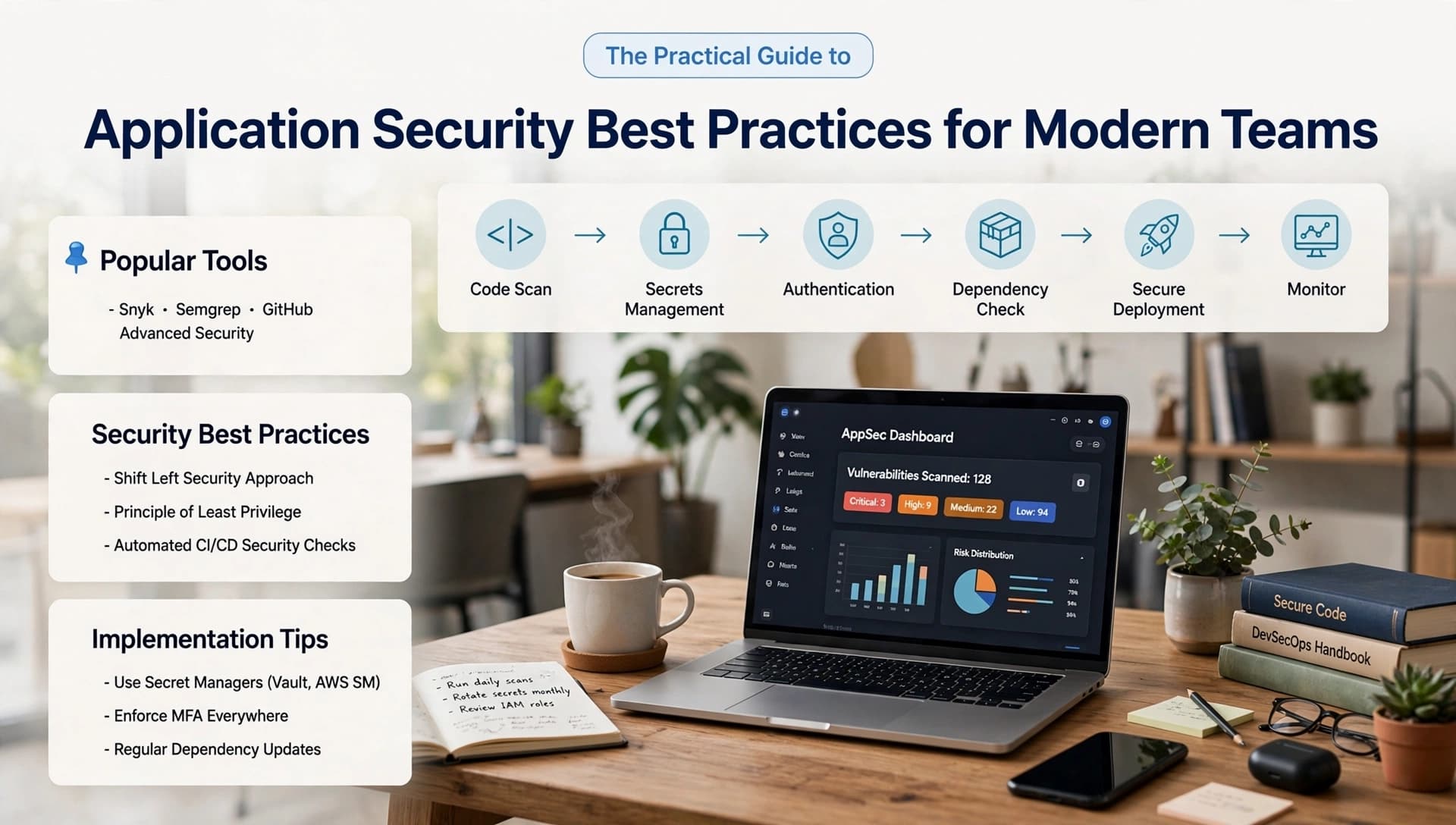
Application Security Best Practices for Modern Teams
Learn application security best practices for web, mobile, cloud and APIs, with practical guidance for leaders choosing the right delivery approach.
Oct 2, 2026Read

Web Development
Building Scalable Microservices with Next.js
Learn Building Scalable Microservices with Next.js using practical architecture patterns, common pitfalls, and decision criteria for modern teams.
Mar 10, 2024Read
AI & Machine Learning
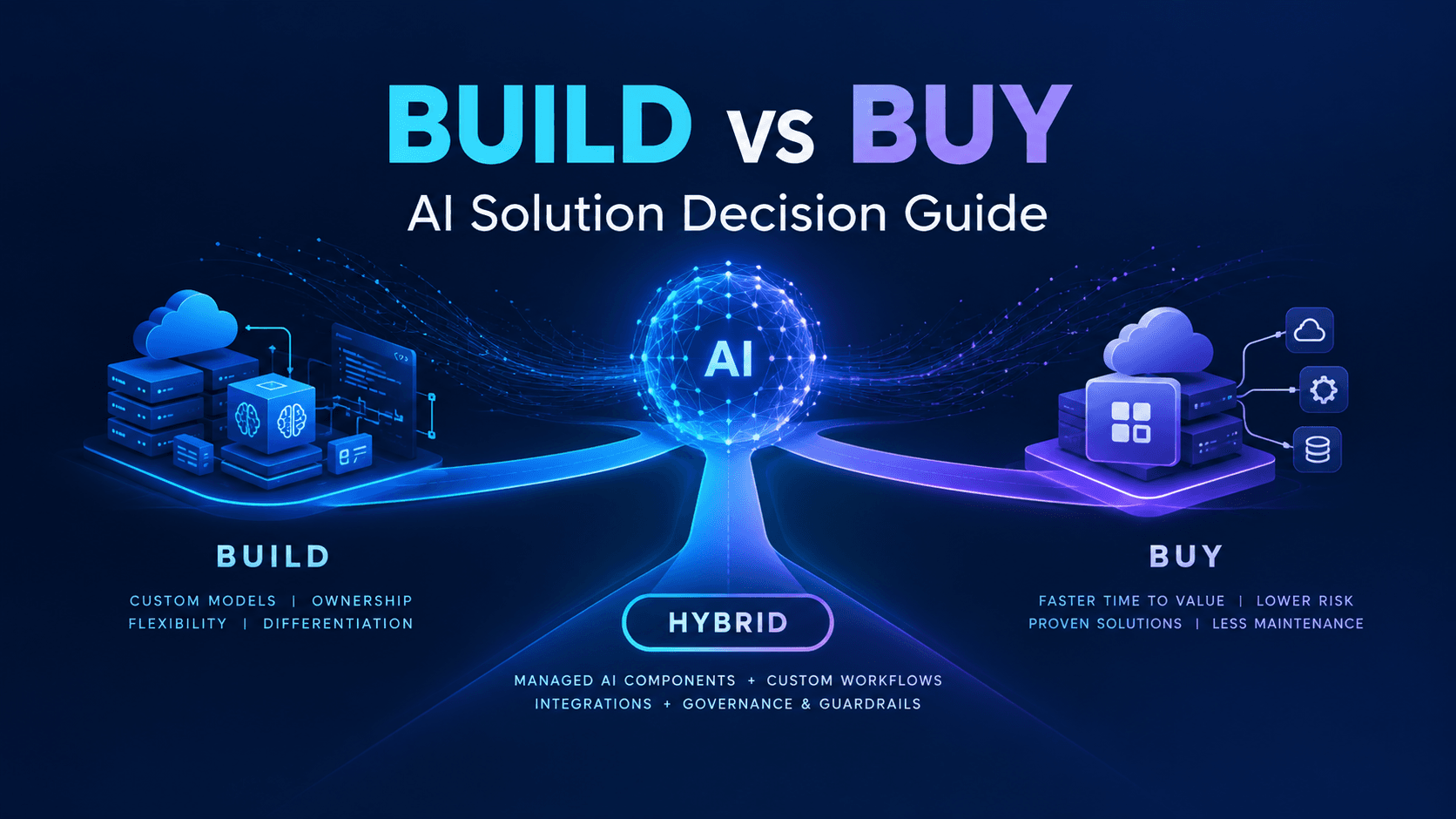
Build vs Buy AI Solution: A Practical Decision Guide
How to decide build vs buy ai solution for your business: costs, timelines, risks, architecture, and a practical framework for leaders.
Sep 10, 2026Read
Work with us
Have a system to build, fix or scale?
Tell us what you are working on and where it hurts. We will tell you how we would approach it.