AI & Machine Learning
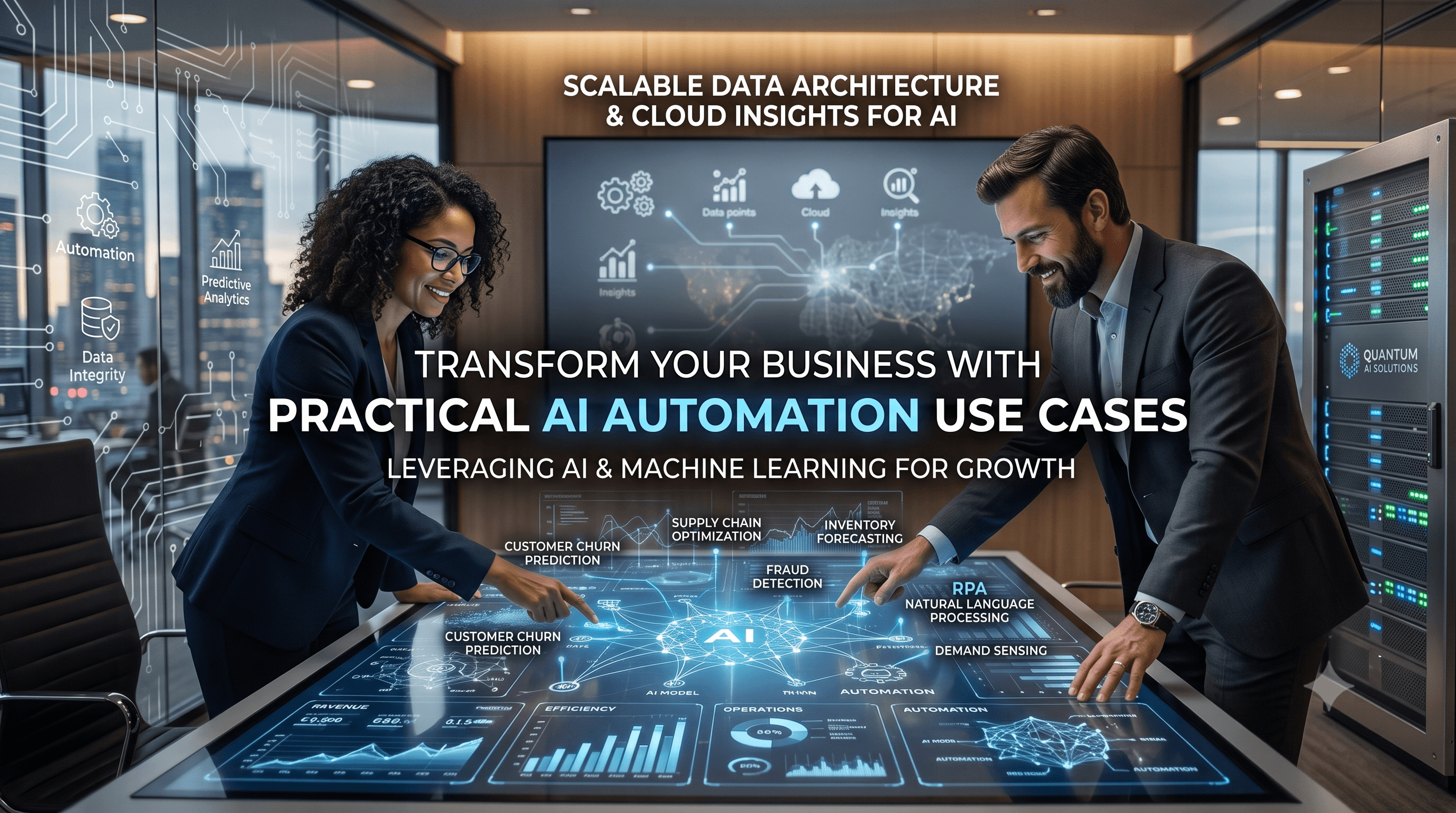
Transform Your Business with Practical AI Automation Use Cases
Explore Transform Your Business with Practical AI Automation Use Cases that improve workflows, reduce manual effort, and support smarter decisions.

Tauseef Alam
Chief Technology Officer
Jun 16, 2026
9 min read
Transform Your Business with Practical AI Automation Use Cases by focusing on workflows that are repetitive, data-rich, and easy to validate. The goal is not to automate everything; it is to remove low-value manual work, speed up decisions, and create a system people can trust. In practice, the best results come from pairing AI with clear business rules, human review, and existing systems such as CRM, ERP, ticketing, and cloud platforms.
Key takeaways
- The best AI automation use cases start with repetitive, rules-heavy work that already has clear inputs, outputs, and approvals.
- AI works best when it assists people in judgment-heavy tasks, while traditional automation handles the predictable steps around it.
- A practical AI rollout usually begins with one high-value workflow, a narrow pilot, and human review before scale.
- Security, data quality, and process design matter more than model choice in most enterprise AI projects.
- Typical AI automation projects can range from a few weeks for a focused pilot to several months for a multi-system rollout.
Why practical AI automation matters now
Business leaders are not short on AI ideas; they are short on reliable use cases that fit real operations. The strongest projects solve a specific bottleneck, reduce rework, or improve response time without forcing a full technology overhaul. That is why practical AI automation tends to win over flashy experiments: it is easier to measure, safer to deploy, and easier for teams to adopt.
For founders, CTOs, and IT managers, the question is not whether AI can do something, but whether it should do it inside your current process. A useful lens is to look for work that is repetitive but not purely mechanical. If the task involves classification, summarization, extraction, routing, prediction, or drafting, AI can often help. If the task is a deterministic if-this-then-that rule, traditional automation may be enough on its own.
In our experience at eSparks IT Solutions, the highest-value outcomes come from combining AI, software engineering, and process redesign. When we built GitHub Timesheet, the value was not just in generating a tool; it was in shaping a workflow that reduced manual tracking effort and made time capture more usable in day-to-day operations. That same principle applies across industries: a good use case is one that fits how teams already work.
Transform Your Business with Practical AI Automation Use Cases
The phrase sounds broad, but the strongest use cases usually fall into a few repeatable categories. These are not abstract AI demos; they are business workflows where the cost of manual handling is already visible in time, errors, or delays.
Common practical use cases include:
- Customer support triage: classify incoming tickets, suggest replies, and route urgent issues to the right team.
- Document processing: extract fields from invoices, contracts, claims, and purchase orders.
- Sales operations: summarize calls, update CRM records, and draft follow-up emails.
- Internal knowledge access: let employees query policies, SOPs, and technical documentation through a controlled assistant.
- HR and onboarding: collect documents, answer routine employee questions, and guide new hires through steps.
- Finance and procurement: flag anomalies, reconcile records, and prepare review packets.
- DevOps and IT operations: summarize incidents, suggest runbook steps, and surface log patterns.
The right use case has three traits: high volume, clear patterns, and a measurable human handoff. For example, if a support team spends hours every day classifying tickets by product area, severity, and customer type, AI can draft the classification while an agent confirms it. If a finance team manually reads dozens of vendor invoices, AI can extract the fields and flag exceptions for review. The best systems do not replace experts; they remove the repetitive part so experts can focus on judgment.
How to identify the right workflow for automation
Start by mapping where time disappears. Do not begin with a model; begin with a process. Ask teams which tasks are repeated daily or weekly, where handoffs stall, and which steps require people to copy data between systems. The most promising candidates usually sit at the intersection of volume, consistency, and pain.
A simple decision framework helps:
- Define the outcome. Decide whether you want faster response times, fewer errors, lower manual effort, or better visibility.
- Measure the current state. Estimate volume, average handling time, exception rate, and systems involved.
- Check data readiness. Identify whether the workflow has structured fields, documents, emails, chats, or voice notes.
- Separate rules from judgment. Use rules-based automation for deterministic steps and AI for interpretation, extraction, or drafting.
- Decide the human control point. Choose where a person must approve, edit, or escalate.
- Pilot in one workflow only. Prove the logic before integrating across the business.
A practical example: an operations team may receive supplier requests by email. Traditional automation can capture the sender, ticket number, and category. AI can read the message body, summarize the request, and suggest a priority. A human approves exceptions. This approach is more robust than trying to make AI do everything at once, and it is easier to explain to stakeholders who care about control and auditability.
The most valuable use cases across business functions
Across industries, the most durable wins tend to appear in support, operations, finance, and internal productivity. Customer service is often the easiest place to start because the inputs are messy but repetitive. AI can classify intent, draft responses from approved knowledge, and detect when escalation is needed. That reduces first-response delays without removing the need for human empathy.
In operations and finance, AI is especially useful for extraction and review. Invoice processing, expense auditing, contract intake, and purchase order matching all involve documents with recurring fields. Optical character recognition, document parsing, and large language models can work together here, especially when combined with validation rules in systems like SAP, NetSuite, Microsoft Dynamics, or custom ERP platforms. If your process depends on approvals, use role-based access control and audit logs so every automated step is traceable.
For internal teams, the highest leverage often comes from knowledge retrieval and drafting. Employees waste time searching policies, onboarding guides, architecture notes, and vendor documentation. A retrieval-augmented system can answer questions from approved sources instead of inventing answers. In software delivery, AI can help summarize code changes, draft release notes, generate test cases, and assist with incident triage. These are not replacements for engineers; they are force multipliers when tied to Git-based workflows, CI/CD pipelines, and observability tools.
Architecture choices that make AI automation reliable
The difference between a demo and a dependable workflow is architecture. In production, AI automation should sit inside a system with input validation, exception handling, logging, and fallback logic. A common and effective pattern is to combine traditional orchestration with AI components only where language understanding or pattern recognition is needed.
A robust stack often includes:
- Front end or intake layer: web forms, email parsing, chat interfaces, or API endpoints.
- Orchestration: workflow engines such as Power Automate, n8n, Make, Temporal, Airflow, or custom services.
- AI layer: LLMs, classification models, OCR, speech-to-text, or embeddings-based search.
- Business systems: CRM, ERP, HRIS, ticketing, document management, and cloud storage.
- Controls: authentication, role-based permissions, audit trails, human approval, and data retention rules.
Security and governance should be designed in from the start. Use data classification to decide what can be sent to external APIs, what must stay in a private cloud, and what should be masked or redacted. For regulated environments, consider tenant isolation, encrypted storage, secrets management, and vendor review. If you operate in the USA, UK, Canada, Australia, UAE, Saudi Arabia, Qatar, or the Netherlands, local data handling expectations and procurement requirements may affect where data can be processed and how long it is retained.
The most common architectural mistake is sending every request straight to a model and hoping for the best. Better systems gate the workflow, validate the input, score confidence, and route uncertain cases to people. This makes the automation trustworthy, easier to test, and easier to expand later.
Typical costs, timelines, and where budgets go
Most decision-makers want a realistic sense of effort before they commit. While every environment is different, a focused pilot often takes a few weeks, especially if the workflow already exists and the integrations are modest. A broader rollout with multiple systems, user roles, security reviews, and exception handling can take several months.
Budget usually goes into five areas: discovery, workflow design, integration, model setup, and testing. A lean pilot may rely on existing platforms and a small amount of custom code. A more complex deployment may need secure APIs, document pipelines, monitoring, and admin dashboards. The technology choice matters, but integration and governance usually consume more effort than the model itself.
As a rough, practical guide, smaller proof-of-concept efforts are often best when the target process is narrow and the success criteria are clear. Production-grade deployments become more expensive when they involve legacy systems, inconsistent data, or strict compliance requirements. The fastest way to waste money is to start with a vague AI initiative instead of a single process owner, a measurable workflow, and a clear definition of done.
Common pitfalls and how to avoid them
One of the biggest mistakes is automating a broken process. If a workflow has unclear ownership, duplicate data, or inconsistent approvals, AI will amplify the mess. Fix the process first, then automate the stable version. Otherwise, you simply make bad work faster.
Another common pitfall is overestimating model accuracy in the real world. AI may perform well on clean examples and then struggle with abbreviations, missing fields, noisy documents, or edge-case language. This is why testing should include real production samples, not just curated demos. Add exception queues, confidence thresholds, and fallback logic so the system handles uncertainty gracefully.
Teams also underestimate change management. Even a good automation can fail if users do not trust it or do not understand when to override it. Publish simple operating rules: what the AI can do, what it cannot do, and who is accountable when it is wrong. In our projects, the most resilient systems are the ones that make human review easy instead of trying to eliminate it.
Finally, do not ignore maintenance. Models, prompts, and business rules drift over time as processes change. Set a review cadence, monitor error patterns, and log the reasons users reject suggestions. That feedback loop is what turns an interesting pilot into a dependable business capability.
A practical rollout plan for leaders
A good rollout sequence keeps risk low and learning high. Start with one workflow that has enough volume to matter, but not so much complexity that the team cannot see what changed. Define the baseline manually, then introduce automation in stages so you can compare outcomes and catch issues early.
A useful rollout pattern looks like this:
- Phase 1: Discovery and process mapping. Identify the pain point, data sources, and approval steps.
- Phase 2: Prototype. Test extraction, classification, or drafting on a small sample.
- Phase 3: Pilot. Run the automation alongside the current process with human review.
- Phase 4: Harden. Add logging, permissions, fallback paths, and monitoring.
- Phase 5: Scale. Expand to adjacent workflows, teams, or regions.
The key is to avoid trying to solve every problem in one release. A focused first win builds confidence, clarifies governance, and gives your teams a shared language for the next use case. That is especially important for organizations modernizing across cloud, DevOps, data, and security at the same time. Practical AI should reduce friction across the stack, not add another isolated tool.
For leaders evaluating a software partner, look for people who ask about process, data quality, integrations, and control points before they talk about models. That mindset is a strong sign they understand how to turn AI into something operational, not just impressive. eSparks often approaches these projects that way: with architecture, business context, and maintainability in the same conversation.
Frequently Asked Questions
What are practical AI automation use cases for a business?
Practical AI automation use cases are workflows where AI helps with classification, extraction, summarization, drafting, or routing inside an existing business process. The best candidates are repetitive, data-rich, and easy to validate with human review.
How do I know if AI automation is worth pursuing?
AI automation is worth pursuing when a workflow has enough volume to matter, clear inputs and outputs, and visible manual effort or delay. If the process is poorly defined or highly variable without clear review rules, it should be redesigned before automation.
Should AI replace humans in operational workflows?
In most business settings, AI should assist humans rather than replace them. The safest pattern is to automate repetitive steps and use people for exceptions, approvals, and final judgment.
How long does an AI automation project usually take?
A focused pilot can often be built in a few weeks if the workflow is narrow and the integrations are simple. A production rollout with security, multiple systems, and exception handling usually takes several months.
Work with eSparks IT Solutions
Planning a project around this? We help businesses across the USA, UK, Canada, Australia and the GCC ship it. See a related project: GitHub Timesheet. Explore our AI & Machine Learning services and portfolio, estimate your project cost, or book a free call.
Related AI services & solutions

Tauseef Alam
Chief Technology Officer
Passionate technology writer and industry expert with years of experience in software development, cloud computing, and digital transformation. Dedicated to sharing insights and helping developers stay ahead of the curve.
Related Topics
Continue Reading
More insights in AI & Machine Learning

AI & Machine Learning
AI Document Automation: A Practical Guide for Business
Learn how ai document automation works, where it fits, common pitfalls, costs, timelines, and how to evaluate the right delivery approach.
Oct 1, 2026
Read More
AI & Machine Learning
AI Adoption for Small Business: A Practical Guide
AI adoption for small business works best when you target one clear use case, secure your data, and roll out in measured phases with ROI checks.
Sep 28, 2026
Read More
AI & Machine Learning
Build vs Buy AI Solution: A Practical Decision Guide
How to decide build vs buy ai solution for your business: costs, timelines, risks, architecture, and a practical framework for leaders.
Sep 10, 2026
Read MoreReady to Transform Your Business?
Let's discuss how our expertise can help you achieve your goals