
AI & Machine Learning
AI Document Automation: A Practical Guide for Business
Learn how ai document automation works, where it fits, common pitfalls, costs, timelines, and how to evaluate the right delivery approach.

Tauseef Alam
Chief Technology Officer
Oct 1, 2026
10 min read
AI document automation is the use of AI plus workflow engineering to read, classify, extract, validate, route, and sometimes generate business documents with minimal manual handling. In practice, it turns invoices, contracts, forms, IDs, claims, onboarding packets, and reports into structured data and next-step actions inside your existing systems. For most businesses, the real value is not “AI for documents” in isolation, but faster processing, fewer handoff errors, stronger auditability, and less dependence on repetitive admin work.
Key takeaways
- AI document automation combines OCR, extraction models, rules, and workflow orchestration to turn unstructured business documents into validated, usable data.
- The best automation candidates are high-volume, repeatable document processes with clear downstream actions, such as invoices, claims, onboarding packets, and contract routing.
- Accuracy alone is not enough; production-grade document automation also needs confidence scoring, human review paths, audit logs, role-based access, and retention controls.
- A sensible rollout usually starts with one document type and one workflow, then expands after field definitions, exception handling, and integration patterns are proven.
- Typical delivery effort depends more on document variability, compliance requirements, and system integration complexity than on model selection alone.
What AI document automation actually includes
Many buyers hear the term and think only of OCR. OCR is part of the stack, but modern document automation is broader: document ingestion, classification, data extraction, business rules, exception handling, workflow routing, storage, and integration into ERP, CRM, HR, ticketing, or line-of-business platforms. A working system usually combines several techniques rather than one model doing everything.
At a technical level, common components include:
- OCR and layout analysis for scanned PDFs, images, emails, and attachments
- NLP and document AI models to identify entities such as names, dates, invoice numbers, totals, clauses, and signatures
- Rules engines for deterministic checks such as tax format, purchase order matching, mandatory fields, and threshold approvals
- Retrieval and validation against source systems such as SAP, Oracle, Dynamics, Salesforce, HubSpot, Workday, or custom databases
- Workflow orchestration using tools like Camunda, Temporal, Power Automate, ServiceNow, or custom queues and microservices
- Human-in-the-loop review for low-confidence cases or policy exceptions
- Audit logging, role-based access, encryption, and retention policies for governance
The most successful implementations treat documents as part of an operational process, not just a data extraction problem. If a system can read an invoice but cannot validate the vendor, match the PO, route an exception, and post approved data to the finance stack, the automation remains partial and fragile. That is why architecture and process design matter as much as model quality.
Where ai document automation creates the most business value
The strongest use cases tend to share three traits: high volume, repeatable structure, and a clear downstream action. Accounts payable is a classic example. Incoming invoices arrive in different formats, data must be captured reliably, fields need validation, and exceptions must go somewhere specific. Similar patterns appear in insurance claims intake, employee onboarding, KYC, logistics paperwork, healthcare administration, legal contract review, and procurement approvals.
A practical way to identify opportunities is to look for processes where teams spend hours opening attachments, copying values into systems, checking basic rules, chasing missing information, and reformatting records for reporting. Good candidates include:
- Invoice capture and three-way matching support
- Contract intake, metadata extraction, and approval routing
- HR onboarding documents, ID verification, and policy acknowledgments
- Loan, mortgage, or leasing application packages
- Support desk email triage with attachment classification
- Shipping, customs, and proof-of-delivery document handling
- Compliance reporting packs assembled from multiple file types
The value often shows up in cycle time, consistency, traceability, and operational resilience rather than one dramatic metric. Teams can handle spikes without proportionally increasing headcount. Managers gain better visibility into queues and exceptions. Regulated businesses also benefit from stronger evidence trails, which matter when audits, disputes, or internal reviews arise.
Building the right architecture, from ingestion to decisions
A dependable document automation platform usually follows a layered design. First comes ingestion: email inboxes, SFTP drops, web forms, scanners, APIs, or cloud storage events. Then a classification stage determines what the document is and which extraction path applies. After extraction, the system runs validation rules, enriches the data from enterprise systems, and either triggers an action automatically or sends the case to a review queue.
For delivery teams, some technical choices come up repeatedly. Cloud-native systems often use Azure AI Document Intelligence, AWS Textract, Google Document AI, or specialized IDP platforms for extraction; Python or Node.js services for orchestration; PostgreSQL or document stores for metadata; and message brokers such as RabbitMQ, Kafka, or cloud queues for resilience. Containerized deployment on Kubernetes or managed serverless services is common when workload spikes are unpredictable. If sensitive documents cannot leave a specific region or environment, private networking, customer-managed keys, VPC isolation, and stricter data residency controls become central design concerns.
A robust architecture also includes controls that non-technical buyers should ask about explicitly:
- Confidence thresholds by field, not just by document
- Versioned extraction schemas so changes do not break downstream integrations
- Retry logic and dead-letter handling for failed jobs
- Role-based access control integrated with SSO or corporate identity providers
- Immutable audit logs for who changed what and when
- PII handling, masking, and retention policies aligned with internal governance
- Manual review workbenches with side-by-side document and extracted data views
In our experience, many “AI” projects fail because they underinvest in exception paths. Real documents are messy: skewed scans, multilingual content, missing pages, handwritten notes, unfamiliar templates, and conflicting values across sources. The production question is never whether some documents will be ambiguous; it is how cleanly your process handles ambiguity without creating operational chaos.
How to decide if a process is a good fit
Before selecting tools or vendors, define the problem in operational terms. What document types enter the process? How variable are they? What fields matter? What system should receive the output? Which validations are objective, and which require judgment? A process that depends heavily on negotiation, contextual interpretation, or legal nuance may still benefit from AI assistance, but full automation may be unrealistic.
A useful decision framework is to score the process across six areas:
- Volume and frequency: Daily or weekly inflow supports automation better than occasional batches.
- Document variability: Standardized templates are easier; highly inconsistent or handwritten material raises effort.
- Data criticality: If errors create financial, legal, or safety risk, review design becomes more important.
- Integration requirements: Posting results into ERP, CRM, HRIS, or case systems adds complexity but also drives business value.
- Exception rate: If many cases require subjective decisions, plan for assisted processing rather than straight-through automation.
- Compliance and security: Industries with strict retention, residency, and audit needs require stronger controls from day one.
Then map one representative workflow end to end. Document the intake source, fields to extract, validation logic, approval rules, exception owners, and archival requirements. This often reveals that the bottleneck is not extraction at all; it may be inconsistent approval policy, duplicate systems, or unclear data ownership. When we built GitHub Timesheet, the lesson was similar: automation works best when the workflow states, ownership, and exception logic are explicit before implementation begins.
Common pitfalls and how to avoid them
The most common mistake is treating document automation as a generic model purchase instead of a business process redesign. Teams buy a platform, run a promising demo on a few sample files, and assume production rollout will be straightforward. Then they hit unseen template variance, approval exceptions, poor source quality, and downstream integration gaps.
Another pitfall is measuring success only at the extraction layer. A model might capture fields reasonably well, but if users still recheck everything manually, search across email threads, or re-enter approved values into another system, the business process has not improved enough. Useful programs define success in workflow terms: how many documents move through cleanly, how exceptions are resolved, and whether the output is trusted enough to drive action.
To avoid expensive rework, pay close attention to these issues early:
- Do not start with your hardest document set. Begin with one high-value, moderately structured process.
- Create a labeled sample set that reflects real variability, not only your cleanest examples.
- Define field-level acceptance criteria, including what happens when confidence is low.
- Keep deterministic checks outside the model where possible; rules are easier to audit and update.
- Design manual review screens for speed. Poor reviewer UX can erase automation gains.
- Plan for model drift and template changes with monitoring and periodic retraining or rule updates.
- Align legal, security, and records teams early if documents contain PII, financial data, or regulated content.
There is also a build-versus-buy misconception. Buying an IDP tool does not eliminate engineering. You still need document taxonomy, schema design, workflow logic, integration, observability, security, testing, and change management. Conversely, building everything from scratch rarely makes sense unless your document workflows are core intellectual property or your compliance constraints are unusually specific. Most organizations benefit from a hybrid approach: use mature extraction services where appropriate, then build the business-specific orchestration and controls around them.
Typical costs, timelines, and delivery models
Business leaders often ask for a precise budget before discovery, but document automation cost depends heavily on document diversity, exception handling, and integration scope. As a broad market estimate, a focused pilot for one document type with limited integrations may take roughly 4 to 8 weeks. A production-ready implementation for one or two business workflows often lands closer to 8 to 16 weeks, especially when security review, review queues, approval logic, and ERP or CRM integration are included. Enterprise rollouts across multiple document families can extend beyond that.
Cost follows the same pattern. A small proof of concept can be relatively contained, but a production system introduces infrastructure, model or API usage, workflow design, testing, monitoring, support, and governance. Ongoing spend may include cloud compute, document AI transaction costs, observability tooling, storage, and maintenance for template changes and model tuning. If your documents are low volume but highly sensitive, compliance requirements can outweigh AI costs. If your volume is high, usage-based extraction pricing becomes more important.
When comparing delivery approaches, ask three practical questions:
- Is the scope limited to extraction, or does it include end-to-end workflow automation?
- Are security, auditability, and role controls built in or left for later phases?
- Who owns model monitoring, exception process refinement, and change management after go-live?
This is where an experienced software and IT partner matters. At eSparks, we generally advise clients to treat the first release as an operational foundation: narrow enough to prove value, but engineered well enough that adding document types later does not require replatforming.
A step-by-step rollout plan that reduces risk
A disciplined rollout typically beats a “big bang” launch. The goal is to deliver one reliable workflow, learn from real exceptions, and expand from a solid baseline. That approach also makes stakeholder alignment easier across IT, operations, compliance, and business teams.
A practical rollout plan looks like this:
- Select one process with meaningful volume and manageable complexity.
- Gather a representative document set, including poor scans and odd templates.
- Define the target schema, validation rules, exception types, and audit requirements.
- Choose the extraction approach and workflow stack based on residency, security, and integration needs.
- Build the review queue and role model before scaling automation.
- Integrate with the destination systems and add observability for throughput, failures, and exception reasons.
- Run parallel validation with real users before enabling automation for production actions.
- Review exceptions weekly, then refine prompts, models, rules, or schemas based on actual failure patterns.
Governance should mature alongside capability. That means documented ownership for prompt or model changes, release processes for rules, test sets for regression checks, and retention rules for source documents and extracted data. In regulated sectors, include legal and security review in the standard lifecycle rather than as late-stage blockers.
The strategic advantage of ai document automation is not that it replaces people wholesale. It standardizes the repetitive parts of document-heavy operations so skilled teams can focus on exceptions, decisions, and customer-facing work. Done well, it creates a more reliable operating layer across finance, HR, legal, support, and compliance functions—and that is where the long-term value usually comes from.
Frequently Asked Questions
What is AI document automation in simple terms?
AI document automation uses OCR, language models, rules, and workflow software to read business documents, extract important data, validate it, and trigger the next process step. It is most useful when organizations need to handle large volumes of invoices, forms, contracts, claims, or onboarding documents consistently.
Which business processes are the best fit for AI document automation?
The best fit is a high-volume, repeatable process with clear fields, validation rules, and a defined downstream action. Common examples include accounts payable, contract intake, HR onboarding, claims processing, and support email triage with attachments.
How accurate is AI document automation?
Accuracy varies by document quality, template consistency, handwriting, language, and the complexity of the fields being extracted. In production, strong systems do not rely on accuracy alone; they use confidence scoring, business-rule validation, and human review for exceptions.
How long does it take to implement AI document automation?
A focused pilot for one document type can often be delivered in several weeks, while a production workflow with integrations, review queues, and governance commonly takes a few months. The timeline depends more on document variability, compliance needs, and system integration complexity than on the AI model itself.
Work with eSparks IT Solutions
Planning a project around this? We help businesses across the USA, UK, Canada, Australia and the GCC ship it. See how we work with clients in the USA. See a related project: GitHub Timesheet. Explore our AI & Machine Learning services and portfolio, estimate your project cost, or book a free call.
Related AI services & solutions

Tauseef Alam
Chief Technology Officer
Passionate technology writer and industry expert with years of experience in software development, cloud computing, and digital transformation. Dedicated to sharing insights and helping developers stay ahead of the curve.
Related Topics
Continue Reading
More insights in AI & Machine Learning

AI & Machine Learning
AI Adoption for Small Business: A Practical Guide
AI adoption for small business works best when you target one clear use case, secure your data, and roll out in measured phases with ROI checks.
Sep 28, 2026
Read More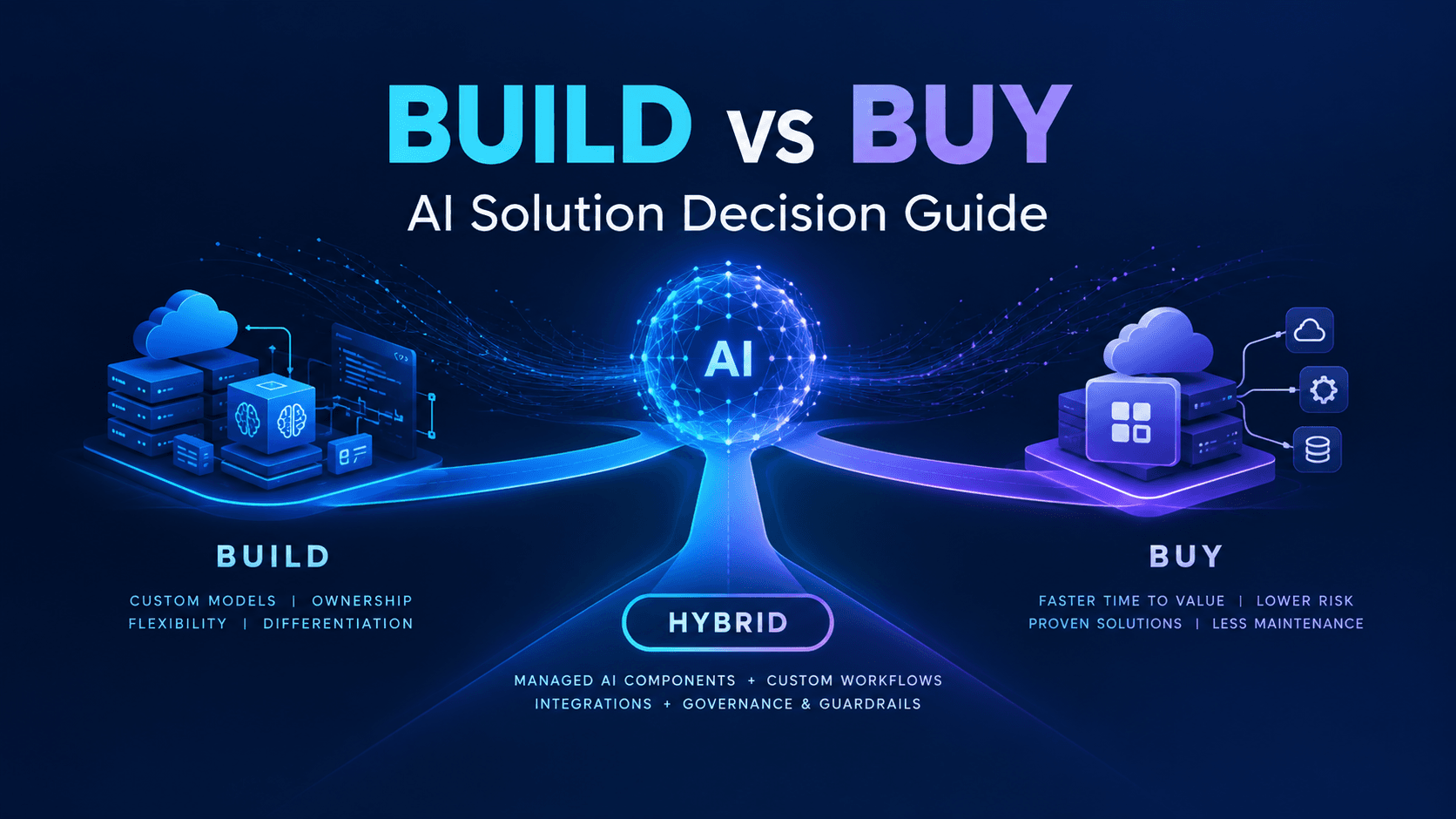
AI & Machine Learning
Build vs Buy AI Solution: A Practical Decision Guide
How to decide build vs buy ai solution for your business: costs, timelines, risks, architecture, and a practical framework for leaders.
Sep 10, 2026
Read More
AI & Machine Learning
Custom AI Chatbot Development: A Practical Guide
A buyer’s guide to custom ai chatbot development: use cases, architecture, costs, timelines, risks, and vendor selection.
Sep 9, 2026
Read MoreReady to Transform Your Business?
Let's discuss how our expertise can help you achieve your goals