
Programming
Secure Remote Desktop for BPO Call Centres: Practical Guide
A practical guide to secure remote desktop for bpo call centres, covering architecture, controls, compliance, rollout steps, and realistic costs.

Anika Rukhsar
Founder
Oct 15, 2026
9 min read
A secure remote desktop for bpo call centres is a controlled way to let agents work from home or branch sites without exposing customer data on local machines. The safest designs keep apps and data inside a data centre or cloud desktop, send only encrypted screen updates to the agent, and enforce strong identity, device, and session controls. For most decision-makers, the real question is not whether to enable remote access, but which architecture and controls give acceptable risk, performance, and operating cost.
Key takeaways
- A secure remote desktop for bpo call centres should keep data in the controlled environment, transmit only encrypted display output, and block local copy, print, and USB by policy.
- For most BPO environments, the right decision is between VDI and DaaS, chosen based on compliance needs, latency, application complexity, and the ability to manage endpoints at scale.
- Security controls fail most often at the edges: unmanaged home devices, weak identity workflows, over-privileged admin access, and poor monitoring of session activity.
- Pilot first with real call flows, voice quality testing, MFA recovery procedures, and supervisor workflows before scaling to the full agent population.
Why remote desktop matters in modern BPO operations
BPO and call centre teams need flexibility, but they also handle payment details, personal information, healthcare records, order histories, and internal systems that cannot simply be opened over a consumer laptop and broadband connection. Remote desktop solves this by moving the work environment away from the endpoint. Instead of installing critical apps locally, you deliver a managed desktop or published application from a central environment and apply policy consistently.
This matters most when operations scale quickly across cities, home agents, overflow teams, seasonal programmes, and outsourced support vendors. If every endpoint is a risk surface, your security team ends up chasing device sprawl, patch delays, and shadow IT. A centralised desktop model reduces that spread and gives IT one place to control updates, monitor sessions, segment access, and revoke permissions when staffing changes.
The model also helps with business continuity. When an office loses power, transport is disrupted, or a programme needs to launch in a new location, agents can connect to the same approved desktop image and workflow. Supervisors keep the same queue tools, QA tools, and reporting views without re-engineering each device.
What a secure remote desktop for bpo call centres actually includes
Many teams say “remote desktop” when they mean very different things. A consumer-grade remote access tool is not the same as an enterprise virtual desktop setup. For call centres, a secure design usually combines several layers:
- A hosted desktop or app delivery platform such as Azure Virtual Desktop, Windows 365, Citrix, Omnissa Horizon, Amazon WorkSpaces, or a hardened RDS environment
- Identity controls through Microsoft Entra ID, Okta, or another IdP with MFA, conditional access, and preferably phishing-resistant factors such as FIDO2
- Endpoint controls via MDM/UEM and EDR, whether the user device is corporate-owned or part of a tightly restricted BYOD model
- Network controls such as private access, split-tunnel decisions, DNS filtering, secure web gateways, and segmentation between agent workloads and admin systems
- Session restrictions including clipboard policy, print redirection blocks, drive mapping controls, browser isolation where needed, and watermarking or session recording for sensitive processes
- Monitoring and response through SIEM, audit logs, UEBA, and clear incident workflows
For voice workloads, the design must also account for softphone and media paths. Some deployments keep the CRM and back-office apps in the remote desktop but let voice media break out locally through approved optimisation packs. Others host the full softphone stack within the virtual environment. The right choice depends on latency tolerance, headset support, contact centre platform compatibility, and whether calls involve PCI DSS or other regulated data.
A common mistake is securing the desktop but ignoring the operator journey around it. Password resets, supervisor overrides, file exchange with back-office teams, and emergency access procedures are often where risk enters. Security is not only the desktop image; it is the workflow around identity, support, and monitoring.
Architecture choices: VDI, DaaS, RDS, and thin clients
There is no single “best” architecture. The strongest option is the one that fits your application mix, compliance profile, and operating discipline. In practice, most BPO buyers compare four patterns.
First is classic VDI, usually in your cloud tenant or private environment. This gives high control over images, networking, security tooling, and integration with internal systems. It works well when agents use several Windows applications, legacy client software, or workflows that need domain integration and custom hardening. The trade-off is operational complexity: image management, scaling rules, profile handling, and cost governance need active ownership.
Second is DaaS, where a vendor manages much of the control plane. Azure Virtual Desktop with automation, Windows 365, and similar services can shorten rollout time, especially for teams that do not want to build every component from scratch. DaaS is often a good fit for distributed operations, but you still need to design identity, compliance logging, voice testing, and endpoint policy carefully.
Third is Remote Desktop Services or published applications for simpler use cases. If agents mostly use a browser-based CRM and a small set of internal tools, published apps or session hosts can be cost-effective. However, multi-session environments need careful profile, browser, and concurrency tuning, especially when contact centre tabs, QA plugins, and real-time dashboards are involved.
Fourth is a thin-client-first model. This is attractive where you want very little local capability on the endpoint and strong fleet consistency. In our experience, thin clients can reduce configuration drift and support overhead when deployed well. When we built ThinClient OS + Fleet Manager, one of the clearest lessons was that central policy enforcement matters more than endpoint branding; if updates, peripheral rules, and recovery paths are not centrally governed, thin clients lose much of their security advantage.
Core security controls that matter most
Security posture depends less on one product choice and more on disciplined controls. If you are evaluating providers or internal designs, these are the controls worth scrutinising first.
Identity and access should start with least privilege, MFA, and conditional access. Agents should authenticate through a central IdP, with separate admin accounts for support staff and just-in-time elevation for privileged tasks. Disable shared accounts. Build strong joiner-mover-leaver workflows so that access changes happen quickly when projects, shifts, or employers change.
Data protection should assume that customer information must stay inside the controlled environment. That means blocking local downloads where possible, limiting clipboard and print, disabling unsanctioned browser extensions, and applying DLP to email, storage, and CRM exports. For payment handling, many centres use pause-and-resume recording, secure payment pages, tokenisation, or dual-tone masking, depending on the telephony platform and PCI design.
Endpoint trust is another decisive factor. If devices are corporate-owned, enforce MDM compliance, full-disk encryption, EDR, patching, and BIOS controls. If BYOD is unavoidable, use a stricter model: browser isolation, app-level access, health checks, and clear denial rules for rooted devices, outdated OS versions, or missing protection. “Bring your own device” should never mean “bring your own standards.”
Finally, log what matters. At minimum, capture sign-ins, MFA events, session starts and stops, policy violations, admin changes, endpoint compliance state, and suspicious data movement. Feed the right signals into your SIEM and make sure someone actually reviews them. A log that nobody can action is not a control.
Compliance, privacy, and audit readiness
For many BPOs, remote desktop decisions are driven as much by auditability as by convenience. Different programmes may touch PCI DSS, ISO 27001, SOC 2 expectations, HIPAA-related handling, GDPR, or customer-specific security annexes. A workable design maps these obligations to concrete technical and operational controls instead of vague policy language.
The easiest way to fail an audit is to rely on “secure by default” claims from a platform vendor without proving your own configuration. Auditors will care about account lifecycle, evidence of MFA, change approvals, patch cadence, log retention, encryption in transit and at rest, segregation of duties, and exception handling. They will also ask how home-based agents are supervised, what local recording risks exist, and how incidents are investigated.
For India-based teams supporting overseas customers, cross-border data handling needs special attention. Confirm where desktop hosts, backups, logs, and voice recordings reside. Check whether support engineers can access production sessions, whether subcontractors are involved, and whether your legal and security teams are aligned on data processing terms. It is common for a technically sound system to create contractual or privacy friction because residency and support access were not clarified early.
A practical tip: build an evidence pack as part of the implementation, not after go-live. Keep architecture diagrams, access matrices, hardening baselines, test results, exception records, and incident runbooks ready. This saves time when a new client security questionnaire arrives.
A decision framework for buyers and IT leaders
If you are selecting a software or IT partner, use a step-by-step evaluation instead of comparing vendor decks. The most reliable projects start with operational realities and work backward to architecture.
- Define the workload clearly.
- Which applications do agents use?
- Are they browser-based, Windows client/server, or GPU-heavy?
- Is voice embedded, browser-based, or a separate softphone?
- Classify data and compliance needs.
- Will agents see card data, PHI, or regulated customer records?
- What retention, recording, and audit evidence is required?
- Are there client-specific restrictions on remote work or BYOD?
- Decide the endpoint model.
- Corporate laptop, locked-down thin client, branch workstation, or BYOD?
- What peripherals are required: dual monitors, headsets, webcams, smart cards, USB devices?
- What will support look like outside office hours?
- Test connectivity and voice before broad rollout.
- Check latency, packet loss, jitter, and ISP variability across agent locations
- Validate headset compatibility, call quality, redirection behaviour, and failover
- Test under real queue conditions, not only with admin tools
- Design operations, not just infrastructure.
- Who owns image updates, application packaging, and certificate renewal?
- How are incidents triaged between network, endpoint, desktop, and application teams?
- What is the break-glass process if MFA fails during a shift?
- Run a pilot with realistic edge cases.
- Include supervisors, QA analysts, trainers, and a few difficult users
- Simulate password reset, ISP drop, machine replacement, and policy exceptions
- Measure service desk effort and not only technical success
This framework often surfaces the real blockers quickly. In many projects, the biggest issue is not desktop hosting but home network inconsistency, unsupported peripherals, or identity recovery workflows that lock agents out during peak hours.
Typical timelines, cost ranges, and rollout pitfalls
Typical timelines depend on complexity. A focused pilot for a few teams using standard apps can often be prepared in a few weeks if identity, cloud landing zone, and endpoint policy already exist. A broader multi-client BPO rollout with telephony integration, compliance approval, image engineering, and support readiness often takes a few months. Legacy applications, custom VPN dependencies, or complicated recording controls can extend this further.
Costs vary widely, so it is safer to think in components rather than one headline figure: desktop licensing, compute and storage, connectivity, identity and MFA, endpoint management, security tooling, voice optimisation, monitoring, implementation effort, and ongoing support. For some teams, shared session hosts are the most economical path. For others, dedicated desktops are justified because of compliance isolation or application behaviour. The cheapest monthly desktop is often not the cheapest operating model once support effort and risk are included.
The most common rollout pitfalls are predictable:
- Treating call centre voice like a generic office app; real-time media needs its own testing and optimisation
- Underestimating profile management, browser cache growth, and login times in shared environments
- Allowing too many local exceptions for USB, copy/paste, printing, or downloads during “temporary” phases
- Leaving admins with broad standing access instead of PAM and just-in-time controls
- Skipping user training on MFA, session disconnects, headset switching, and what to do when broadband fails
- Launching without clear observability, so support teams cannot tell whether a problem is endpoint, ISP, identity, desktop host, or application
A secure remote desktop initiative succeeds when IT, security, operations, and programme owners make the trade-offs explicit. The right answer is rarely the flashiest platform. It is the design that keeps data controlled, keeps agents productive, and gives your team evidence that the environment is defensible when customers and auditors ask hard questions.
Frequently Asked Questions
What is the safest remote desktop model for a BPO call centre?
The safest model usually keeps applications and data inside a managed cloud or data-centre environment and sends only encrypted display output to the agent device. It should combine MFA, conditional access, endpoint compliance checks, restricted clipboard and USB policies, logging, and clear separation of admin privileges.
Is BYOD acceptable for call centre remote work?
BYOD can be acceptable for some programmes, but only with strict controls and a clear risk decision. At minimum, use strong identity checks, device health validation, EDR or browser isolation, blocked local storage paths, and policies that deny access from unsupported or non-compliant devices.
How do VDI and DaaS differ for call centre operations?
VDI usually gives more control over images, networking, and security design, which helps with complex applications and tighter compliance requirements. DaaS reduces management overhead and can speed up deployment, but it still requires careful planning for identity, logging, voice optimisation, and endpoint policy.
What should be tested in a pilot before full rollout?
A proper pilot should test sign-in flows, MFA recovery, headset behaviour, voice quality, session stability, CRM responsiveness, supervisor workflows, and support processes during real shift conditions. It should also include negative scenarios such as ISP drops, device replacement, and policy violations to confirm that operations can recover cleanly.
Work with eSparks IT Solutions
Planning a project around this? We help businesses across the USA, UK, Canada, Australia and the GCC ship it. See a related project: ThinClient OS + Fleet Manager. Explore our Programming services and portfolio, estimate your project cost, or book a free call.
Related development services

Anika Rukhsar
Founder
Passionate technology writer and industry expert with years of experience in software development, cloud computing, and digital transformation. Dedicated to sharing insights and helping developers stay ahead of the curve.
Related Topics
Continue Reading
More insights in Programming
Programming
Kiosk Mode Operating System for Business: UK Buyer's Guide
A practical UK guide to choosing a kiosk mode operating system for business, covering security, management, cost and rollout decisions.
Oct 14, 2026
Read More
Programming
Endpoint Fleet Management Software: Buyer’s Guide
Learn how to evaluate endpoint fleet management software for security, patching, compliance, automation, and long-term IT operations.
Oct 13, 2026
Read More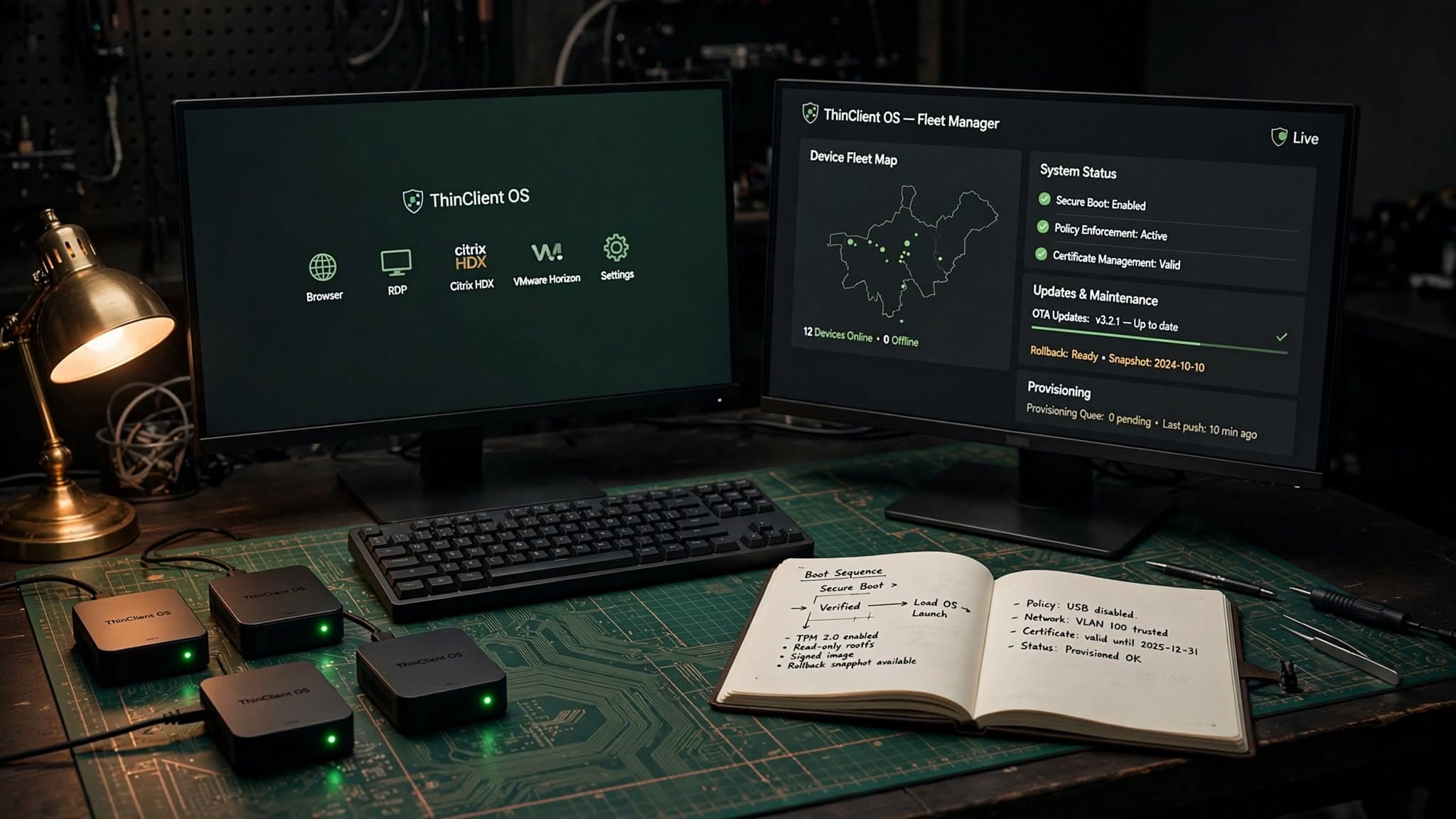
Programming
Linux Thin Client Operating System: Buyer’s Guide
A practical guide to choosing a linux thin client operating system for secure, manageable endpoint fleets across VDI, kiosks and remote work.
Oct 12, 2026
Read MoreReady to Transform Your Business?
Let's discuss how our expertise can help you achieve your goals