
Web Development
Signs It's Time for Legacy Application Modernization
Learn the clearest signs it's time for legacy application modernization, plus a practical framework for deciding what to update, replace, or retire.
S
Shayma Parween
Lead Developer
Jun 19, 2026
10 min read
Signs It's Time for Legacy Application Modernization
Key takeaways
- Legacy application modernization is usually justified when business change is blocked by technical limits, rising operational risk, or slow delivery.
- Not every old system needs to be rebuilt; some should be rehosted, refactored, wrapped, or retired based on business value and risk.
- A good modernization decision starts with dependency mapping, security review, and a realistic estimate of downtime, data migration, and integration effort.
- The most common modernization mistake is choosing a target architecture before understanding the application portfolio and the business outcomes it must support.
- Typical modernization efforts range from a few weeks for a small replatforming effort to several months or longer for a large, regulated core system.
Signs it's time for legacy application modernization usually show up long before a system fails completely. The clearest signals are slow release cycles, rising maintenance cost, brittle integrations, and growing business risk when a platform cannot support new channels, security requirements, or scale. If teams spend more time working around the application than improving the business, the system is no longer just old — it is constraining growth.
From our experience helping businesses assess aging platforms, the trigger is rarely one dramatic outage. It is more often a pattern: a feature request takes months, a vendor support contract is ending, an API breaks every time another system changes, or a security review keeps flagging the same architectural weaknesses. When these issues start affecting revenue, compliance, customer experience, or staff productivity, modernization becomes a strategic decision rather than a technical preference.
What “legacy” actually means in a business context
Legacy does not simply mean "old." A 10-year-old application can still be healthy if it is documented, testable, secure, and adaptable. A 2-year-old system can be legacy if it is tightly coupled, impossible to change safely, and dependent on a developer who is the only person who understands it.
In business terms, a legacy system is one that creates friction in at least one of four areas: delivery speed, operational stability, security/compliance, or cost-to-change. Common examples include monolithic web apps built on outdated frameworks, desktop software with manual database updates, custom ERP extensions that depend on obsolete middleware, or mobile backends that cannot support modern identity, observability, and API patterns.
The technology details matter because they shape the risk. Systems running on unsupported .NET Framework versions, older Java runtimes, PHP stacks with weak dependency management, or bespoke integrations built around SOAP-only services often become difficult to defend and expensive to extend. The same is true for applications with unpatched operating systems, manual deployments, shared production credentials, or no automated tests.
Technical and operational warning signs
The strongest sign is often change resistance. If a simple business request requires touching many modules, database tables, and hidden dependencies, the architecture is likely too tightly coupled. You may also see long regression cycles, frequent hotfixes, and production incidents caused by small code changes that should have been routine.
Other warning signs are easier to spot in day-to-day operations:
- Releases require late-night windows because deployment is risky or manual.
- Teams maintain duplicate data in spreadsheets because the system cannot expose a clean API.
- Performance degrades under moderate load, but scaling is difficult or expensive.
- Security teams cannot easily prove patch levels, logging coverage, or access controls.
- New cloud, AI, analytics, or mobile initiatives keep stalling because the core application cannot integrate cleanly.
A practical example: a finance team may still process invoices reliably in a legacy app, but if every vendor onboarding change requires database edits, email approvals, and custom scripts, the system is no longer supporting the business efficiently. Another example is a customer portal that works on desktop but cannot support modern authentication, responsive design, or event-driven notifications. These are modernization candidates even if they are not visibly broken.
Business signals that the application is holding you back
Business pain usually appears before technical debt is formally recognized. If product teams avoid promising new features because the platform is too hard to modify, that is a direct growth limit. If sales cannot support a new enterprise prospect because the application lacks role-based access, SSO, audit logs, or integration flexibility, the system is shaping the market you can serve.
Watch for these business-level signals:
- Time-to-market is slower than competitors because every enhancement requires heavy engineering effort.
- Customer support tickets repeatedly point to the same workflow gaps or usability issues.
- Hiring is harder because the stack is dated, niche, or unattractive to modern developers.
- Compliance audits create recurring remediation work because the application cannot demonstrate control maturity.
- Leadership keeps funding short-term fixes because a larger redesign feels too risky to start.
This is where modernization connects directly to digital transformation. A legacy system that cannot support cloud deployment, secure identity, data pipelines, or automation becomes a bottleneck for every adjacent initiative. In practice, that means modernization is not just an IT cleanup project; it is often a prerequisite for launching new products, entering regulated markets, or standardizing operations across regions.
A practical decision framework for modernization
Before choosing a path, assess the application along five dimensions: business value, change frequency, technical risk, integration complexity, and data criticality. We recommend scoring each system honestly, even if the answer is uncomfortable. A high-value, high-risk, frequently changed application is usually a strong modernization candidate. A low-value internal tool may be better retired or replaced.
A simple decision framework looks like this:
- Define the business outcome. Are you improving speed, reducing risk, enabling new channels, lowering cost, or all four?
- Map the application boundaries. Identify users, integrations, dependencies, batch jobs, data stores, and authentication flows.
- Measure current pain. Look at incidents, lead time for changes, support effort, security findings, and manual workarounds.
- Compare modernization options. Rehost, replatform, refactor, rebuild, replace, wrap, or retire.
- Estimate effort and risk. Include data migration, testing, parallel run time, cutover planning, and training.
The right option depends on how much change the business actually needs. Rehosting to cloud infrastructure may take a few weeks to a couple of months for a contained workload. Replatforming an application to managed services, containers, or a modern database often takes longer, especially when integration and testing are included. A full rebuild can take several months or more, depending on complexity, regulatory requirements, and the number of dependent systems.
One useful rule: if the core business logic is sound but the runtime, infrastructure, or deployment model is outdated, modernization can often focus on refactoring or replatforming. If the process itself is broken, the data model is wrong, or the user experience is fundamentally outdated, a broader redesign may be justified.
Choosing the right modernization approach
Not every legacy system should be rewritten. Rewrites are attractive because they promise a clean slate, but they also carry the highest delivery risk. In many cases, the smartest path is incremental modernization: untangle the most painful parts first while keeping the business running.
Common approaches include:
- Rehost: move the application as-is to cloud infrastructure when the goal is speed and basic resilience.
- Replatform: make targeted changes for managed databases, containers, or serverless components without rewriting everything.
- Refactor: improve code structure and remove technical debt while preserving behavior.
- Rearchitect: move toward microservices, modular monolith, event-driven design, or API-first architecture when scale and agility require it.
- Replace: adopt a SaaS or commercial platform when the current system is mainly commodity functionality.
- Retire: decommission applications that no longer justify their cost or risk.
In our work at eSparks, the best outcomes usually come from matching the approach to the actual constraint. For example, if a platform is slow because every feature release needs manual server changes, DevOps automation and containerization may solve more than a rewrite. If the issue is deeply embedded business logic with no test coverage, modernization may need to start with characterization tests, dependency mapping, and selective extraction of services.
Common pitfalls that derail modernization
The first pitfall is starting with technology instead of outcomes. Teams often choose a cloud stack, framework, or microservices target before understanding what the business needs from the system. That leads to overengineering, cost overruns, and a design that is technically modern but operationally awkward.
Another common mistake is underestimating data complexity. Legacy data models often contain duplicated records, hidden business rules, historical exceptions, and inconsistent identifiers. Migration work can become the largest part of the project, especially when reporting, integrations, and compliance retention rules are involved. The safest projects treat data profiling, cleansing, and reconciliation as first-class workstreams.
Other pitfalls to avoid:
- Rebuilding without automated testing, which makes regression risk much higher.
- Cutting over too quickly without parallel runs or rollback planning.
- Ignoring integration partners, batch windows, identity systems, and downstream reports.
- Modernizing the application but leaving security, observability, and deployment practices unchanged.
- Expecting a single big-bang release to solve architectural and process problems at once.
The most reliable programs use phased delivery, clear architecture guardrails, and realistic acceptance criteria. They also plan for change management, because users often need training, documentation, and workflow adjustments after the technical work is complete.
A realistic modernization roadmap and effort estimate
A sensible roadmap starts with discovery, not coding. The discovery phase should inventory the application portfolio, review dependencies, classify data sensitivity, and identify quick wins. For a small or mid-sized system, discovery and solution design may take a few weeks. For a highly integrated or regulated environment, it can take longer because architecture, security, and compliance reviews must be thorough.
A practical sequence is:
- Assess the current state: architecture, code health, infrastructure, security posture, and business usage.
- Prioritize candidate systems by risk, value, and feasibility.
- Choose the modernization pattern for each system or module.
- Pilot the most constrained area first, often authentication, deployment, or one high-value workflow.
- Validate with testing, parallel operation, and stakeholder sign-off.
- Migrate incrementally and retire old components only when dependencies are clear.
Typical effort ranges vary widely. A focused rehost or replatform project may complete in weeks to a few months. A refactor of a core application with multiple integrations often takes several months. A rebuild of a regulated or mission-critical platform can extend longer, especially if the work includes data migration, user experience redesign, and new DevOps pipelines. The main point is not the calendar; it is sequencing risk so the business keeps operating while the system improves.
How to know you are ready to act
You are likely ready when the same pain keeps recurring in different forms. Maybe the exact bug changes, but the root cause remains the same: brittle architecture, manual operations, and poor adaptability. If leadership, product, and engineering all feel the drag, modernization is no longer speculative.
A good readiness check is to ask four questions: Can we safely change this system today? Can we explain its dependencies clearly? Can we prove its security and compliance posture? Can it support the next 12 to 24 months of business plans without major workaround costs? If the honest answer is no to any of these, the system deserves a modernization assessment before it becomes a crisis.
At that point, the goal is not to chase the newest stack. It is to build a platform that is easier to maintain, safer to change, and ready for cloud, automation, analytics, AI, and new customer experiences. That is the standard we use when helping businesses evaluate modernization paths: practical, phased, and aligned to business outcomes rather than technical fashion.
Frequently Asked Questions
What are the biggest signs it's time for legacy application modernization?
The biggest signs are slow delivery, repeated incidents, security gaps, difficult integrations, and rising maintenance effort. If the application blocks new products, compliance needs, or customer experience improvements, modernization is usually warranted.
Should we modernize, replace, or retire a legacy system?
Modernize when the system still supports important business logic but the architecture or delivery model is holding you back. Replace when the functionality is mostly standard and a SaaS or commercial product fits better; retire when the system no longer adds enough value to justify its cost and risk.
How long does legacy application modernization usually take?
A small rehost or replatform effort may take a few weeks to a few months. A refactor, rearchitecture, or rebuild of a core system can take several months or longer, especially when data migration, testing, compliance, and integration work are included.
What is the safest way to modernize a critical application?
The safest approach is usually incremental modernization with dependency mapping, automated testing, parallel validation, and a rollback plan. Start with the least risky, highest-value changes first, such as infrastructure, deployment automation, or one well-defined workflow.
Work with eSparks IT Solutions
Planning a project around this? We help businesses across the USA, UK, Canada, Australia and the GCC ship it. Explore our Programming services and portfolio, estimate your project cost, or book a free call.
Related web development services
S
Shayma Parween
Lead Developer
Passionate technology writer and industry expert with years of experience in software development, cloud computing, and digital transformation. Dedicated to sharing insights and helping developers stay ahead of the curve.
Related Topics
Continue Reading
More insights in Web Development

Web Development
Progressive Web Apps for Business: A Practical Guide
Learn when progressive web apps for business make sense, what they cost, key trade-offs, and how to choose the right architecture and partner.
Sep 22, 2026
Read More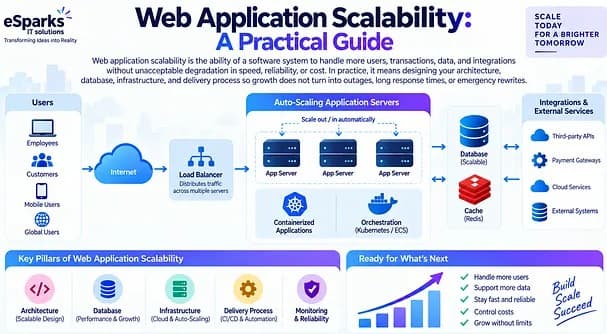
Web Development
Web Application Scalability: A Practical Guide
Learn what web application scalability means, how to design for growth, and which architecture, cloud, data, and DevOps choices matter most.
Sep 21, 2026
Read More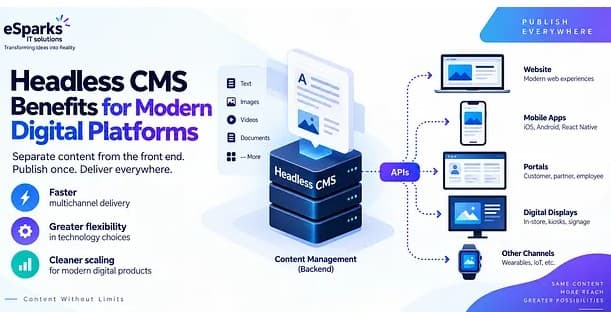
Web Development
Headless CMS Benefits for Modern Digital Platforms
Explore headless CMS benefits for web, mobile and omnichannel delivery, plus costs, pitfalls and a practical decision framework for leaders.
Sep 20, 2026
Read MoreReady to Transform Your Business?
Let's discuss how our expertise can help you achieve your goals