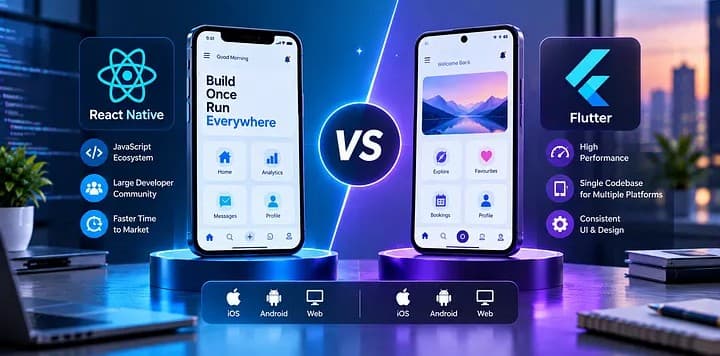
When business leaders ask about react native vs flutter, the short answer is this: React Native is usually the safer choice if your team already works in JavaScript or React and wants broad hiring flexibility, while Flutter is often the better fit when you need a highly controlled, consistent UI and rich custom interactions across iOS and Android. Neither framework wins in every scenario; the right decision depends on product requirements, integration complexity, internal skills, and how you plan to maintain the app over several release cycles.
Key takeaways
- React Native is often the stronger choice when a business values JavaScript or TypeScript reuse, faster access to web talent, and integration with an existing React ecosystem.
- Flutter is often the better fit when a product needs highly consistent UI across platforms, custom animations, or tighter control over rendering behavior.
- For most business cases, the right choice is less about abstract performance debates and more about team skills, plugin maturity, compliance needs, and long-term maintenance.
- A sound framework decision should include a short architecture review, a proof of concept for risky features, and a realistic estimate for support, upgrades, and hiring over the next two to three years.
- Neither React Native nor Flutter is universally cheaper; total cost depends on app complexity, native integrations, testing scope, and the availability of engineers your organization can reliably hire and retain.
Why this decision matters beyond the first launch
Founders and CTOs rarely choose a mobile framework just for technical elegance. They choose it because the decision affects release speed, hiring, budget predictability, test strategy, app store risk, and how easily the product can evolve into tablet, desktop, kiosk, or embedded experiences later. A framework that looks efficient in a prototype can become expensive if it creates friction around native integrations, upgrades, or talent availability.
In our experience working on product engineering and digital transformation engagements, the most expensive mistakes are usually not caused by choosing an objectively bad framework. They come from choosing a framework that does not match the organization behind the product. For example, a strong web engineering team can move quickly with React Native if governance, code quality, and native review practices are in place. A design-heavy product with branded motion, custom UI patterns, and strict visual consistency may benefit more from Flutter, even if it requires a different hiring strategy.
Business leaders should also remember that cross-platform does not mean no native work. Both frameworks can require Swift, Objective-C, Kotlin, or Java for device features, SDK integrations, deep linking, push notifications, biometrics, BLE, media pipelines, or payment workflows. The real question is not whether native code disappears, but how much native complexity your roadmap will introduce.
React Native vs Flutter: the practical business comparison
At a high level, React Native uses JavaScript or TypeScript and renders through native platform components, while Flutter uses Dart and draws the UI through its own rendering engine. That architectural difference shapes most of the trade-offs business teams care about.
React Native often makes sense when you already have a React web stack, shared design tokens, or internal JavaScript expertise. Teams can align patterns across web and mobile, reuse some business logic, and hire from a larger developer pool in many markets. Typical tooling includes TypeScript, Expo or bare React Native, Redux Toolkit, Zustand, React Query, Native Modules, and CI/CD pipelines through GitHub Actions, Bitrise, Codemagic, or Azure DevOps.
Flutter often stands out when UI consistency and polished interaction matter more than code sharing with web teams. Because Flutter controls rendering, it can deliver a very uniform look and feel across devices and OS versions. Common Flutter stacks include Dart, Riverpod or Bloc, Dio, GoRouter, Firebase services, and platform channels for native extensions.
For a business comparison, these are the main differences that tend to matter:
- Talent and hiring: React Native usually benefits from the larger JavaScript and React ecosystem; Flutter talent can be excellent but may be harder to find in some regions.
- UI control: Flutter typically gives stronger control over custom visuals, transitions, and pixel consistency.
- Ecosystem fit: React Native often integrates more naturally with React-based organizations and front-end governance.
- Native dependencies: Both rely on plugins and native modules, but the maturity of a specific SDK or package should be checked feature by feature.
- Upgrade path: Both frameworks evolve quickly; the maintainability of your dependency stack matters more than framework marketing.
- Web ambitions: If your product roadmap includes web, React Native aligns conceptually with React teams, while Flutter web can work for selected cases but should be evaluated carefully for SEO-heavy or DOM-centric experiences.
Cost, timelines, and total ownership
For decision-makers, the cost question is usually framed too narrowly. It is not just about which framework is cheaper to build with in month one. It is about total cost of ownership over two to three years: delivery, test automation, bug fixing, SDK changes, OS updates, analytics, observability, release management, and staffing continuity.
For a typical business app with authentication, dashboards, forms, push notifications, payments, offline handling, and API integrations, both React Native and Flutter usually fall into similar broad delivery ranges when handled by experienced teams. A lightweight MVP may take a few months. A more complex product with role-based workflows, media, mapping, advanced security, and third-party enterprise systems can take substantially longer. The biggest cost drivers are usually not the framework itself but the number of integrations, the quality bar, compliance requirements, and how many edge cases need to be supported across devices.
There are, however, predictable cost patterns:
- React Native can reduce ramp-up time if your existing engineers already know React, TypeScript, component architecture, and front-end testing.
- Flutter can reduce front-end implementation churn when design fidelity is very high and many custom UI components would be awkward to build and tune across multiple native behaviors.
- Native-heavy requirements can erase some cross-platform savings in either framework. Examples include real-time video, complex Bluetooth workflows, advanced camera controls, point-of-sale hardware, medical devices, or specialized fintech SDKs.
- App maintenance cost rises sharply when teams depend on too many poorly maintained packages. Package due diligence matters more than framework popularity.
A practical budgeting approach is to estimate three layers separately: the app shell and UI, the integration layer, and the operational layer. The operational layer includes CI/CD, crash monitoring, analytics, feature flags, mobile device management constraints, release approvals, and security hardening. Many organizations under-budget this third layer and then blame the framework.
Performance, UX, and engineering trade-offs
Performance discussions around cross-platform mobile often generate more heat than light. For most business apps, both frameworks can deliver a fast, reliable user experience when the app is well-architected. The better question is where your performance risks actually sit: rendering, startup time, large lists, media processing, offline sync, memory use, or communication with device APIs.
Flutter’s rendering model often helps when your product requires smooth custom animations, branded transitions, or a highly bespoke design system. Because Flutter owns more of the rendering pipeline, teams can avoid some platform inconsistencies and gain predictable UI behavior. This can be valuable for customer-facing products where visual polish is part of the brand.
React Native performs well for many production apps, especially when teams are disciplined about bridge usage, list virtualization, image handling, and state management. Modern React Native benefits from improvements such as the new architecture, JSI, TurboModules, and Fabric, but these do not automatically solve architectural problems. If a team overloads the app with heavy JavaScript work on the main thread, uses weak image caching, or stacks too many wrappers around native SDKs, performance can still degrade.
For business stakeholders, these are the UX and engineering trade-offs to test early:
- Startup time on older devices used by your real customer base
- Responsiveness of long forms, search, and data-heavy screens
- Stability of push notifications, background tasks, and deep links
- Accessibility support, including screen readers, focus order, contrast, and dynamic text
- Offline behavior, sync conflict handling, and retry logic
- App size and the impact of embedded SDKs
The right way to evaluate performance is not to compare benchmark videos online. Build a small proof of concept around your riskiest workflow, such as live chat, document capture, barcode scanning, route optimization, or enterprise authentication, then measure it on representative devices.
Integration, security, and compliance realities
A cross-platform decision becomes much easier when viewed through your integration map. If your app needs Stripe, Adyen, Firebase, Azure AD, Okta, Auth0, Salesforce, SAP, ServiceNow, Twilio, HubSpot, Microsoft Graph, healthcare identity providers, or private APIs behind a zero-trust architecture, the availability and maturity of integrations matter more than generic framework comparisons.
The same is true for security and compliance. Framework choice does not create security by itself. Secure mobile delivery depends on architecture and execution: OAuth 2.0 or OpenID Connect flows, secure token storage, certificate pinning where appropriate, jailbreak or root detection policies, encrypted local storage, keychain or keystore usage, API rate limiting, audit logging, mobile app attestation options, and secure CI/CD secrets handling. If you operate in regulated sectors, also consider how the mobile app supports data minimization, consent, retention rules, and incident response workflows.
Common enterprise pitfalls include:
- Selecting a framework before validating whether required third-party SDKs are actively maintained
- Assuming a plugin is production-ready because it exists in a package repository
- Ignoring mobile release governance, including signing keys, app store review lead times, and rollback strategy
- Treating accessibility as a post-launch fix instead of a design and QA requirement
- Underestimating the complexity of offline sync and conflict resolution
A useful technical due-diligence checklist includes package health, native fallback options, SDK documentation quality, support for the current iOS and Android versions, testability, and the cost of replacing a dependency later. At Esparks, this kind of upfront review often prevents far more delay than any debate over framework popularity.
A step-by-step decision framework for CTOs and founders
If you want a practical answer instead of opinion-driven debate, use a structured decision process. It does not need to take weeks, but it should be explicit enough that engineering, product, design, and leadership can align.
-
Define the product scope in business terms. Clarify whether the app is a customer product, internal operations tool, field-service app, partner portal, or commerce experience. The answer changes UX expectations and support requirements.
-
List all risky features. Examples include streaming video, offline-first workflows, hardware integrations, biometric login, advanced mapping, heavy data visualization, or regulated identity verification. These features should drive the framework evaluation.
-
Audit your team and hiring model. If your company already has strong React and TypeScript practices, React Native may reduce coordination overhead. If you plan to build a design-forward product with a dedicated mobile squad, Flutter may be a better strategic bet.
-
Check integration maturity. Review every critical SDK and API dependency, not just the framework homepage. Confirm maintenance status, version support, native escape hatches, and implementation complexity.
-
Build a small proof of concept. Keep it focused on one or two risky journeys, such as onboarding with SSO, camera capture with uploads, or a data-heavy dashboard. Measure development friction, not just raw speed.
-
Estimate total ownership. Include testing, release automation, observability, dependency upgrades, app store operations, and staffing continuity. A framework that looks faster initially can become slower to maintain if the talent pipeline is weak.
-
Decide with a time horizon. Choose the framework that best supports the next two to three years of roadmap, not only the first launch milestone.
When organizations skip these steps, they often evaluate react native vs flutter as if it were a generic technology popularity contest. It is really a portfolio and operating-model decision.
When to choose React Native, when to choose Flutter
There are many edge cases, but most business scenarios fall into a few recognizable patterns.
Choose React Native when:
- You already have a React or TypeScript-heavy engineering organization
- You want easier alignment between web and mobile teams
- Hiring flexibility and broad talent availability are high priorities
- Your app relies more on standard mobile UI patterns than highly custom visual behavior
- You need to move quickly with an MVP while preserving a path to scale with native modules where needed
Choose Flutter when:
- You need a polished, highly branded UI with custom animations and consistent rendering across platforms
- Design fidelity is central to the product experience
- Your team is comfortable adopting Dart and building a dedicated mobile capability
- You expect the app to benefit from a strong shared widget architecture across screens and device classes
- You want tighter visual control than platform-native component differences sometimes allow
There are also cases where neither is the best answer. If your roadmap is deeply tied to advanced device features, intensive graphics, AR, specialized hardware, or platform-specific user expectations, fully native development may still be the most efficient long-term choice. Likewise, if the app is mainly a secure wrapper around responsive internal workflows, a progressive web app or a web-first approach may be sufficient.
The best framework decision is the one that keeps product delivery reliable, maintainable, and aligned with your business model. For many organizations, both React Native and Flutter are viable. The difference is whether the framework fits your team, integrations, quality bar, and roadmap well enough that it stays viable after the excitement of launch is over.
Frequently Asked Questions
Is React Native or Flutter better for startups?
For startups, React Native is often better when the founding team already uses React or needs to hire quickly from the JavaScript market. Flutter can be better when the product depends on a distinctive, highly controlled UI and the team is willing to invest in Dart expertise from the start.
Which is cheaper to build: React Native or Flutter?
Neither framework is universally cheaper. Total cost depends more on app complexity, native integrations, testing scope, package quality, and whether your current team can build and maintain the app without a steep ramp-up.
Do React Native and Flutter both require native development?
Yes, in many real-world apps both frameworks still require some native iOS or Android work. Native code is commonly needed for specialized SDKs, hardware access, performance-sensitive features, app permissions, and advanced platform integrations.
Which framework is better for long-term maintenance?
Long-term maintenance is usually determined less by the framework itself and more by architecture, dependency choices, upgrade discipline, test coverage, and team continuity. A well-governed React Native or Flutter app can both be maintainable, while a poorly structured project in either framework can become costly to support.
Work with Esparks IT Solutions
Planning a project around this? We work with businesses in the United States, Canada and the UAE, as well as the UK and Australia. See how we work with clients in the USA. Explore our Mobile Development services and portfolio, estimate your project cost, or book a free call.