
Web Development
Building Scalable Microservices with Next.js
Learn Building Scalable Microservices with Next.js using practical architecture patterns, common pitfalls, and decision criteria for modern teams.
S
Shayma Parween
Lead Developer
Mar 10, 2024
11 min read
Building Scalable Microservices with Next.js: what it really means
Building Scalable Microservices with Next.js means using Next.js as the presentation and orchestration layer while backend capabilities are split into independently deployable services. In practice, Next.js handles the web experience, server-side rendering, edge routing, and composition of data from multiple services, while each service owns a clear business capability such as catalog, payments, users, or reporting.
Key takeaways
- Building scalable microservices with Next.js works best when Next.js acts as the frontend and edge orchestration layer, not the place where every business service lives.
- A strong microservices design starts with bounded contexts, API contracts, and observability before any code is written.
- For most teams, the safest path is to introduce microservices gradually around high-change or high-load domains rather than breaking a monolith into many services at once.
- Next.js pairs well with REST, GraphQL, and BFF patterns, but the architecture should keep authentication, caching, and data ownership explicit.
- The biggest microservices failures usually come from premature decomposition, shared databases, and unclear operational ownership rather than from the framework itself.
For decision-makers, the key point is that scalability is not created by using microservices alone. It comes from separating responsibilities, keeping service boundaries stable, and making deployment, monitoring, and recovery straightforward. Next.js helps because it supports modern rendering models, route handlers, and server components, but the architecture still needs discipline.
When microservices make sense and when they do not
Microservices are usually a fit when your product has multiple teams, distinct business domains, or uneven load patterns across features. A commerce platform, for example, may have a search service that receives heavy read traffic, an order service that needs transactional rigor, and a notification service that can be eventually consistent. Those parts do not need to scale or release on the same schedule.
They are usually a poor fit if the team is small, the product is early, or the domain is still changing weekly. In those cases, a modular monolith is often faster, cheaper, and easier to reason about. A lot of companies in the USA, UK, Canada, Australia, UAE, Saudi Arabia, Qatar, and the Netherlands reach for microservices too early because they want architectural maturity before they have operational maturity.
A practical rule is this: if you cannot clearly describe the ownership, data boundaries, and failure modes for a service, you are not ready to split it out. Start with modularization inside a single codebase, then extract only the parts that have a genuine need for separate scaling or deployment.
Architecture patterns that work with Next.js
The most reliable pattern is Next.js plus a backend-for-frontend, or BFF, sitting between the browser and your services. The BFF can aggregate data, normalize payloads, enforce auth, and hide service topology from the UI. This keeps the frontend simpler and prevents client-side code from becoming tightly coupled to dozens of endpoints.
A common implementation stack looks like this:
- Next.js for web app rendering, routing, and edge-aware presentation
- REST or GraphQL for service access, chosen by team preference and data shape
- Node.js, .NET, Java, Go, or Python services depending on domain and team skill set
- PostgreSQL or MySQL for transactional services
- Redis for caching, rate limiting, or session state when needed
- Kafka, RabbitMQ, or cloud-native queues for async workflows
- OpenTelemetry, Prometheus, Grafana, and centralized logs for observability
If your application has many UI views that need combined data, GraphQL at the BFF layer can reduce overfetching. If your teams prefer clearer contracts and simpler caching, REST is often easier to operate. The best choice is the one your engineers can support consistently over time, not the one that sounds most modern in a slide deck.
Service boundaries, data ownership, and API contracts
The hardest part of microservices is not the code, it is deciding where one service ends and another begins. Start with bounded contexts from domain-driven design. For example, in a logistics platform, shipments, tracking, billing, and customer support are separate domains with different data lifecycles and ownership.
Each service should own its data store whenever possible. Shared databases are one of the fastest ways to destroy independence, because every schema change becomes a coordination problem. If two services need the same data, prefer replication through APIs, events, or read models rather than direct table access.
API contracts should be explicit and versioned. Common safeguards include OpenAPI for REST, schema validation for GraphQL, and consumer-driven contract testing with tools such as Pact. This is especially important when a Next.js frontend depends on several backend services, because UI releases should not break simply due to an internal schema change.
A useful way to test whether a boundary is correct is to ask three questions:
- Can this service be deployed without coordinating with unrelated teams?
- Can it be scaled or tuned independently based on its own traffic pattern?
- Can its data be owned, audited, and recovered without cross-service ambiguity?
If the answer is no to any of those, the boundary likely needs more work.
Building the platform: DevOps, observability, and deployment
Microservices create operational complexity, so the platform matters as much as the application code. In our experience at eSparks IT Solutions, teams succeed when they design for deployment, rollback, and tracing before the first service goes live. The baseline should include CI pipelines, automated tests, container images, environment-specific configuration, and repeatable infrastructure through Terraform, Pulumi, or cloud-native templates.
For deployment, Kubernetes is common for larger platforms, but it is not mandatory. Smaller teams may be better served by managed container platforms such as AWS ECS, Azure Container Apps, Google Cloud Run, or similar services, because they reduce cluster overhead. Next.js itself can be deployed on Vercel or a similar platform for the frontend, while backend services run separately in containers or managed runtimes.
Observability is non-negotiable. You need distributed tracing, structured logs, metrics, and correlation IDs across the BFF and services so a failed request can be followed end to end. Without that, microservices quickly become a debugging tax. Security should also be built in: OAuth 2.0 or OIDC for identity, short-lived tokens, secret managers, least-privilege IAM, and network segmentation between public and private services.
A step-by-step decision framework for leaders
Use a staged framework rather than a gut decision. The goal is not to adopt microservices everywhere, but to apply them where they reduce risk and support growth.
- Map the business domains. Identify the capabilities that have different owners, release cadences, or scaling profiles.
- Assess current pain. Look for deployment bottlenecks, performance hotspots, or teams blocked by shared code and shared data.
- Classify the product phase. Early-stage and fast-changing products usually benefit from a modular monolith first.
- Choose the first extraction candidate. Pick a low-coupling domain with clear boundaries, not the most visible feature.
- Define the contract. Establish API schemas, auth rules, error handling, and SLAs before implementation.
- Set operational standards. Add monitoring, alerting, logging, rollback, and incident ownership from day one.
- Measure complexity costs. Review developer velocity, release coordination, and incident load after the first rollout.
A realistic pilot for one service often takes 4 to 10 weeks depending on integration complexity, team size, and compliance requirements. A broader migration from a monolith to multiple services can take several months and should be treated as a phased program, not a single project.
Common pitfalls and how to avoid them
The most common mistake is turning business logic into too many tiny services. If one feature needs six network calls to render a page, the architecture is likely over-split. Keep services coarse enough to own a business capability, not a function.
Another frequent problem is coupling the frontend too tightly to backend service details. Next.js should shield the UI from service churn through a BFF or composition layer. Otherwise every backend change becomes a frontend emergency.
Teams also underestimate testing and release complexity. The solution is not more manual coordination; it is stronger automation. Add unit tests, integration tests, contract tests, and smoke tests. In regulated or security-sensitive environments, include dependency scanning, image scanning, and audit-friendly deployment logs.
Watch for these warning signs:
- Every service shares the same database or schema ownership is unclear
- Developers need to coordinate multiple teams for a routine change
- Latency grows because the frontend waits on many synchronous service calls
- Observability is fragmented across tools with no request-level traceability
- Teams cannot explain why a service exists in one sentence
Cost, timeline, and partnership considerations
For most organizations, the real cost of microservices is not initial development but ongoing operations. More services mean more deployments, more monitoring, more security controls, and more integration work. A small, well-designed platform may be economical, but a poorly governed one becomes expensive quickly.
Typical effort varies by scope. A simple Next.js frontend connected to a few existing APIs might be delivered in weeks. A greenfield microservices platform with identity, data models, CI/CD, and observability usually needs a multi-month roadmap. If you already have a monolith, the first incremental extraction is usually the safest and most affordable move.
When evaluating a software partner, look for practical signs of maturity: experience with cloud architecture, API design, security hardening, and DevOps automation. The best teams do not lead with framework preferences; they lead with business boundaries, operational resilience, and long-term maintainability. That is the kind of thinking we emphasize on complex builds because the architecture must still work after the launch excitement fades.
Frequently Asked Questions
Is Next.js enough by itself to build microservices?
No. Next.js is best used as the frontend and orchestration layer, while microservices are implemented as separate backend services with their own data and deployment boundaries. Next.js can call those services through REST, GraphQL, or a BFF layer, but it does not replace service design.
What is the best backend pattern for Next.js in a microservices setup?
A backend-for-frontend layer is often the cleanest pattern because it aggregates data, enforces authentication, and shields the UI from internal service topology. REST is usually simpler for predictable resources, while GraphQL can help when multiple UI views need combined data.
How do we know whether to start with microservices or a monolith?
If the product is early, the team is small, or the domain is changing rapidly, a modular monolith is usually the better starting point. Microservices make more sense when there are clear bounded contexts, multiple teams, or different scaling needs across parts of the system.
What is the biggest risk when using microservices with Next.js?
The biggest risk is operational and data complexity, not the framework itself. Shared databases, weak API contracts, and poor observability can make the system fragile even if the code is well written.
Work with eSparks IT Solutions
Planning a project around this? We help businesses across the USA, UK, Canada, Australia and the GCC ship it. Explore our Web Development services and portfolio, estimate your project cost, or book a free call.
Related web development services
S
Shayma Parween
Lead Developer
Passionate technology writer and industry expert with years of experience in software development, cloud computing, and digital transformation. Dedicated to sharing insights and helping developers stay ahead of the curve.
Related Topics
Continue Reading
More insights in Web Development

Web Development
Progressive Web Apps for Business: A Practical Guide
Learn when progressive web apps for business make sense, what they cost, key trade-offs, and how to choose the right architecture and partner.
Sep 22, 2026
Read More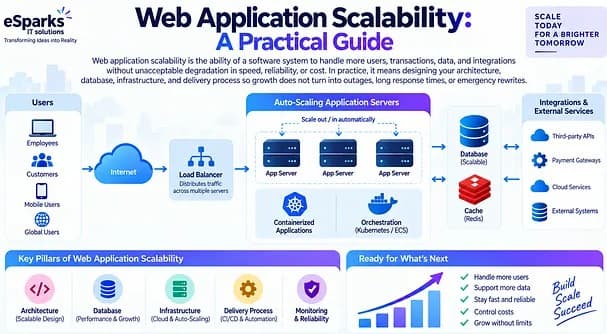
Web Development
Web Application Scalability: A Practical Guide
Learn what web application scalability means, how to design for growth, and which architecture, cloud, data, and DevOps choices matter most.
Sep 21, 2026
Read More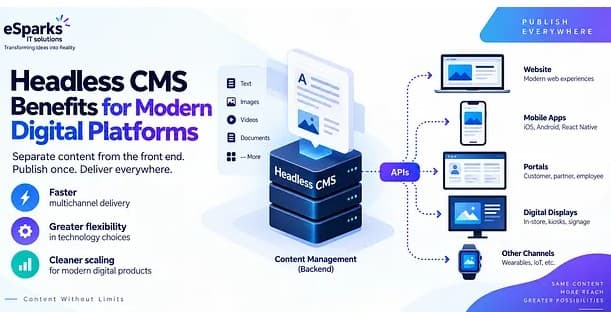
Web Development
Headless CMS Benefits for Modern Digital Platforms
Explore headless CMS benefits for web, mobile and omnichannel delivery, plus costs, pitfalls and a practical decision framework for leaders.
Sep 20, 2026
Read MoreReady to Transform Your Business?
Let's discuss how our expertise can help you achieve your goals