AI & Machine Learning
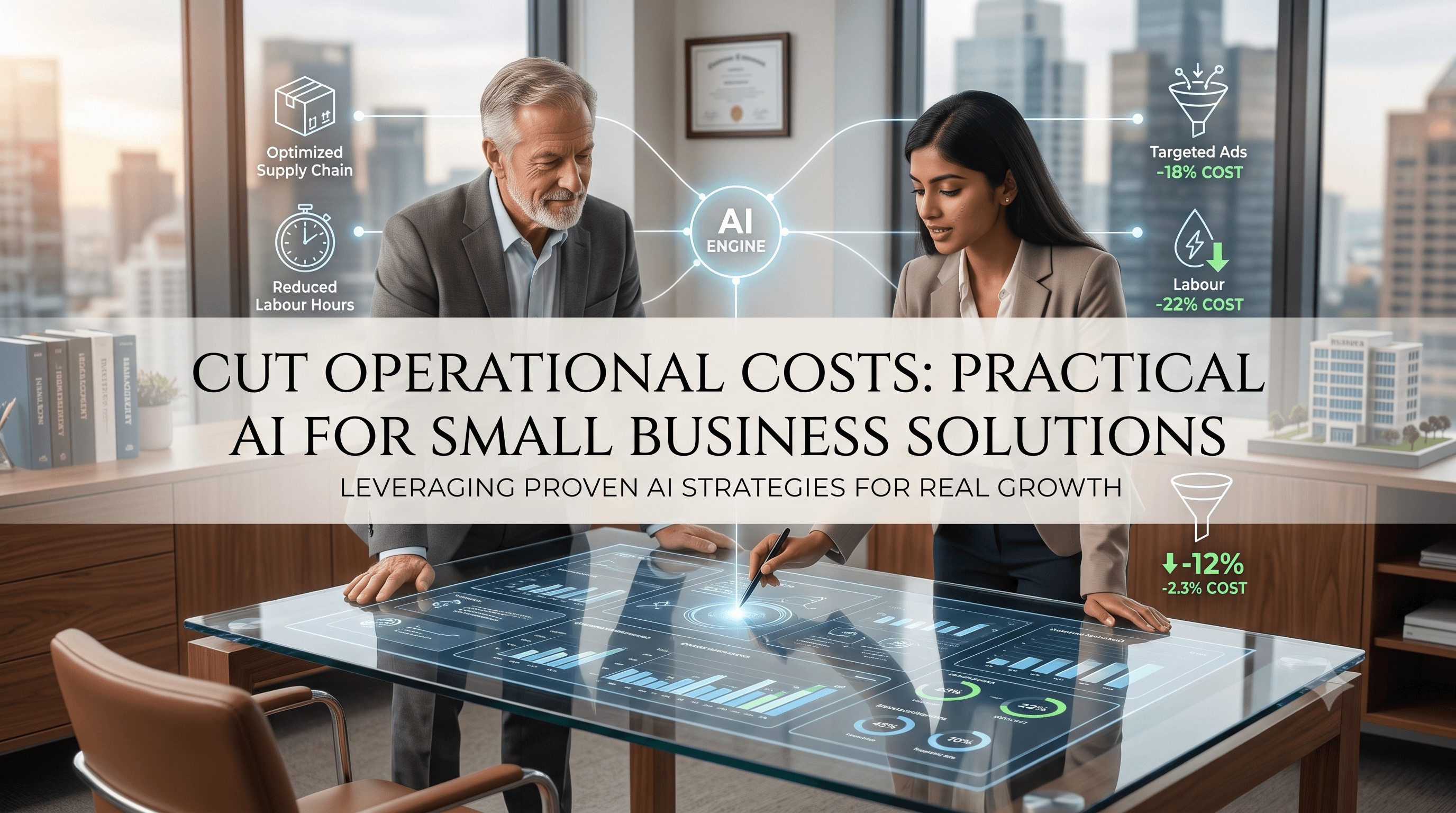
Cut Operational Costs: Practical AI for Small Business Solutions
Learn how to Cut Operational Costs: Practical AI for Small Business Solutions with realistic use cases, costs, timelines, and implementation advice.

Tauseef Alam
Chief Technology Officer
Jul 5, 2026
10 min read
If your goal is to Cut Operational Costs: Practical AI for Small Business Solutions, start with processes that are repetitive, high-volume, and easy to measure. In practice, the best results usually come from using AI to reduce manual handling, speed up routine decisions, and improve visibility across support, finance, sales operations, and back-office workflows.
Key takeaways
- The fastest way to cut operational costs with AI is to automate repetitive, rules-based work first, then add decision support where data quality is strong.
- Small businesses usually get better ROI from narrow AI use cases such as support triage, document processing, forecasting, and internal search than from broad, custom AI platforms.
- AI projects fail most often because of unclear process ownership, poor source data, and weak security controls rather than because the models are not advanced enough.
- A practical AI rollout should start with a baseline of current time, error rates, and handoffs so leadership can compare real operating impact after launch.
- For most companies, the right approach is a phased build using existing systems, APIs, and cloud services instead of a large all-at-once transformation.
Where AI actually reduces operating costs
Business leaders often hear that AI can “transform operations,” but cost reduction usually comes from a smaller set of very practical improvements. AI lowers costs when it removes manual work, shortens cycle times, reduces avoidable errors, or helps a small team handle more volume without adding headcount at the same pace. That makes AI especially useful for growing companies that have real process pain but cannot justify enterprise-scale transformation programs.
Typical examples include triaging customer requests, extracting fields from invoices and contracts, summarizing tickets, forecasting inventory or staffing demand, flagging anomalies in transactions, and making internal knowledge easier to search. None of these use cases require speculative experimentation if the problem is well defined. They rely on proven building blocks such as OCR, natural language processing, retrieval-augmented generation, classification models, and workflow orchestration tied into the systems your team already uses.
A useful test is simple: if a process happens frequently, follows repeatable rules, requires staff to read or move information between systems, and creates delay when queues build up, it is a strong AI candidate. If the work is rare, highly ambiguous, politically sensitive, or dependent on undocumented judgment, AI may still help, but it should not be your first cost-reduction project.
Cut Operational Costs: Practical AI for Small Business Solutions
For small and mid-sized businesses, the most reliable AI wins usually sit in four operational areas: customer support, document-heavy back office, internal knowledge work, and forecasting. In customer support, AI can classify inbound requests, suggest responses, surface relevant knowledge base articles, and route issues to the right queue. In back-office functions, it can capture data from PDFs, emails, and scans, then validate and post that data into ERP, CRM, accounting, or HR systems.
Internal knowledge work is another high-value area. Many teams lose time searching across SharePoint, Google Drive, Confluence, Slack, email archives, and ticketing systems for policies, past decisions, and technical documentation. A secure internal search assistant built with retrieval-augmented generation can often reduce that waste without replacing existing tools. Forecasting is equally practical: even lightweight machine learning models can help with inventory planning, staffing, cash flow signals, and lead prioritization when the business has clean historical data.
The common thread is not “advanced AI” for its own sake. It is targeted workflow improvement. A good solution might combine Azure OpenAI or OpenAI APIs, AWS Textract, Google Document AI, Microsoft Power Automate, UiPath, Python services, and integrations with systems like Salesforce, HubSpot, SAP Business One, NetSuite, QuickBooks, Zendesk, ServiceNow, or Jira. When connected properly, these components reduce friction without forcing a business to rip out working systems.
Choosing the right use cases with a decision framework
Most AI overspend happens before development starts. Teams choose projects because they sound strategic, not because they have clear operating economics. A better approach is to score opportunities using a simple decision framework:
- Volume: How often does the process happen per day, week, or month?
- Effort: How many staff minutes or handoffs does each case require?
- Variability: Is the work repetitive enough for automation or AI assistance?
- Data readiness: Are the required documents, records, and outcomes already stored somewhere reliable?
- Risk: What happens if the system is wrong, delayed, or unavailable?
- Integration complexity: How hard is it to connect the AI output to the next step in the workflow?
- Measurement: Can you track baseline cost, time, error rate, backlog, or SLA performance before launch?
In our experience, the best first project is rarely the flashiest. It is the process with enough volume to matter, low enough risk to pilot safely, and enough structure to show visible improvement within weeks rather than quarters. For example, automating invoice intake and coding support tags is usually easier than deploying a company-wide AI decision engine. Likewise, an internal document assistant for policies and product information is a stronger starting point than a customer-facing chatbot with broad open-ended responsibilities.
A practical sequence is: map the current process, calculate today’s manual effort, identify failure points, define acceptable confidence thresholds, then choose where AI should assist and where rules should still govern. This matters because AI is strongest when paired with workflow logic. A classifier may assign a category, but a deterministic rule can still decide who approves, when a human reviews, and what exceptions need escalation.
Architecture, tools, and implementation patterns that work
The most effective small-business AI implementations are modular. Instead of building one large system, create a pipeline with clear stages: input capture, preprocessing, model inference, human review if needed, system updates, and monitoring. This keeps the project understandable and makes it easier to swap components as needs change.
A common architecture looks like this:
- Input channels: email inboxes, forms, chat, PDFs, scanned documents, CRM notes, support tickets
- Data capture: OCR and parsing with AWS Textract, Azure AI Document Intelligence, or Google Document AI
- AI layer: classification, summarization, entity extraction, retrieval-augmented generation, anomaly detection, or forecasting models
- Orchestration: Power Automate, Zapier for light use cases, Make, n8n, UiPath, or custom services in Node.js, Python, or .NET
- Storage and retrieval: PostgreSQL, SQL Server, Elasticsearch, OpenSearch, vector databases, object storage, or existing document repositories
- Integration: APIs into ERP, CRM, ticketing, HR, finance, and collaboration platforms
- Observability: logs, confidence scores, audit trails, prompt/version tracking, and exception dashboards
Security and governance should be designed from the start, not added after a pilot succeeds. For businesses operating across the USA, UK, Canada, Australia, UAE, Saudi Arabia, Qatar, and the Netherlands, regulatory context varies, but core controls are consistent: least-privilege access, encryption in transit and at rest, role-based permissions, retention rules, and vendor due diligence. Depending on the data involved, teams may need to align with frameworks and expectations such as SOC 2 controls, ISO 27001 practices, GDPR obligations, or sector-specific requirements.
This is also where partner quality matters. A strong software and IT team does more than connect an API to a model. It defines fallback logic, manages prompts and model versions, handles rate limits and retries, protects sensitive data, and prevents AI outputs from bypassing operational controls. At eSparks, we have seen that these engineering details often determine whether a pilot becomes a dependable business tool.
Typical costs, timelines, and what ROI really looks like
Leaders evaluating AI initiatives usually ask two reasonable questions: what will this cost, and how long until it helps operations? The truthful answer depends less on the model and more on process complexity, data quality, and integration work. A contained AI assistant or document-processing workflow can often be piloted in a few weeks when source systems are accessible and requirements are narrow. Broader multi-department automation programs typically take longer because testing, governance, and change management become the real work.
As rough market estimates, a lightweight pilot built on managed cloud services and existing systems may sit in the low four-figure to low five-figure range if scope is tightly controlled. A production-grade solution with secure integrations, auditability, monitoring, and multiple workflows often moves into the five-figure range, and can go beyond that when custom UI, legacy integrations, or regulated data handling are involved. Ongoing costs usually include cloud usage, model/API consumption, support, monitoring, and periodic tuning.
ROI should be evaluated in operational terms before financial terms. Measure hours saved, backlog reduction, exception handling time, first-response speed, turnaround time, data-entry accuracy, and how often staff avoid switching between systems. Some benefits are immediate, such as reduced manual touchpoints. Others compound over time, such as better data consistency or less key-person dependency. If leadership cannot define the baseline and target metrics, the project is not ready, no matter how attractive the demo looks.
Common pitfalls that quietly erase savings
The biggest mistake is trying to automate a broken process without simplifying it first. If approvals are unclear, data fields are inconsistent, or teams use multiple unofficial workarounds, AI will only accelerate confusion. Process cleanup does not have to be a large consulting exercise, but someone must decide the future-state workflow before technical work begins.
Another common failure is using generative AI where deterministic logic is enough. Not every task needs a large language model. If the job is matching fields, validating formats, checking thresholds, or routing based on explicit rules, traditional automation is often cheaper, faster, and easier to govern. AI should be reserved for tasks involving language, ambiguity, document interpretation, pattern recognition, or probabilistic prediction.
Watch for these issues during planning and rollout:
- No human-in-the-loop design for high-risk outputs
- Poor prompt control, no versioning, and no evaluation process
- Ignoring edge cases such as low-quality scans, multilingual inputs, or unusual formatting
- Weak identity and access controls around sensitive business data
- No feedback loop to correct bad classifications or improve retrieval quality
- Overreliance on one vendor without understanding pricing, limits, and data policies
- Launching without staff training, ownership, or exception playbooks
The fix is disciplined implementation. Define confidence thresholds. Route low-confidence cases to human review. Keep audit logs. Test with real data samples, not perfect demo inputs. Establish who owns the process after go-live: operations, IT, or a named product owner. AI savings are sustained by operating discipline, not by model novelty.
A phased rollout plan for decision-makers
For founders, CTOs, and IT managers, the best AI strategy is usually phased adoption tied to measurable business friction. Start with one process, prove operating value, then extend the pattern. This reduces budget risk and creates internal trust because teams can see exactly what changed.
A practical rollout plan looks like this:
- Identify 3 to 5 candidate workflows with visible manual effort.
- Baseline current performance: time per task, queue length, error rate, rework, and handoffs.
- Select one low-risk, high-volume pilot.
- Standardize the process and define exception rules before building.
- Choose the simplest stack that fits security and integration needs.
- Pilot with a subset of users or one business unit.
- Monitor output quality, confidence, fallback rates, and operational impact.
- Refine prompts, rules, and retrieval sources based on real usage.
- Expand only after governance, support ownership, and reporting are in place.
The companies that benefit most from AI are not always the ones spending the most. They are the ones choosing specific problems, integrating carefully, and measuring outcomes honestly. Small businesses do not need a moonshot to cut operating costs. They need a clear workflow, usable data, secure architecture, and a partner or internal team disciplined enough to build practical systems that staff will actually trust and use.
Frequently Asked Questions
What is the best first AI project for a small business trying to reduce costs?
The best first AI project is usually a repetitive, high-volume process with clear rules and measurable effort, such as support ticket triage, invoice data extraction, or internal document search. These use cases are easier to pilot, easier to govern, and more likely to show operational value quickly than broad customer-facing AI deployments.
How long does it typically take to implement a practical AI solution?
A narrowly scoped pilot can often be implemented in a few weeks when data access and system integrations are straightforward. Production deployments take longer because security reviews, workflow design, exception handling, and user acceptance testing are usually the real schedule drivers.
Do small businesses need custom AI models to cut operational costs?
Most small businesses do not need custom model training for their first cost-reduction projects. Managed AI services, strong prompts, retrieval-augmented generation, OCR, and workflow automation are often enough when the problem is well defined and integrated correctly with existing systems.
What are the biggest risks when using AI in operations?
The biggest risks are inaccurate outputs, weak data governance, insecure access to business information, and deploying AI into unclear or broken processes. These risks are reduced by using confidence thresholds, human review for sensitive cases, audit trails, and clear ownership of the workflow after launch.
Work with eSparks IT Solutions
Planning a project around this? We help businesses across the USA, UK, Canada, Australia and the GCC ship it. Explore our AI & Machine Learning services and portfolio, estimate your project cost, or book a free call.
Related AI services & solutions

Tauseef Alam
Chief Technology Officer
Passionate technology writer and industry expert with years of experience in software development, cloud computing, and digital transformation. Dedicated to sharing insights and helping developers stay ahead of the curve.
Related Topics
Continue Reading
More insights in AI & Machine Learning

AI & Machine Learning
AI Document Automation: A Practical Guide for Business
Learn how ai document automation works, where it fits, common pitfalls, costs, timelines, and how to evaluate the right delivery approach.
Oct 1, 2026
Read More
AI & Machine Learning
AI Adoption for Small Business: A Practical Guide
AI adoption for small business works best when you target one clear use case, secure your data, and roll out in measured phases with ROI checks.
Sep 28, 2026
Read More
AI & Machine Learning
Build vs Buy AI Solution: A Practical Decision Guide
How to decide build vs buy ai solution for your business: costs, timelines, risks, architecture, and a practical framework for leaders.
Sep 10, 2026
Read MoreReady to Transform Your Business?
Let's discuss how our expertise can help you achieve your goals