
Programming
Tally Alternative Software: A Practical Buyer’s Guide
Evaluating tally alternative software in India? Learn features, costs, migration steps, risks, and selection criteria for modern business systems.

Anika Rukhsar
Founder
Oct 7, 2026
10 min read
If you are evaluating tally alternative software, the short answer is this: choose a system based on your business processes, not brand familiarity. A good alternative should handle GST, invoicing, inventory, reporting, user permissions, and integrations reliably while also fitting how your team actually works today and how you expect to scale in the next few years.
Key takeaways
- The best tally alternative software is the one that fits your GST, inventory, approval, reporting, and integration needs without forcing risky manual workarounds.
- For many Indian businesses, the real decision is not only cloud versus desktop, but whether to buy an off-the-shelf product, customize one, or build a focused internal platform.
- A safe migration from Tally starts with process mapping, master data cleanup, parallel runs, and validation of tax, stock, and ledger outputs before full cutover.
- ERP selection failures usually come from vague requirements, underestimating integrations, and ignoring user roles, permissions, audit trails, and future scalability.
- Typical implementation timelines range from a few weeks for light configuration to several months for custom workflows, integrations, and controlled data migration.
Why businesses start looking beyond Tally
Tally remains familiar to many finance teams in India, and for straightforward accounting it can still be sufficient. The problem usually starts when the business grows beyond basic bookkeeping. Founders and IT managers begin to need role-based approvals, multi-warehouse inventory visibility, branch-level controls, API integrations, mobile access, auditability across teams, and dashboards that combine finance with operations. That is typically the point where the conversation shifts from accounting software to business systems design.
In our experience, companies rarely search for a replacement because they dislike what already works. They search because workarounds multiply. Sales teams maintain separate spreadsheets, warehouse teams update stock in another tool, invoicing happens in one system, and management reporting is stitched together manually at month-end. The risk is not only inefficiency; it is also decision lag, duplicate entries, reconciliation errors, and dependency on a few people who know how the current process is patched together.
A modern alternative can help when you need one or more of the following:
- GST-compliant invoicing tied directly to inventory movement
- Multi-user workflows with approvals and maker-checker controls
- Cloud access for distributed teams and remote leadership
- APIs to connect CRM, e-commerce, payment gateways, logistics, or banking tools
- Better item, batch, serial number, warehouse, or reorder management
- Customer- and vendor-level analytics beyond ledger views
- Structured audit trails for edits, cancellations, and sensitive actions
What tally alternative software should include in 2026
At a minimum, any serious option should support core accounting, sales, purchase, receivables, payables, GST, and reporting. But business decision-makers should go further and evaluate whether the product handles adjacent operational workflows cleanly. For example, a distributor may need stock transfers across godowns, batch tracking, pricing by customer group, and outstanding follow-up workflows. A services company may need project billing, recurring invoices, cost center tracking, and integrations with payroll or CRM.
The most useful evaluation lens is to split requirements into four layers: finance, operations, controls, and integration. Finance includes ledger, vouchers, tax treatment, returns support, and closing processes. Operations covers inventory, order flows, procurement, fulfillment, and branch or warehouse handling. Controls means permissions, approval hierarchies, audit trails, document locking, and exception management. Integration includes APIs, import/export quality, webhooks, and compatibility with your existing ecosystem.
Technically, it is also worth asking how the system is built and operated. A browser-based cloud application may be ideal for accessibility, while a hybrid or desktop-connected deployment may still suit some environments. Good architecture often includes a relational database such as PostgreSQL or MySQL, secure APIs, encrypted backups, activity logs, and reliable role-based access control. If custom development is involved, teams commonly use stacks such as React or Angular on the front end, Node.js, .NET, Java, or Python on the back end, and cloud infrastructure on AWS, Azure, or Google Cloud for backups, environments, and monitoring.
Look for these practical capabilities:
- GST invoice formats, tax configuration, credit/debit note flows, and e-invoicing compatibility where relevant
- Inventory with units, variants, batches, serials, expiry dates, and warehouse mapping if your business needs them
- User roles with field-level or action-level restrictions for finance, sales, warehouse, and management teams
- Searchable audit logs for edits, deletions, reversals, and approval history
- Standard reports plus custom report views and export options
- Integration readiness for CRM, e-commerce, payment systems, logistics, and BI tools
- Mobile or responsive access for approvals, dashboards, and sales visibility
Buy, customize, or build: the real strategic choice
Many teams frame the decision too narrowly: which software should we switch to? A better question is: should we buy a standard product, customize an existing platform, or build a focused business system around our process? Each path can be right depending on complexity and budget.
A standard off-the-shelf product is usually the fastest path when your processes are common and you want lower upfront effort. It is often suitable for SMBs with relatively standard accounting and stock flows. The trade-off is flexibility. Once your approval logic, pricing rules, custom documents, or integration needs become too specific, you may hit constraints and end up maintaining manual side processes again.
Customization works well when a base product covers 70-80% of your needs and the remaining gaps are manageable through configuration, extensions, or connectors. This can be effective for companies that need industry-specific tweaks without taking on the responsibility of fully bespoke software. The key is to understand upgrade impact: heavily customized systems can become expensive to maintain when the vendor changes versions or APIs.
A custom platform makes sense when your workflows are genuinely central to your advantage or too awkward for standard products. That is especially true when accounting needs to connect tightly with inventory, sales, GST invoicing, field operations, or internal approvals. When we built Sparks Business — Inventory, Sales & GST Invoicing Platform, the lesson was clear: businesses often do not need endless features; they need the right sequence of actions, validations, and visibility designed around their actual operating model.
A practical way to compare options:
- Buy standard software if your processes are mostly conventional and speed matters most.
- Customize if your gaps are specific but not fundamental.
- Build if your workflow complexity, integration needs, or control requirements are business-critical.
A step-by-step decision framework for Indian businesses
Start with process mapping before product demos. Document how sales orders are created, how inventory is allocated, how invoices are generated, how GST is applied, how returns are handled, how receipts are recorded, and who approves what. Include exceptions: cancelled invoices, partial dispatches, stock adjustments, credit notes, branch transfers, and year-end controls. Most selection mistakes happen because teams evaluate screens rather than workflows.
Next, define must-haves, should-haves, and future needs. Must-haves are non-negotiable items such as GST compliance, multi-user access, voucher controls, or integration with a current CRM. Should-haves may include mobile approvals, advanced dashboards, or barcode support. Future needs might involve multi-entity accounting, manufacturing modules, or customer portals. This simple classification prevents the buying process from being driven by flashy but irrelevant features.
Then evaluate each candidate in a controlled scoring model. A useful scorecard includes:
- Functional fit: accounting, tax, inventory, sales, purchasing, reporting
- Workflow fit: approvals, user journeys, branch operations, exceptions
- Technical fit: APIs, hosting model, backup, security, scalability
- Commercial fit: license or development cost, support model, implementation effort
- Change fit: training needs, user adoption risk, migration complexity
For proof, insist on scenario-based demos. Ask vendors or partners to show a complete flow using your sample data: create customer, add item, raise quotation, convert to invoice, post GST, dispatch stock, record payment, reverse a transaction, and produce the reports finance and management actually use. A polished generic demo is far less useful than seeing your own process executed end to end.
Finally, make the decision with three horizons in mind:
- Immediate usability: can your teams operate it without chaos?
- Medium-term scale: will it support more users, branches, SKUs, or reports?
- Long-term flexibility: can it integrate, evolve, and remain governable?
Migration planning: where implementations usually succeed or fail
Switching from an existing system is less about software installation and more about controlled transition. The safest approach is phased migration with validation checkpoints. Begin by cleaning master data: customers, vendors, items, GST details, opening balances, units, warehouses, and price lists. Old duplicates and inconsistent naming conventions create downstream confusion, especially in reports and reconciliation.
Next, decide what historical data must move. Not every business needs every past transaction imported in full detail. A common pattern is to migrate masters, opening balances, and a defined period of recent transactional history while keeping older archives accessible separately. This keeps the new system lighter and reduces migration risk. The right choice depends on audit needs, reporting continuity, and how often past transactions need to be queried operationally.
Before go-live, run parallel testing. Generate invoices, purchase entries, stock movements, GST summaries, and ledger reports in both systems for a limited period. Compare outputs carefully. Differences often reveal hidden configuration issues such as tax mappings, unit conversions, rounding behavior, or stock valuation logic. Cutover should happen only after finance and operations both sign off.
Migration checklist:
- Freeze and clean master data before import
- Define what historical data will and will not be migrated
- Map ledgers, tax codes, item categories, units, and warehouses clearly
- Test opening balances, receivables, payables, and stock values independently
- Run parallel transactions for an agreed validation window
- Train users by role, not in one generic session
- Keep rollback and support plans ready for the first days after launch
Cost, timeline, and total effort: realistic expectations
Cost varies widely because businesses use the same phrase, tally alternative software, to describe very different needs. A smaller business adopting a mostly standard cloud product with basic setup may complete the project in a few weeks. A company requiring custom workflows, integration with CRM or e-commerce, branch inventory logic, approval chains, and data migration may need several weeks to a few months depending on scope, availability of stakeholders, and data quality.
From a budgeting perspective, separate one-time and recurring costs. One-time costs may include discovery, process mapping, implementation, customization, migration, testing, and training. Recurring costs may include licenses, cloud hosting, support, maintenance, backups, monitoring, and future enhancements. Decision-makers often underestimate indirect effort: internal owners need time for workshops, approvals, UAT, data review, and training support.
A useful budgeting model should account for:
- Software licenses or product subscription, if applicable
- Custom development or customization effort
- Integration work for CRM, payment, logistics, ERP, BI, or banking systems
- Data migration and validation effort
- Security, backup, and environment setup
- Ongoing support, bug fixes, and controlled enhancements
The cheapest-looking option is not always the lowest-cost option over two to three years. If your team continues manual reconciliations, duplicate data entry, or spreadsheet dependencies because the software cannot handle your real workflow, the hidden operational cost can outweigh the savings from a lower purchase price.
Common pitfalls and how to avoid them
The biggest pitfall is selecting software on accounting capability alone when the real pain sits in operations. A system may post entries correctly but still fail your business if warehouse teams cannot use it efficiently, sales cannot see stock accurately, or approvals remain outside the platform. Avoid this by involving finance, operations, sales, and IT early in requirements gathering.
Another common mistake is treating integration as a later phase without understanding dependency. If your invoicing process depends on orders from a CRM, or if stock updates must sync with an online store, those integrations are not optional accessories; they are part of the core system design. Clarify data ownership, sync frequency, failure handling, and reconciliation rules before implementation begins.
Security and control are also frequently under-specified. For business systems handling invoices, tax, customer data, and inventory, you should expect access controls, password policies or SSO where possible, audit logs, backup and restore procedures, and environment separation for development and production if custom work is involved. If you operate in multiple locations or industries with higher governance expectations, ask about logging, encryption, and incident response processes.
To avoid expensive missteps:
- Do not finalize software based only on a feature checklist; validate full workflows.
- Do not migrate dirty data just because it exists; migrate what is accurate and useful.
- Do not skip UAT; real users must test real scenarios.
- Do not ignore report definitions; management, finance, and auditors may need different views.
- Do not assume every cloud product is equally secure or integration-ready; verify architecture and controls.
How to choose the right implementation partner
Even the right product can fail with weak implementation. For decision-makers, the partner evaluation should focus on thinking quality as much as technical skill. You want a team that can ask good questions about tax flows, stock movement, exceptions, user roles, and future scale, not just promise quick setup. Good partners challenge unclear assumptions early because it prevents expensive rework later.
Ask for a delivery approach, not only a proposal. A mature partner should explain discovery, requirement documentation, technical design, prototyping, migration planning, UAT, training, go-live support, and post-launch stabilization. If custom development is part of the solution, ask about version control, code reviews, staging environments, test coverage, backups, monitoring, and support SLAs. These are operational essentials, not enterprise luxuries.
For many organizations, the winning combination is straightforward: a fit-for-purpose system, scoped to real business processes, implemented with disciplined migration and governance. Whether you choose a product, a customized platform, or a bespoke build, the best tally alternative software is the one that reduces process friction without creating new risk in finance, tax, inventory, or reporting.
Frequently Asked Questions
What is the best tally alternative software for an Indian business?
There is no single best option for every business. The right choice depends on whether you need only accounting or also GST invoicing, inventory, approvals, multi-user controls, and integrations with CRM, e-commerce, or other operational systems.
Should a business choose cloud software instead of desktop accounting software?
Cloud software is often better for distributed teams, real-time access, backups, and integration flexibility, but it should still be evaluated for security, uptime, and role-based control. Desktop or hybrid setups can still fit some environments where local workflows or legacy dependencies are important.
How long does it usually take to migrate from Tally to another system?
A simple implementation can take a few weeks, while a more involved rollout with custom workflows, integrations, user training, and validated data migration can take several weeks to a few months. The timeline depends heavily on data quality, business complexity, and how quickly stakeholders can review and approve decisions.
Is it better to buy ready-made software or build a custom solution?
Ready-made software is usually faster and lower-effort when your processes are standard. A custom solution becomes more attractive when your inventory, approvals, GST invoicing, reporting, or integrations are central to how your business operates and cannot be handled cleanly by an off-the-shelf product.
Work with eSparks IT Solutions
Planning a project around this? We help businesses across the USA, UK, Canada, Australia and the GCC ship it. See a related project: Sparks Business — Inventory, Sales & GST Invoicing Platform. Explore our Programming services and portfolio, estimate your project cost, or book a free call.
Related development services

Anika Rukhsar
Founder
Passionate technology writer and industry expert with years of experience in software development, cloud computing, and digital transformation. Dedicated to sharing insights and helping developers stay ahead of the curve.
Related Topics
Continue Reading
More insights in Programming
Programming
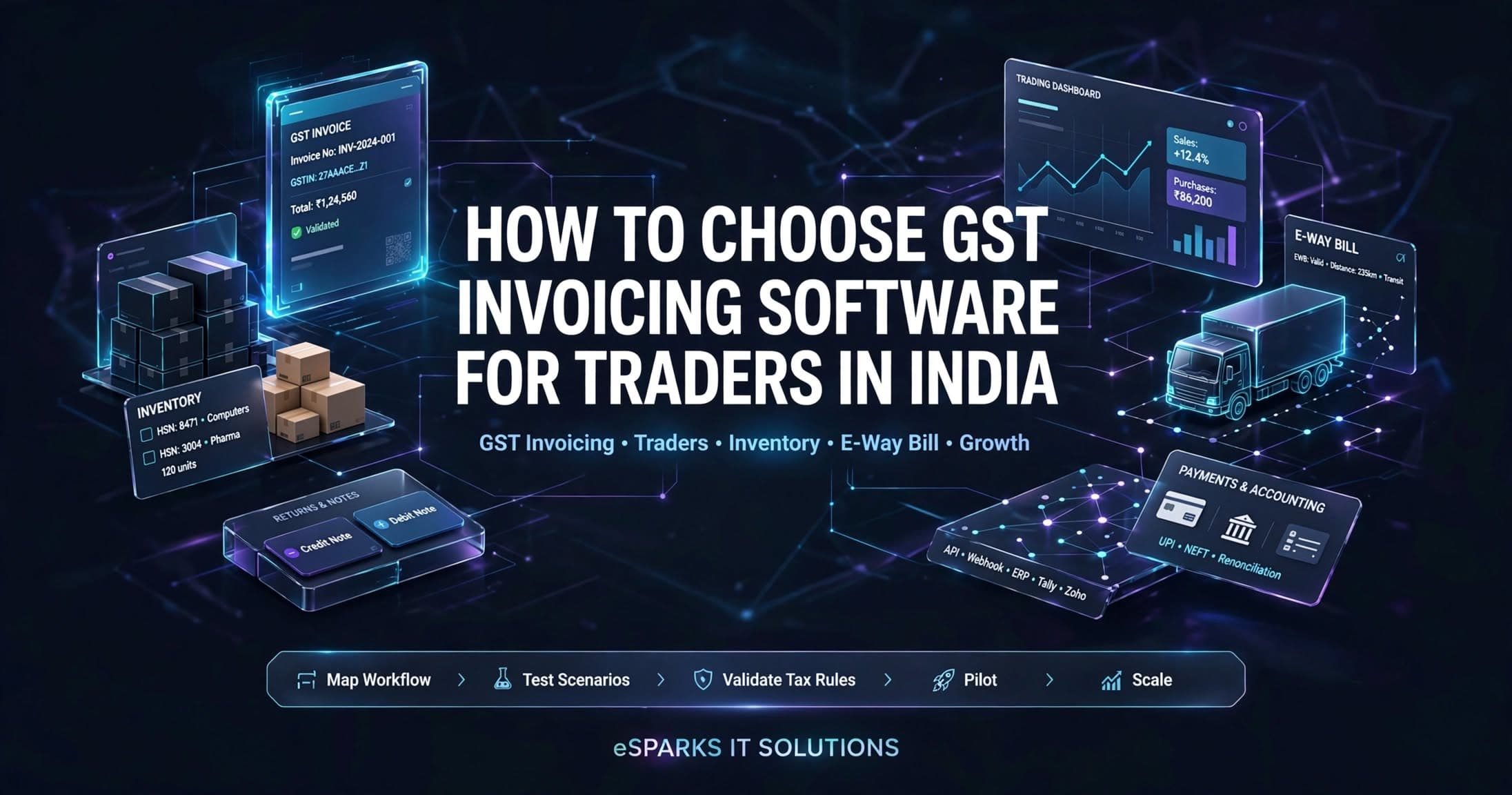
How to Choose GST Invoicing Software for Traders in India
A practical guide to choosing gst invoicing software for traders in India, with features, architecture, costs, timelines, and implementation risks.
Oct 6, 2026
Read More
Programming
How to Choose GST Billing Software for Small Business
Learn how to evaluate gst billing software for small business in India, from compliance and integrations to security, cost, rollout, and scale.
Oct 5, 2026
Read More
Programming
Cybersecurity for Growing Businesses: Practical Guide
Learn cybersecurity for growing businesses with practical controls, cost ranges, common pitfalls, and a decision framework for choosing the right IT partner.
Oct 4, 2026
Read MoreReady to Transform Your Business?
Let's discuss how our expertise can help you achieve your goals