Back to portfolio
Data Platform
Customer-Deployed & Ready for Cloud ExpansionDatabase Migration Platform
Browser-operated any-to-any database migration on CDC
- ~960M rows migrated across 405 tables
- 0 rows missing at validation
- SQL Server → PostgreSQL, source stayed live
Overview
Esparks IT Solutions built a browser-operated data platform for planning, running, monitoring, and validating real-time migrations between heterogeneous databases. Five relational engines (SQL Server, PostgreSQL, MySQL, Oracle, Db2) migrate in either direction; MongoDB is supported as a CDC source. Its Java 21 and Spring Boot 3 control plane orchestrates jobs, while a React interface supports operation through the browser. For real-time CDC, the data plane uses Debezium, Kafka, and a JDBC sink, with PostgreSQL in the stack and deployment via Docker Compose or Kubernetes (Strimzi). The platform includes end-to-end integrity validation with drift detection, custom Java SMTs, AES-GCM secret encryption, Prometheus/Grafana, and JWT/RBAC security. SQL Server, PostgreSQL, MySQL and MongoDB migrations are live-verified end-to-end — including a production programme that moved roughly 960 million rows across 405 tables from SQL Server to PostgreSQL with zero rows missing at validation; Oracle and Db2 connectors are implemented and tested at the unit/config level, pending live verification.
The problem
Migrating between database engines usually means downtime, custom scripts, or an expensive vendor tool.
01
Every migration becomes a one-off script.
Moving from SQL Server to PostgreSQL, or MySQL to Db2, usually means hand-rolled ETL that only works for that one pair.
02
Cutover means downtime.
Without change capture, the only safe way to migrate is to freeze writes during a bulk copy.
03
Nobody can prove the migration is correct.
Row counts get eyeballed, not systematically reconciled against the source.
A migration platform should treat "move data between engines without downtime, and prove it landed correctly" as the actual product — not an afterthought.
Outcomes
Why it matters
What changes once it is running
One platform, six engines.
SQL Server, PostgreSQL, MySQL, Oracle and Db2 migrate in either direction; MongoDB comes across as a CDC source.
No downtime cutover.
A bulk initial load plus CDC catch-up means the source keeps taking writes throughout the migration.
Built to add engines, not rebuild for them.
A pluggable per-engine connector architecture means a new source doesn't require touching existing engine code.
Proof, not just a copy.
Reconciliation compares row counts and sampled keys across engines, with drift detection.
Runs where you run it.
A one-command Docker Compose stack for local/dev, and Kubernetes manifests (Strimzi-managed Kafka Connect) for cluster deployment.
Measured
Proven on a real migration, not a benchmark
In September 2026 the platform moved a live SQL Server estate — three databases, 405 tables — onto PostgreSQL 16 for a customer, while the source stayed in use. These are that programme’s own validation numbers.
- Rows migrated
- ~960M
- Largest single table
- 479M
- Rows missing
- 0
- Tables matching exactly
- 99.2%
Across 405 tables and three databases, SQL Server to PostgreSQL, with the source system still live and being written to throughout.
One table on its own. It kept streaming changes continuously while the rest of the estate was still loading.
Across all 401 tables compared row by row, every key present on the source was present on the target. Not a sample — all of them.
384 of the 387 tables that could be measured. The three that differed were each explained — and none had lost data.
Why the safety rails come off mid-flight — and what proves nothing fell through
A database normally refuses to store an order that points at a customer who is not there yet. Sensible rule — but during a live migration, records arrive in whatever order the source happened to write them, and the order can easily land a moment before the customer. Enforce the rule mid-flight and the whole migration stops dead on the first one. So the platform applies changes the way PostgreSQL’s own replication does: the rule is relaxed while data is in motion, then a dedicated check counts every record whose parent is genuinely missing. That count has to read zero before anyone is allowed to switch over.
Keys and indexes go on at the end, deliberately
Building an index while several hundred million rows are still landing means the database re-sorts itself on every single insert. Loading first and adding the keys and indexes afterwards is far faster. On the migration above, 351 foreign keys were applied once the data was in. The trade-off is that the database cannot police itself in the meantime — which is exactly the gap the orphan check above exists to close.
Matching row counts is not the same as being correct
Two tables can hold exactly the same number of rows and still be wrong — a count cannot see a broken link between a record and its parent. Most tools stop at counts and lag. This one treats that as the starting point, then checks referential integrity separately, because that is the failure you would otherwise only discover after going live.
It tells you what it could not verify
On that run, one very large table could not be counted on the source inside the query timeout. The platform recorded an error rather than quietly reporting a pass, and it was listed as the single unverified object to close before cutover. A migration you cannot audit is not a migration you should trust — including when the honest answer is “not yet checked”.
Capabilities
Key capabilities
What we designed, built and shipped.
- 01
Any-to-any CDC migration across 5 relational engines, plus MongoDB as a source
- 02
Real-time CDC: Debezium source → Kafka → JDBC sink
- 03
End-to-end integrity validation with drift detection, across heterogeneous engines
- 04
Custom Java SMTs, AES-GCM secret encryption, Prometheus/Grafana
Stack
Technology stack
Each layer, the technology behind it, and why it was chosen.
| Layer | Technology | Why |
|---|---|---|
| Control plane | Java 21 + Spring Boot 3 | Orchestrates jobs, schema discovery, validation and auth — Debezium/Kafka Connect do the actual replication |
| Data plane | Debezium 2.5 + Kafka Connect | Industry-standard CDC, not a custom binlog parser |
| Frontend | React 18 + TypeScript + Vite | Self-service browser UI for planning and monitoring migrations |
| Type mapping | Canonical type-mapping matrix | Translates data types across heterogeneous engines |
| Custom SMTs | Java Single Message Transforms | Identifier-case normalization and type conversion inside Kafka Connect |
| Secrets | AES-256-GCM | Every stored credential encrypted with a random IV |
| Auth | JWT + BCrypt + RBAC | Admin, Operator and Viewer roles |
| Observability | Micrometer → Prometheus/Grafana, Loki | Including live CDC-lag metrics |
| Deployment | Docker Compose or Kubernetes (Strimzi) | One command locally, cluster manifests for production |
Architecture
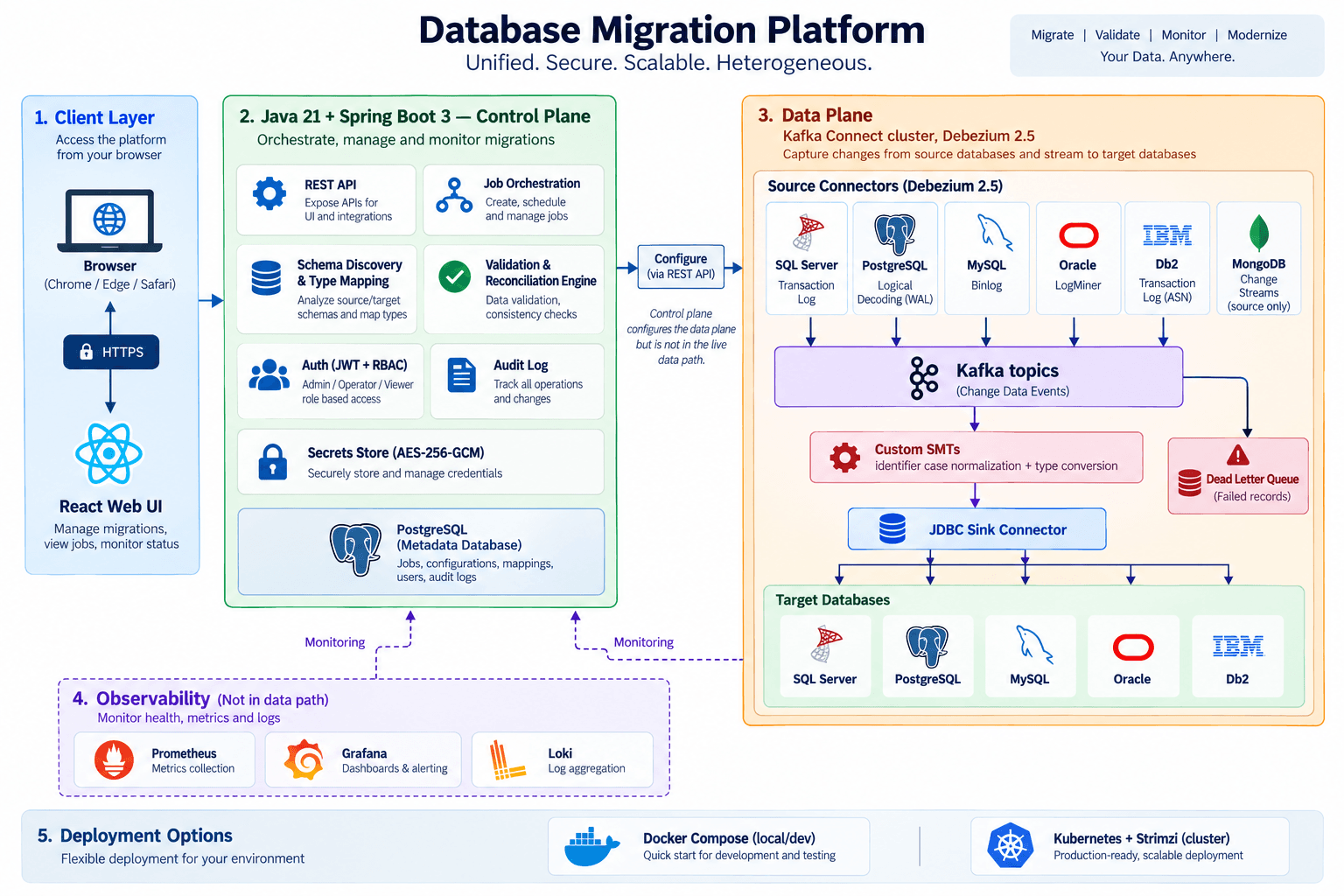
Control plane and data plane, kept separate
The control plane configures every migration — but it never sits in the live data path.
Inside the console
What it actually looks like
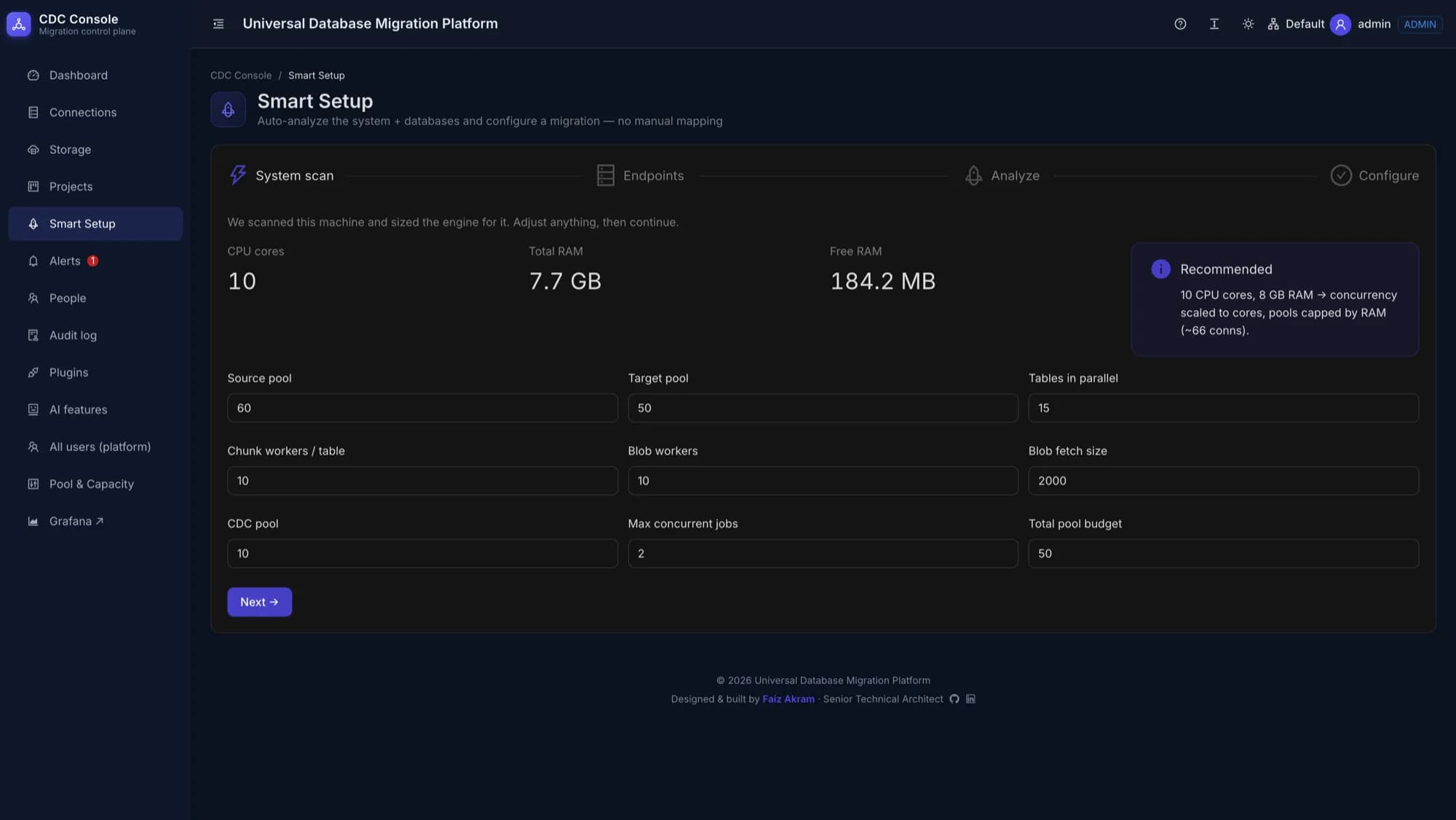
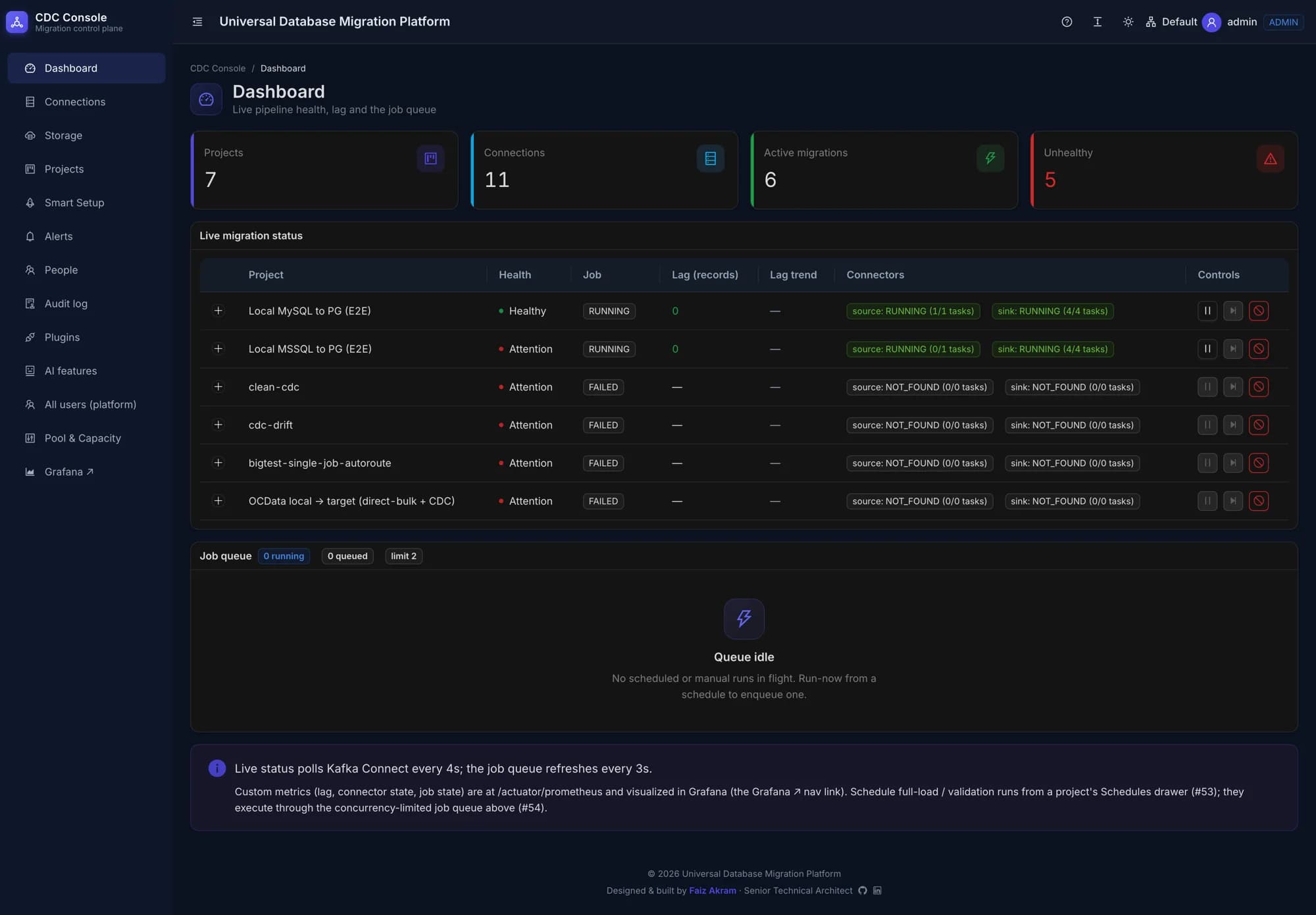
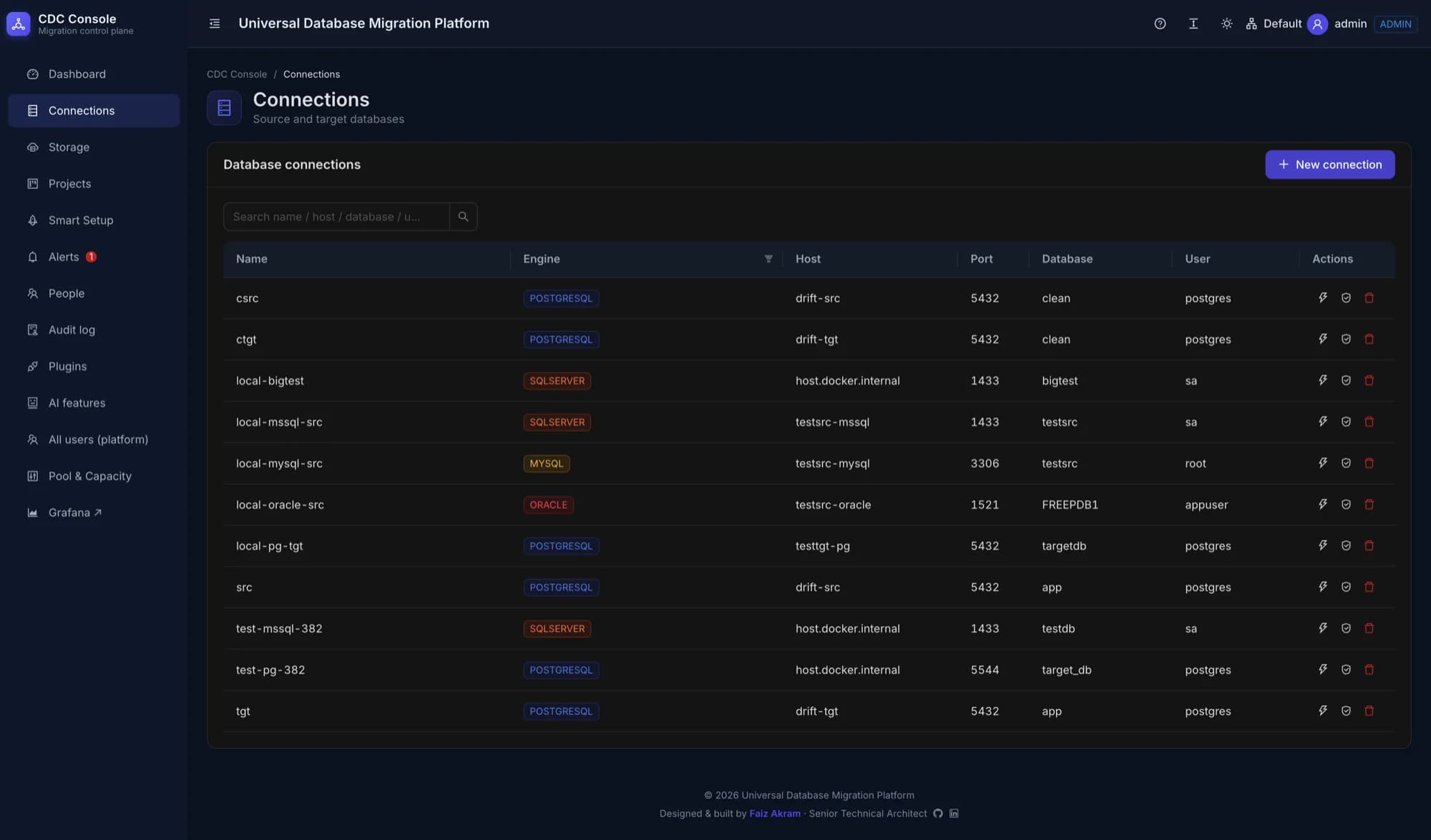
Screens from the running platform — not mock-ups. Captured from a development environment, so the databases are throwaway test containers.
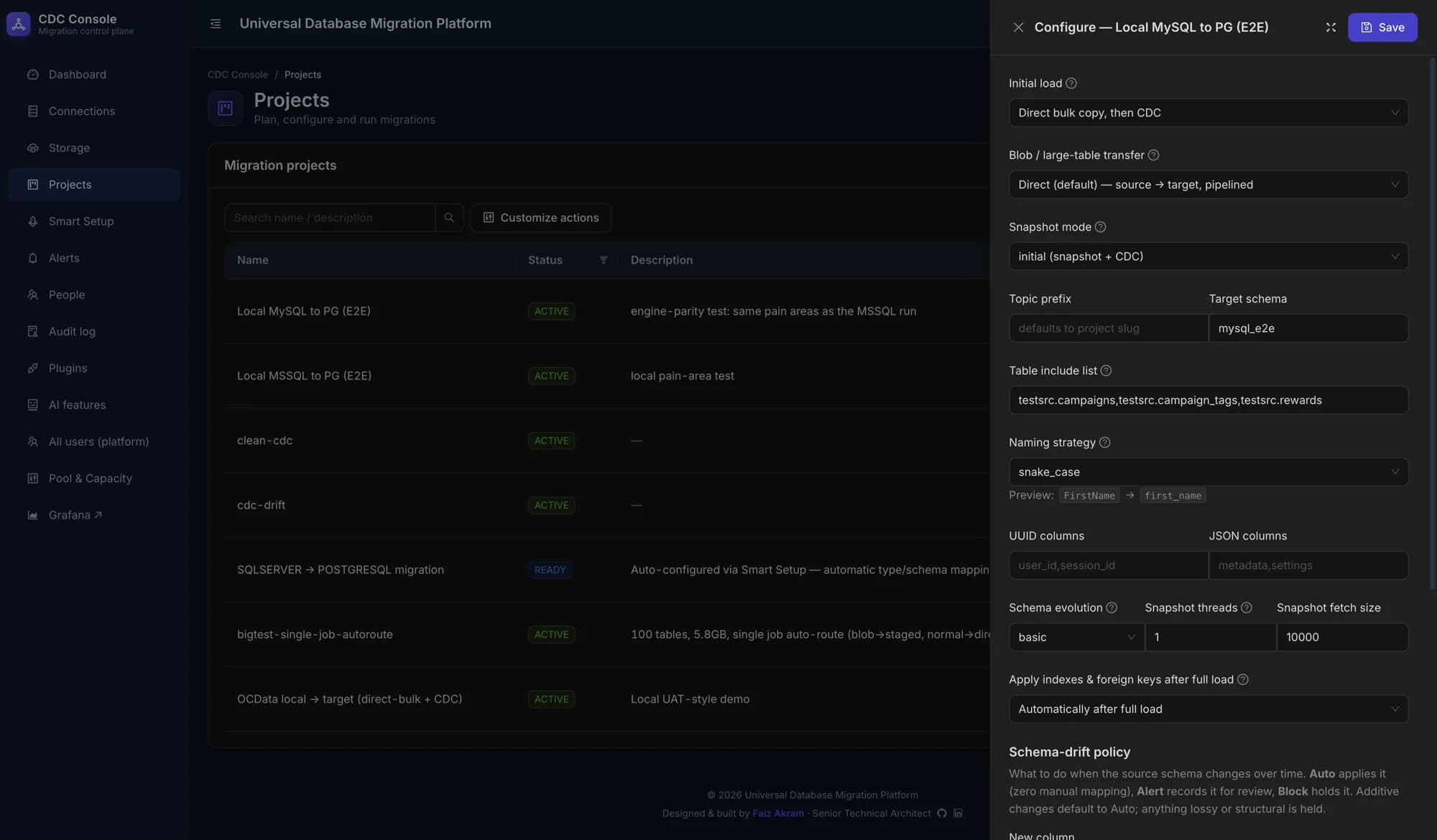
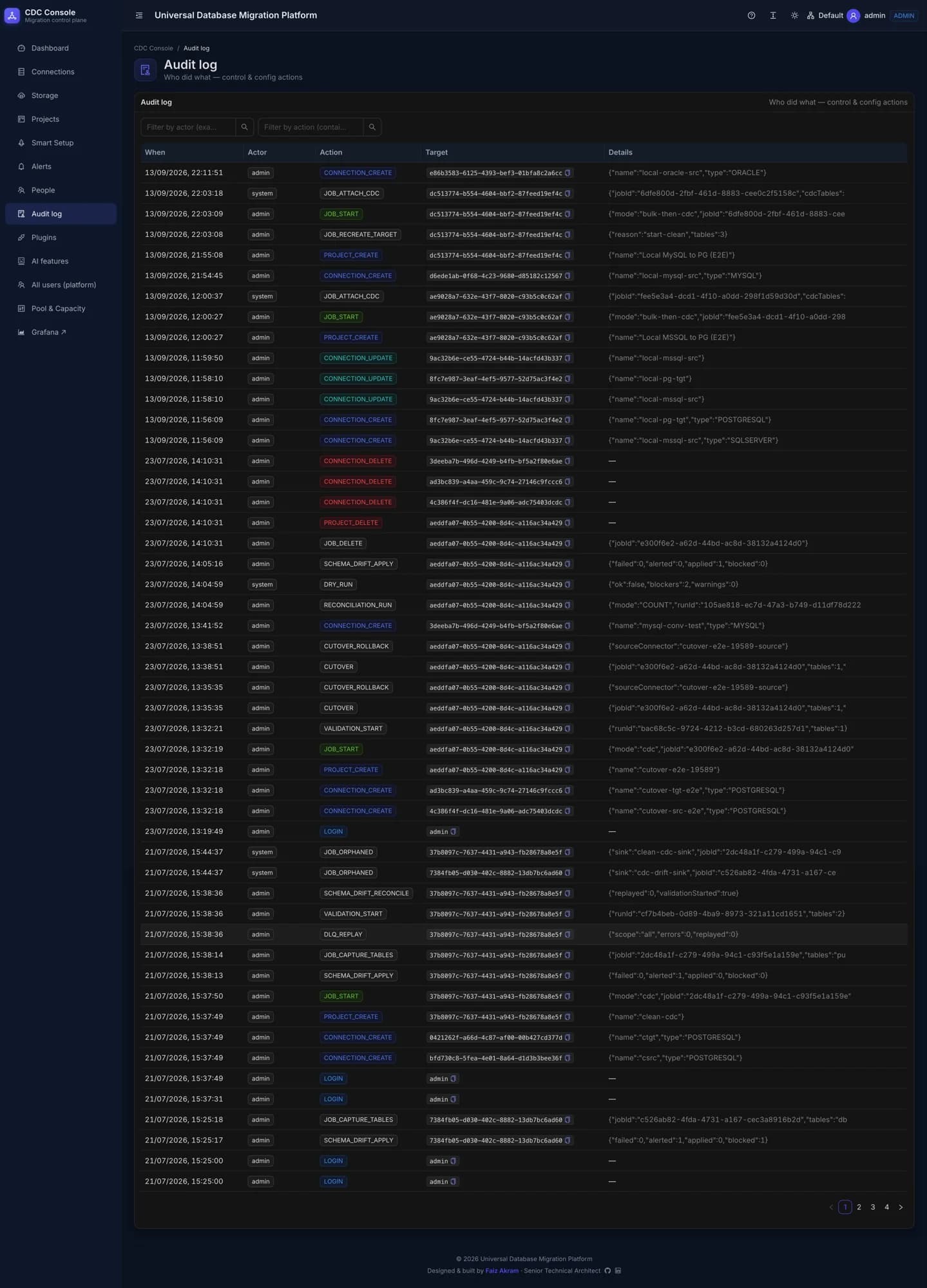
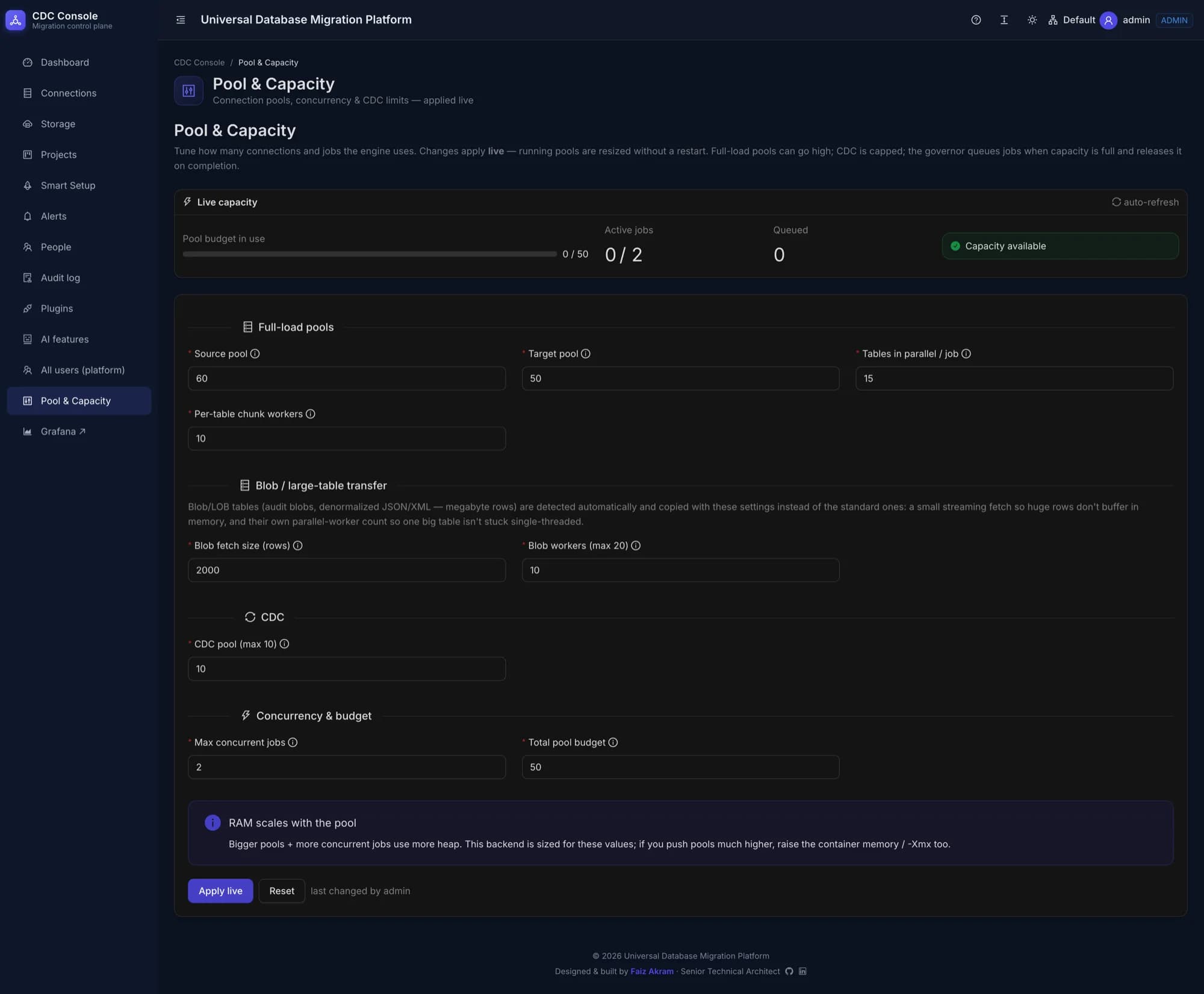
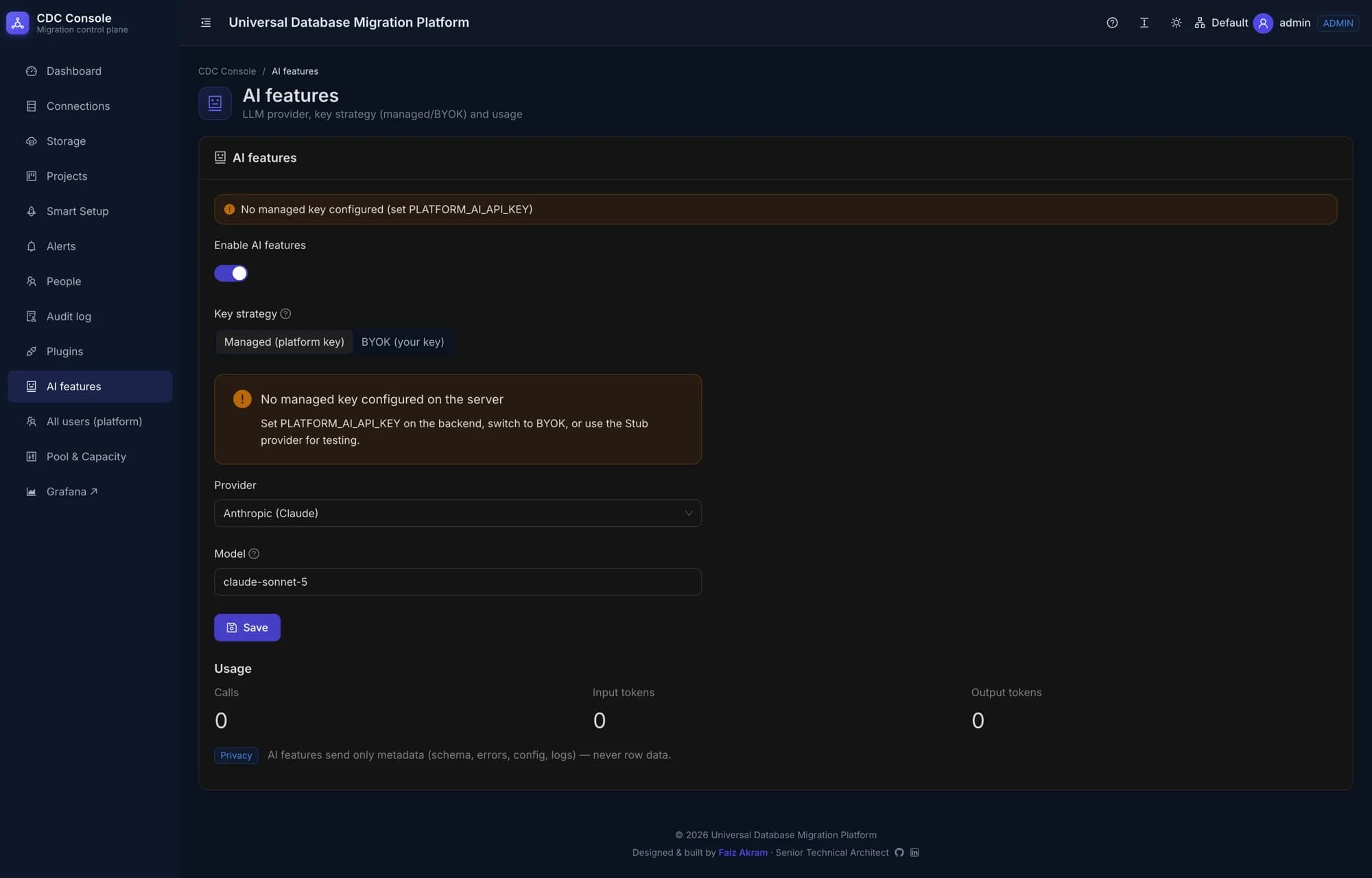
How it works
From connection to a validated migration
Step 01
Connect source & target
Add credentials for any two supported engines, encrypted at rest immediately.
Step 02
Pick your tables
Choose the tables to migrate; schema and types are discovered automatically.
Step 03
Bulk load, then attach CDC
An initial load fronts the table, then live change capture takes over with no gap.
Step 04
Watch it run
Track lag, throughput and job status from the browser UI.
Step 05
Reconcile and prove it
Run validation to compare row counts and sampled keys between source and target.
Step 06
Handle exceptions
Bad records land in a dead-letter queue instead of stalling the job.
Deployment
How it runs
Docker Compose, one command.
A single script stands up the full stack — Kafka, Kafka Connect, the control plane, the UI, Prometheus and Grafana — for local development or a demo.
Kubernetes, Strimzi-managed.
Manifests exist for a cluster deployment with Strimzi managing Kafka Connect — used for internal testing today; the customer deployment runs on Docker.
Status
- Deployed and operational for a customer today, running inside their own controlled environment on Docker
- A cloud-hosted deployment model is being explored, to make the platform accessible to organisations that would rather not run it themselves
- Cloud hosting is a deliberate next step, not a switch to flip — it needs additional infrastructure and ongoing operational investment
- Esparks IT Solutions is open to strategic partnership, investment or funding to accelerate cloud deployment and expand the product
- SQL Server, PostgreSQL, MySQL and MongoDB migrations are live-verified end-to-end against real containers
- Oracle and Db2 connectors are implemented and unit/config-tested, pending live verification (licensing and image constraints)
- A multi-million-row validation benchmark harness is built and ready to run — baseline numbers are not yet published
Next step
Run it in your environment — or help us take it to the cloud
The platform is deployed and operational for a customer today, inside their own controlled environment on Docker, so migration workloads never leave your infrastructure. A cloud-hosted model is next, and it needs real infrastructure and operational investment to get there — we're open to strategic partnership, investment or funding to accelerate it. Either conversation is welcome.
Feature guide
Everything the platform does
Database Migration Platform is a browser-operated tool for planning, running, monitoring and validating real-time, CDC-based migrations between heterogeneous databases. The Esparks IT Database Migration Platform is deployed and running in a customer-controlled environment using Docker-based infrastructure, enabling organizations to operate migration workloads within their own infrastructure. A cloud-hosted deployment model is being explored to widen access. Here is everything it does.
Core
Migrate between engines without downtime
A pluggable, CDC-driven data plane moves data between six database engines, with a canonical type-mapping layer bridging the differences between them.
Six database engines
- Five engines, either direction. SQL Server, PostgreSQL, MySQL, Oracle and Db2 all support migration as both source and target.
- MongoDB as a source. MongoDB change streams are supported as a migration source; MongoDB is not currently a supported target.
Real-time change capture
- Each engine's native change feed. Debezium reads binlog (MySQL), WAL (PostgreSQL), transaction logs (SQL Server, Db2), LogMiner (Oracle) or change streams (MongoDB) through Kafka Connect.
Pluggable per-engine connectors
- Add an engine without touching others. Each source engine implements the same connector strategy interface, isolated from every other engine.
Cross-engine type mapping
- Canonical type translation. A type-mapping matrix converts data types between heterogeneous engines, with a fast path when source and target match.
Zero-gap initial load
- Bulk load, then CDC attaches. A direct-JDBC bulk load can front-load large tables before change capture takes over — no double-write snapshot cost.
Validation & ops
Prove the migration, don't just run it
Reconciliation, access control and observability, built into the platform rather than bolted on after.
Reconciliation & drift detection
- Count and sampled-key validation. Compares row counts and sampled keys between source and target, with cross-engine key normalization (e.g. GUID case differences).
Dead-letter queue
- Bad records get routed, not dropped. A record that fails to apply lands in a dead-letter queue instead of silently stalling or dropping the migration.
Secrets & access control
- Encrypted secrets. Every stored credential is encrypted with AES-256-GCM, never returned by the API.
- JWT + RBAC. Admin, Operator and Viewer roles, with every mutation recorded in an audit log.
Observability
- Metrics & logs. Prometheus/Grafana metrics and Loki-based logs, including live CDC-lag tracking.
Two deployment paths
- Docker Compose. A one-command stack for local development and demos.
- Kubernetes (Strimzi). Manifests for a cluster deployment with Strimzi-managed Kafka Connect.
Security & privacy
- Secrets encrypted at rest with AES-256-GCM — a random IV per secret, never returned by the API.
- JWT authentication with BCrypt-hashed passwords, and RBAC across Admin, Operator and Viewer roles.
- Every mutation is recorded in an audit log, readable only by Admins.
- Least-privilege database account scripts are provided for every supported engine.
- Optional TLS termination at the application layer, or at your ingress.
Reliability
- 72 backend test files, including Testcontainers-based integration tests and real end-to-end runs against live SQL Server, PostgreSQL, MySQL and MongoDB containers.
- A startup reconciler detects jobs whose underlying connectors disappeared and marks them failed instead of showing a false "running" status.
- At-least-once delivery with idempotent upserts — safe to replay without duplicating rows.
- A one-command Docker Compose stack (Kafka, Connect, Postgres, backend, frontend, Prometheus, Grafana, Loki) for standing up the full platform locally.
Work with us
Have a similar system to build?
Tell us the problem and the constraints. We will tell you how we would approach it — and whether we are the right team for it.
More work
Related projects
Our other data platform projects.
01 / Data Platform
Phone Vault
Live in production
Bulk phone-number dedup & vendor-delivery tracking
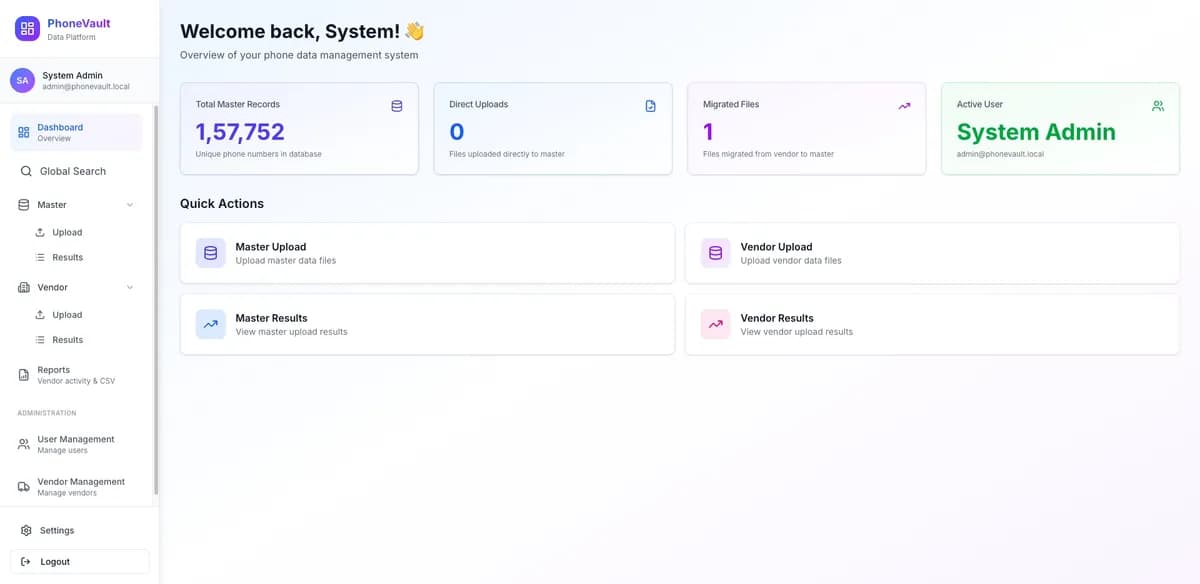
Phone Vault is a data-operations platform built by Esparks IT Solutions to turn bulk vendor CSV and Excel uploads into one clean, deduplicated phone-number master list. A Go/Gin API normalizes every number to real E.164 format with a genuine phone-number parsing library, then runs a three-tier deduplication check — within the uploaded file, against the master dataset, and against what that vendor has delivered before — before anything is migrated out of staging. The Next.js dashboard covers upload, staged review, vendor management, and date-ranged per-vendor reporting with CSV export. The stack is intentionally simple: a single Go API, a single Next.js frontend, and PostgreSQL as the only datastore, run via Docker Compose behind Nginx.
- ~1M-row uploads
- Layered Go architecture
- Three-tier dedup pipeline
- Go
- Gin
- Next.js
- +2
02 / DevOps & Infrastructure
ThinClient OS + Fleet Manager
Live in production
Locked-down Debian RDP appliance with a cloud fleet manager
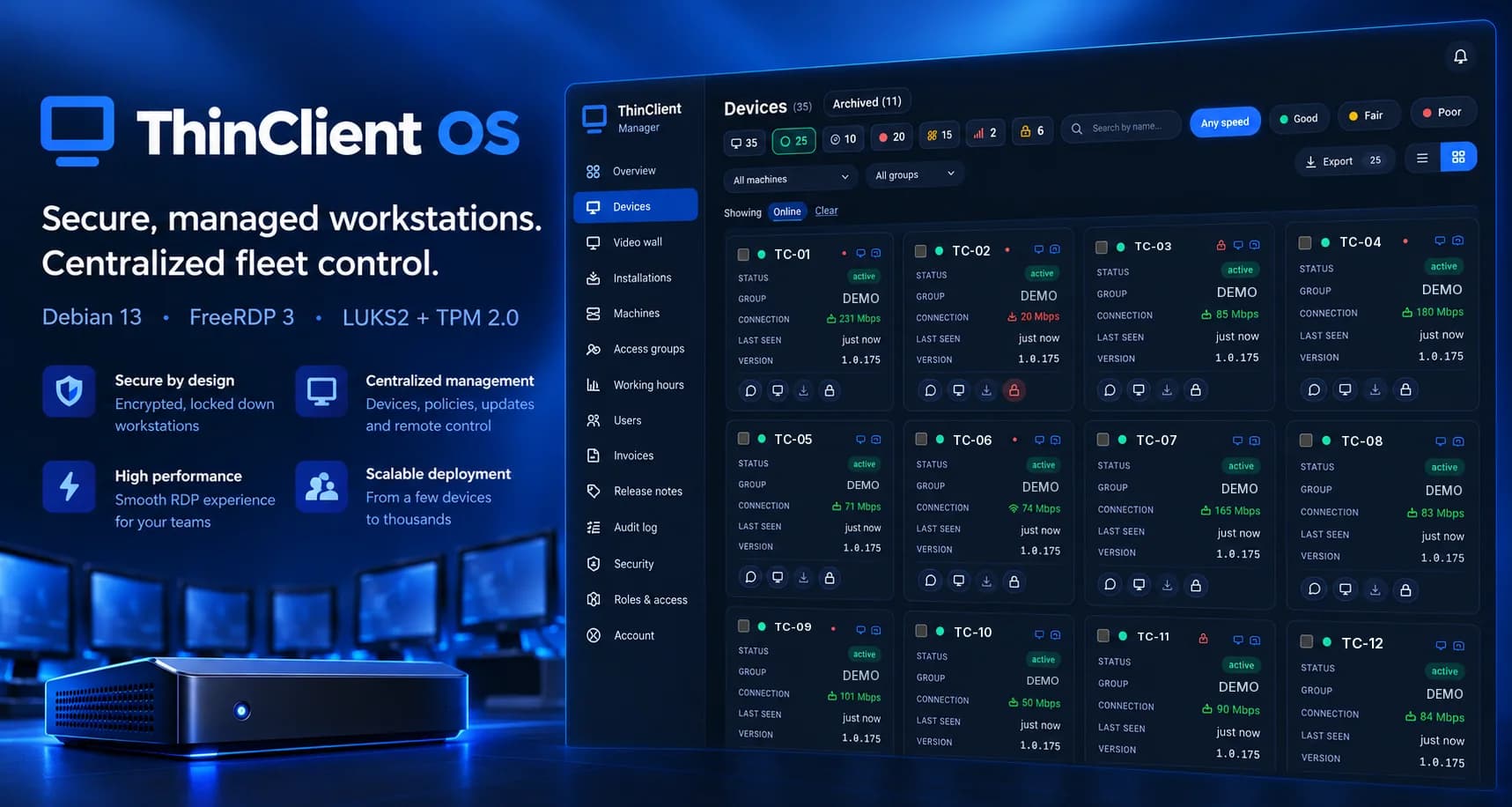
A production-grade Linux appliance that boots straight into a full-screen Windows RDP session — no desktop, no shell, no login prompt — backed by a self-healing watchdog and an infinite reconnect loop. On machines with Secure Boot and a TPM 2.0 chip the whole disk is encrypted (LUKS2, AES-256) with the key sealed in the machine's own TPM, and the encrypted install has been attack-tested against disk theft and boot tampering. Lost or stolen machines are wiped remotely, crypto-erasing the disk on encrypted installs. Optional per-account policy adds lock-screen password rules with a three-strike lockout, Windows-server certificate pinning, USB-storage and clipboard blocking, and memory hardening. New machines can be required to wait for administrator approval (on by default for new accounts), operating-system security patches can roll out through canary machines, and signed kernel updates roll back on their own if they fail to start. It ships as a reproducible ISO with a graphical installer and pairs with a Next.js fleet manager that provisions, monitors, secures and remotely controls the machines and the AWS, Azure and VPS Windows servers they connect to.
- Zero-desktop hardened OS
- TPM-sealed full-disk encryption
- Remote wipe & crypto-erase
- Debian 13
- FreeRDP 3
- systemd
- +7
03 / AI Platform
CallIntell — AI Call Synopsis & Quality
In development
Every call summarised into the CRM, without anyone listening
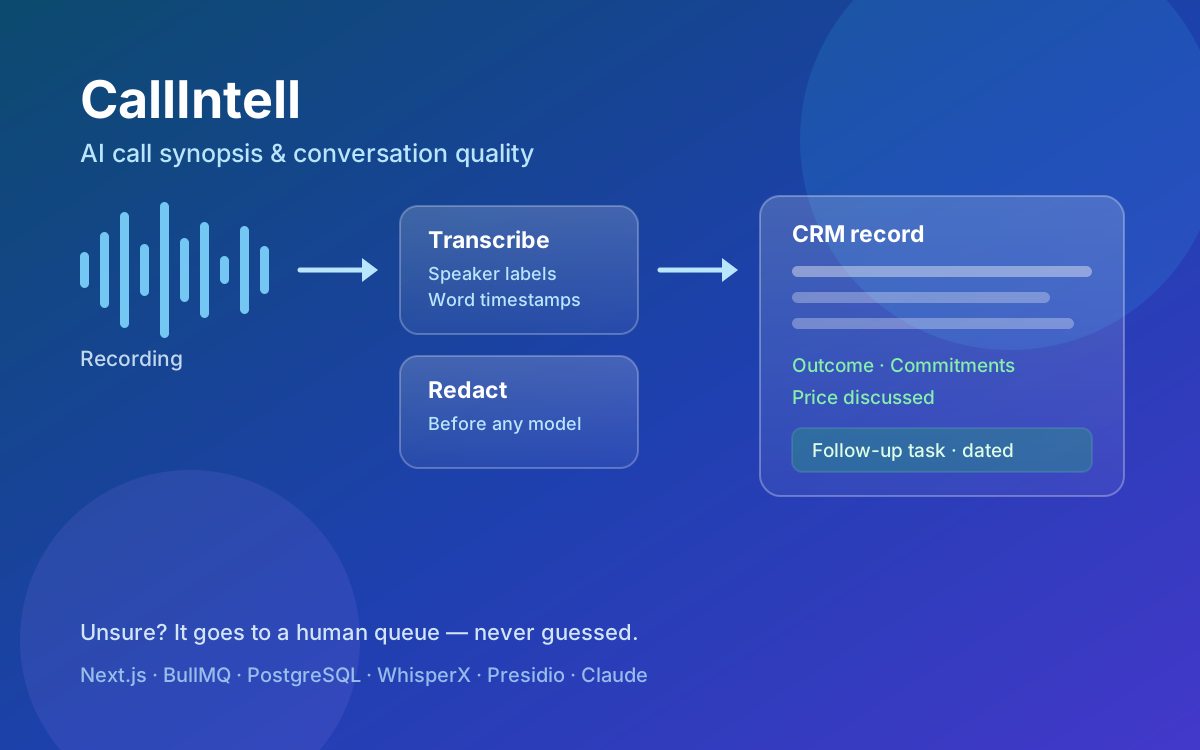
CallIntell turns recorded phone calls into reviewed, structured CRM records without anyone listening to the call. A six-stage queue-backed pipeline fetches the recording, transcribes it with speaker labels and word-level timestamps on serverless GPU, strips personal identifiers before any text reaches a language model, matches the call to its CRM record, and generates a schema-validated synopsis — outcome, commitments, objections, price discussed — with every point linked to the second of audio it came from. Spoken follow-up phrases such as “call me in ten days” are resolved into dated CRM tasks in the customer's own time zone, with the verbatim wording kept alongside. Anything the system is not confident about routes to a human review queue rather than being guessed, and CRM writes are idempotent so a retry cannot duplicate a note or a task. Built on Next.js, BullMQ on Redis, PostgreSQL with Drizzle, WhisperX with diarization, Microsoft Presidio redaction and Claude, with passkey and TOTP sign-in, an append-only audit log, per-company isolation and usage metering. Deployed and running the first customer workflow; not yet opened as a public product.
- Speaker-labelled transcripts with word-level timestamps
- Every synopsis point links to its moment in the audio
- Idempotent CRM writes — retries cannot duplicate
- Next.js
- TypeScript
- BullMQ
- +5