Mobile Development
Cross Platform App Development Dubai: Buyer’s Guide
A practical guide to cross platform app development dubai, covering frameworks, costs, timelines, security, and how to choose the right IT partner.
S
Shayma Parween
Lead Developer
Aug 9, 2026
10 min read
If you are evaluating cross platform app development dubai for a business product, the short answer is this: it is often the most practical route when you need one app experience across iOS and Android without funding two separate codebases. The right team should help you choose a framework based on product complexity, native feature needs, security requirements, integration scope, and total cost of ownership, not just speed of launch.
Key takeaways
- Cross-platform app development is usually the best fit when a business needs one mobile product across iOS and Android with shared logic, faster delivery, and controlled maintenance costs.
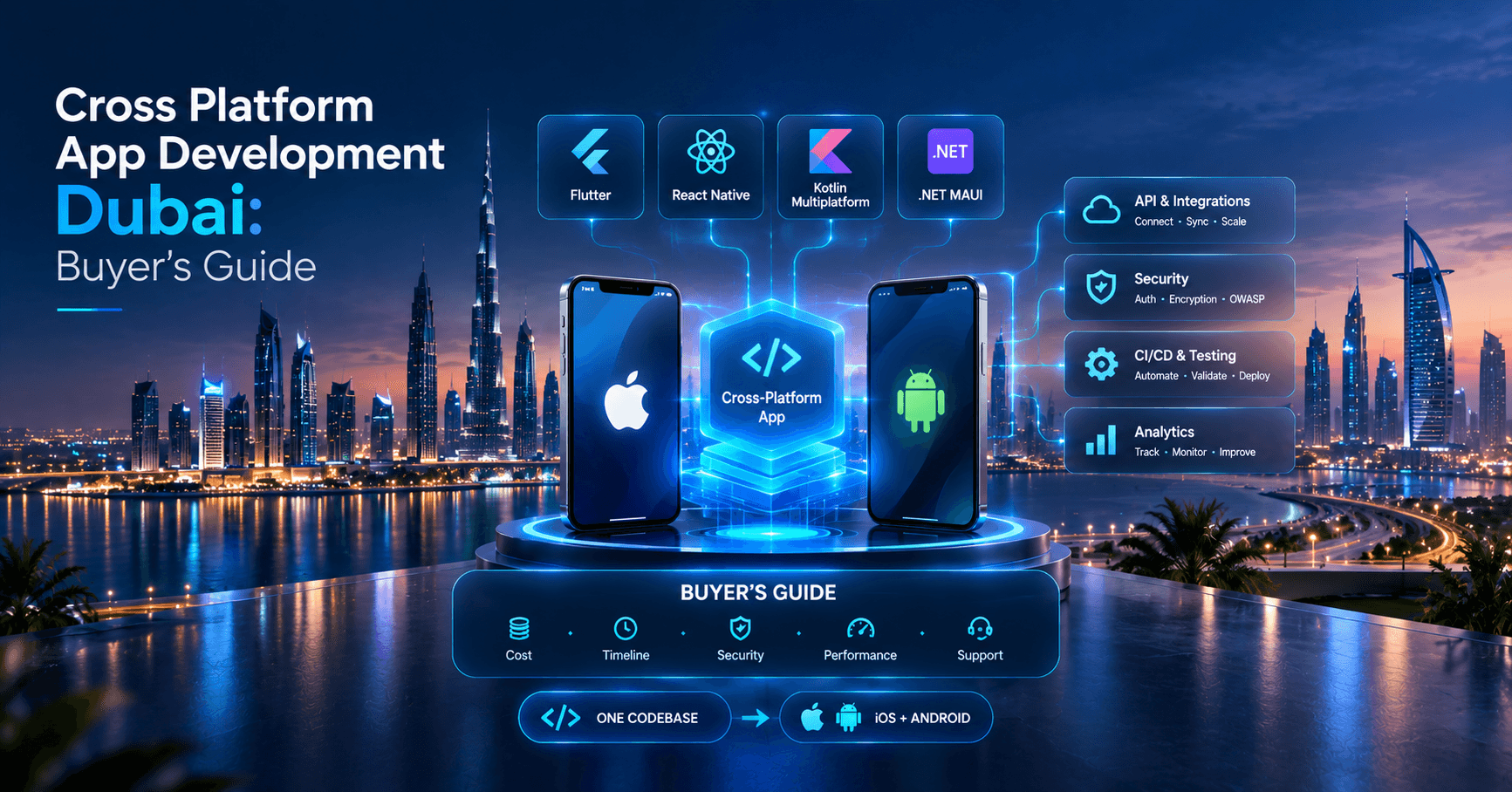
- Flutter, React Native, Kotlin Multiplatform, and .NET MAUI solve different problems; the right choice depends on UI demands, native integrations, team skills, and long-term support plans.
- A reliable mobile delivery process includes product discovery, architecture planning, API readiness, automated testing, CI/CD, analytics, crash reporting, and post-launch support.
- For regulated or enterprise use cases, mobile security should cover encrypted storage, secure authentication, certificate pinning where appropriate, backend authorization, and OWASP-aligned testing.
- The cheapest proposal is rarely the lowest total cost if it ignores performance, maintainability, release automation, or integration complexity.
Why cross-platform makes business sense
For many companies, mobile is no longer a side project. It is the operational layer for customer service, field teams, commerce, approvals, logistics, subscriptions, and internal workflows. Building separate native apps in Swift for iOS and Kotlin for Android can be the right move for highly specialized products, but it also means two UI layers, duplicated development effort, and heavier release coordination.
Cross-platform development reduces that duplication by sharing a large portion of the codebase across both operating systems. In practice, this usually means one product backlog, one design system, one core app team, and a more manageable maintenance cycle. For business decision-makers, that matters because software cost is not just initial build cost. It includes every future release, regression fix, OS update, security patch, and feature enhancement.
That said, cross-platform is not automatically the correct answer. It tends to work best when:
- The app has common flows on iOS and Android
- Time-to-market matters more than platform-specific differentiation
- The app depends on APIs, business rules, dashboards, forms, or workflow automation
- You want a single team handling ongoing enhancements
- Budget discipline and long-term maintainability are important
It can be a weaker fit when the product relies heavily on advanced 3D graphics, deep OS-level customization, highly specialized Bluetooth or hardware integrations, or platform-specific UI patterns that must feel entirely native.
Choosing the right framework, not the most fashionable one
Most business conversations start with Flutter or React Native, and that is reasonable. Both are mature, widely used, and suitable for many production apps. But a serious evaluation should include Kotlin Multiplatform and, in some Microsoft-heavy environments, .NET MAUI.
Flutter uses Dart and renders its own UI layer. It is often a strong choice when consistent design across platforms matters, when teams want smooth animations, or when product owners need pixel control. Because Flutter does not rely as heavily on native UI components, it can deliver visual consistency well. The trade-off is that some native integrations may still require platform-specific work in Swift, Kotlin, or Objective-C/Java.
React Native uses JavaScript or TypeScript and is a natural fit for teams already strong in React on the web. It can accelerate staffing and code-sharing decisions, especially where front-end engineering practices are already mature. It is strong for content-rich apps, service apps, commerce flows, and administrative experiences. The caution is that performance-sensitive screens and complex native module dependencies need disciplined engineering, not just rapid prototyping habits.
Kotlin Multiplatform is different. It focuses on sharing business logic, networking, and data layers while keeping native UI on each platform. For businesses that want native user experience but still want to reduce duplicated logic, this is a strong middle path. It is especially useful when mobile teams already operate in a native-first model or when the product roadmap suggests long-term platform specialization.
A practical comparison looks like this:
- Flutter: best for consistent UI, custom interfaces, strong single-team ownership
- React Native: best for React-based organizations and standard business app interfaces
- Kotlin Multiplatform: best for shared logic with native UI retained
- .NET MAUI: best where Microsoft stack alignment is a major strategic factor
The wrong question is, Which framework is cheapest? The better question is, Which stack gives us the lowest total delivery risk over the next two to three years?
How to evaluate cross platform app development dubai partners
Not every mobile vendor builds software the same way. Some are excellent at demos but weak in architecture, testing, or enterprise integration. Others are technically strong but poor at product communication. A good evaluation process should look beyond portfolios and ask how the team thinks.
Start with product discovery. A credible partner will ask about user roles, business rules, backend readiness, compliance constraints, offline behavior, analytics events, app store dependencies, and release governance. If the conversation jumps straight to design mockups and a quote, that is a warning sign. Good mobile delivery begins with scope shaping, assumption testing, and architecture choices made early.
Use this decision framework when comparing providers:
- Define the business outcome. Is the app for revenue, retention, operations, partner access, or internal efficiency?
- Map the core journeys. List the 5 to 10 flows the app must handle well at launch.
- Check integration complexity. APIs, ERP, CRM, payment gateways, identity providers, and notification systems all affect effort.
- Assess native feature needs. Camera, biometric login, geolocation, Bluetooth, NFC, background sync, or offline mode may influence framework choice.
- Review engineering process. Ask about code review, branching strategy, CI/CD, automated tests, crash reporting, and release management.
- Validate security approach. Authentication, token handling, encrypted storage, API authorization, and mobile hardening should be discussed clearly.
- Confirm post-launch support. Mobile products need updates after release because OS versions, devices, SDKs, and stores keep changing.
In our experience at eSparks IT Solutions, the best engagements are the ones where architecture, delivery process, and long-term ownership are made explicit before development starts. That protects both budget and timeline.
Architecture, integrations, and delivery process that prevent expensive rework
A cross-platform app is only as strong as the system around it. Many failed mobile projects are not really mobile failures; they are API, data, workflow, or DevOps failures that surface through the app. That is why architecture should be addressed before anyone estimates screens in isolation.
At minimum, most production apps need these layers defined:
- Presentation layer: screens, state management, navigation, form behavior
- Domain layer: business rules, validation, use cases
- Data layer: APIs, caching, local storage, sync behavior
- Backend services: authentication, user roles, notifications, files, search, analytics events
- Delivery layer: CI/CD, test pipelines, staging, app signing, store release workflows
For state management, practical choices include Bloc, Riverpod, or Provider in Flutter; Redux Toolkit, Zustand, or React Query in React Native; and clean architecture patterns for larger codebases. For APIs, REST remains common, but GraphQL can be useful where front-end flexibility matters. For local persistence, SQLite, Realm, Hive, or secure key-value storage may be appropriate depending on offline and security requirements.
Do not overlook release engineering. A mature team should automate builds and deployments using tools such as GitHub Actions, GitLab CI, Bitrise, Codemagic, or Fastlane. Manual release steps are error-prone and become painful as environments multiply. The same applies to observability: mobile teams should have crash monitoring and performance insight through tools such as Firebase Crashlytics, Sentry, Datadog, or New Relic.
A practical delivery flow often looks like this:
- Discovery and technical scoping
- UX mapping and design system definition
- Architecture setup and API contract alignment
- Incremental sprints with demos against acceptance criteria
- Automated testing and QA across target devices
- UAT, hardening, app store preparation, and rollout planning
- Post-launch monitoring and backlog iteration
Security, compliance, and performance for production apps
Business buyers should treat mobile security as a core engineering concern, not a late-stage checklist. The app may be the most visible layer, but the real security model spans identity, backend authorization, secrets management, device storage, transport security, and monitoring.
A sensible baseline includes OAuth 2.0 or OpenID Connect where appropriate, short-lived tokens, secure storage using Keychain on iOS and Keystore on Android, TLS for all transport, role-based access control on the server side, and careful input validation. If the app handles sensitive data, teams should also evaluate certificate pinning where appropriate, jailbreak or root detection depending on threat model, and stronger controls around screenshots, clipboard use, and session timeout.
For enterprise or regulated products, ask whether the team references standards such as OWASP MASVS for mobile security verification and OWASP ASVS for backend controls. If the app processes personal data for users in the UAE, UK, EU, or other regulated markets, data handling and consent flows should align with the applicable legal and organizational requirements. Compliance is not just a legal document issue; it directly affects logging, data retention, analytics choices, hosting, and support procedures.
Performance also deserves early attention. Common causes of poor mobile performance include oversized images, unnecessary network calls, inefficient state updates, weak pagination, heavy startup routines, and lack of caching strategy. The solution is not magical optimization later. It is a deliberate approach from day one: measure startup time, define acceptable latency for key flows, test on mid-range devices, and profile the app during development rather than just before release.
Timelines, costs, and where estimates usually go wrong
Cross-platform development can be cost-efficient, but only if the estimate reflects the real shape of the product. Businesses often underestimate backend work, integrations, role complexity, notification logic, document handling, approvals, and admin requirements. Another common mistake is comparing quotes that do not include the same scope.
Typical delivery ranges vary widely, but broad planning numbers can still be useful:
- Simple MVP with authentication, a few core flows, and standard APIs: often around 8 to 16 weeks
- Mid-complexity business app with dashboards, payments, notifications, or moderate integrations: often around 4 to 6 months
- Complex enterprise app with offline mode, advanced workflows, multiple user roles, and legacy system integration: often 6 months or more
Typical budgets also vary by team composition, product maturity, and integration depth. As a broad estimate, a straightforward business app may land somewhere in the low-to-mid six figures in AED, while more complex enterprise products can move significantly higher. Treat any fixed quote with caution if it does not clearly separate discovery, design, engineering, QA, DevOps, and support.
A better way to budget is to split the work into stages:
- Discovery and technical planning
- MVP or first release
- Stabilization and operational hardening
- Phase-two enhancements based on real usage
This approach reduces risk because you are funding validated progress instead of trying to predict every detail upfront. It also creates better governance for founders, CTOs, and IT managers who need visibility into scope changes.
Common pitfalls and how experienced teams avoid them
The biggest delivery problems in cross-platform projects are usually preventable. They happen when teams optimize for a fast start instead of a durable product. A polished prototype can hide deep issues in architecture, test coverage, or release management.
Watch for these common pitfalls:
- Choosing a framework before understanding integrations and native dependencies
- Underestimating backend and admin portal work
- Treating QA as manual-only rather than combining manual and automated tests
- Ignoring app store review requirements until release week
- Building without analytics events, making product decisions guesswork later
- Failing to define offline behavior and error states clearly
- Using too many third-party packages without long-term maintenance review
- Assuming shared code means zero platform-specific work
Experienced teams reduce these risks by setting guardrails early. They define a technical architecture, agree API contracts, document non-functional requirements, and establish CI/CD from the start. They also plan for real device testing, not just simulators; clarify ownership of app store accounts, certificates, and signing keys; and maintain release notes and rollback procedures.
One final point matters for leadership teams: the best mobile partner is not the one that says yes to everything in week one. It is the one that can explain trade-offs clearly, challenge weak assumptions, and translate technical choices into business consequences. That is especially important when your app sits inside a wider cloud, data, security, or digital transformation roadmap rather than existing as a standalone product.
Frequently Asked Questions
Is cross-platform development a good choice for enterprise apps in Dubai?
Yes, cross-platform development is often a strong fit for enterprise apps when the product needs shared business logic, consistent features across iOS and Android, and controlled long-term maintenance. It works especially well for workflow, service, commerce, field operations, and customer engagement apps, provided the architecture, integrations, and security model are designed properly.
Which framework is better for cross platform app development dubai: Flutter or React Native?
Neither is universally better; the right choice depends on the product. Flutter is often preferred for highly consistent UI and custom design systems, while React Native is often attractive for organizations with strong React or TypeScript capability and standard business app requirements.
How long does a cross-platform mobile app usually take to build?
A simple MVP often takes roughly 8 to 16 weeks, while a mid-complexity business app commonly takes several months. Timelines depend heavily on backend readiness, integrations, user roles, design complexity, compliance needs, testing scope, and app store preparation.
Can cross-platform apps still use native device features securely?
Yes, cross-platform apps can use native features such as biometrics, camera, GPS, push notifications, and secure storage through platform APIs and native modules when needed. Security depends less on the framework itself and more on implementation details such as authentication design, encrypted storage, backend authorization, and OWASP-aligned testing.
Work with eSparks IT Solutions
Planning a project around this? We help businesses across the USA, UK, Canada, Australia and the GCC ship it. Explore our Mobile Development services and portfolio, estimate your project cost, or book a free call.
Related mobile app services
S
Shayma Parween
Lead Developer
Passionate technology writer and industry expert with years of experience in software development, cloud computing, and digital transformation. Dedicated to sharing insights and helping developers stay ahead of the curve.
Related Topics
Continue Reading
More insights in Mobile Development

Mobile Development
React Native vs Flutter: How Business Leaders Should Choose
React Native vs Flutter explained for CTOs and founders: compare cost, speed, performance, hiring, and long-term fit.
Sep 23, 2026
Read More
Mobile Development
Enterprise Mobile Access Architecture: A Practical Guide
Learn how enterprise mobile access architecture secures apps, identities, devices, and APIs without slowing users or overcomplicating IT.
Sep 19, 2026
Read More
Mobile Development
Cross Platform Mobile Development Services Guide for USA
A practical guide to cross platform mobile development services for USA businesses, including frameworks, costs, timelines, risks, and partner selection.
Sep 16, 2026
Read MoreReady to Transform Your Business?
Let's discuss how our expertise can help you achieve your goals