Cloud Computing
Your Ultimate Cloud Migration Checklist for Zero Downtime
Your Ultimate Cloud Migration Checklist for Zero Downtime: plan dependencies, architecture, security, cutover, testing, and rollback to reduce risk.

Tauseef Alam
Chief Technology Officer
Jul 2, 2026
10 min read
If you need a direct answer, Your Ultimate Cloud Migration Checklist for Zero Downtime starts with six non-negotiables: map dependencies, choose the right migration pattern, build the target environment with security and observability first, rehearse cutover and rollback, migrate data safely, and validate everything under production-like load. Zero downtime is rarely a single trick; it is the result of careful sequencing, automation, and a cutover plan designed around your application’s real failure points.
Key takeaways
- Zero-downtime cloud migration depends more on dependency mapping, rollback design, and cutover discipline than on the migration tool itself.
- The safest migration path is chosen workload by workload: rehost for speed, replatform for quick operational gains, and refactor only where clear business value justifies complexity.
- A migration is not production-ready until observability, identity controls, backups, disaster recovery, and runbooks are tested in the target environment.
- Blue-green, canary, read-replica, and DNS-based cutovers each reduce risk in different ways; the right pattern depends on statefulness, traffic profile, and tolerance for temporary complexity.
- Typical cloud migration timelines range from a few weeks for a simple application to several months for interconnected systems, especially when compliance, data gravity, or legacy dependencies are involved.
Why zero-downtime migration succeeds or fails
Most cloud migration problems are not caused by the cloud provider. They come from hidden dependencies, unrealistic cutover assumptions, and production changes that were never tested end to end. A customer-facing web app may look simple on the surface, but behind it there may be scheduled jobs, shared databases, SFTP feeds, third-party APIs, DNS rules, identity providers, and on-prem systems that still need to talk to each other after migration.
For business decision-makers, the key question is not "Can we move this workload?" It is "Can we move it without interrupting revenue, operations, or compliance?" That changes the planning model. You stop thinking only in terms of servers and start thinking in terms of service continuity, transaction integrity, recovery time objectives, recovery point objectives, and how quickly your team can detect and reverse a bad release.
In our experience, the safest migrations begin with a short discovery phase that creates an honest inventory:
- Applications, services, and owners
- Runtime stack: .NET, Java, Node.js, Python, PHP, containers, VMs
- Datastores: PostgreSQL, MySQL, SQL Server, MongoDB, Redis, Elasticsearch
- Integrations: payment gateways, ERP, CRM, SSO, email, queues, file shares
- Traffic patterns: peak hours, batch windows, seasonal spikes
- Compliance needs: ISO 27001 controls, SOC 2 expectations, GDPR, HIPAA, PCI-related boundaries where relevant
- Current pain points: latency, deployment risk, cost unpredictability, single points of failure
That inventory becomes the basis for both sequencing and risk control. If a team cannot clearly describe what depends on what, it is not ready for a zero-downtime move.
Your Ultimate Cloud Migration Checklist for Zero Downtime
A practical checklist should help you decide, not just document. Use the sequence below as a decision framework before any migration window is booked.
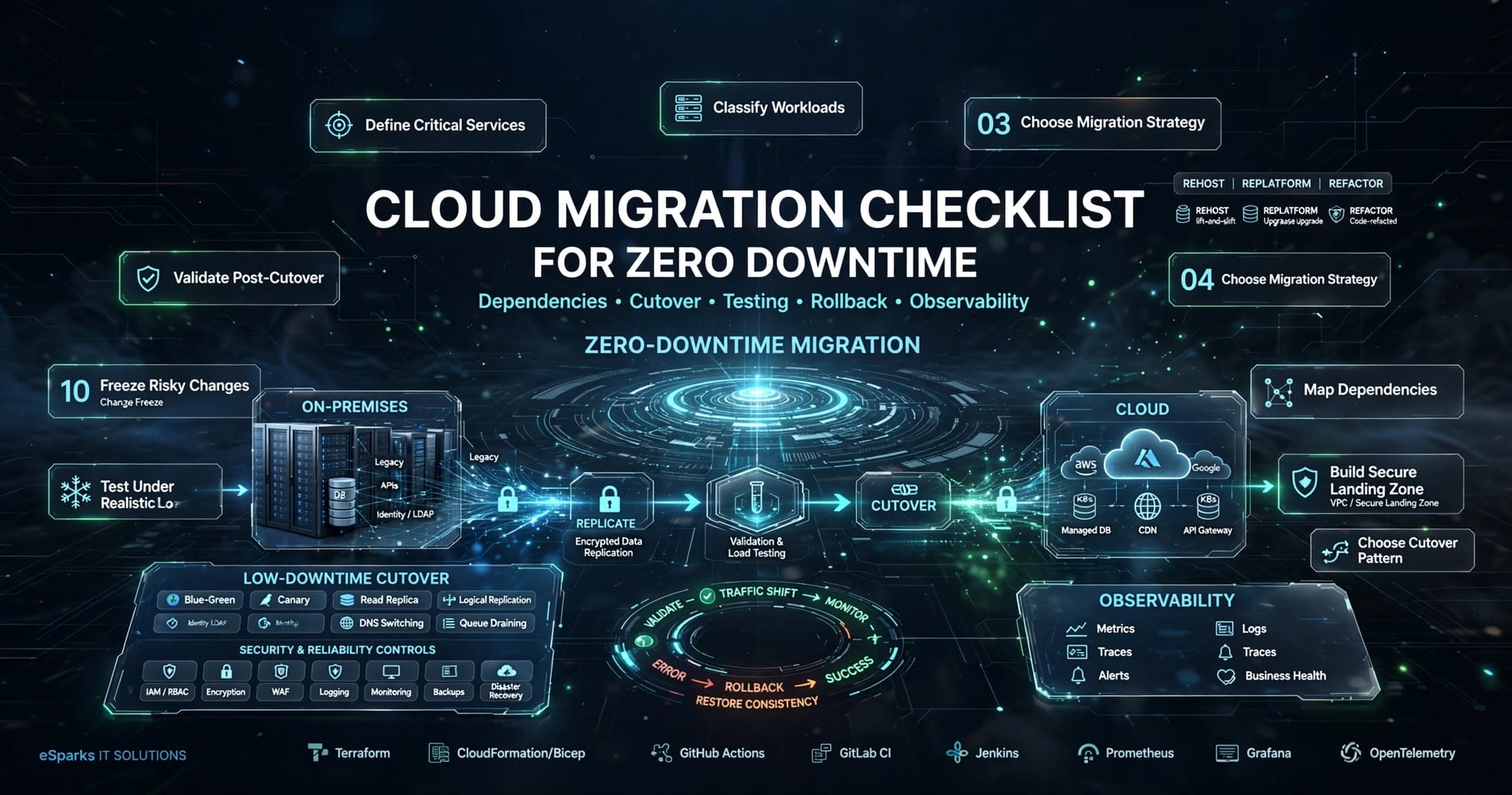
- Define business-critical services first. Identify which user journeys cannot fail: checkout, authentication, order processing, booking, reporting cutoffs, partner integrations.
- Classify each workload. Decide whether it is a web app, API, database, background worker, stateful service, file-based process, or event-driven system.
- Choose a migration approach per workload. Rehost lifts quickly; replatform introduces managed services with minimal code changes; refactor redesigns architecture for long-term scale.
- Map dependencies and failure domains. Document upstream and downstream systems, firewall rules, secrets, certificates, cron jobs, IP allowlists, and data flows.
- Design the target environment. Select region, networking, identity model, encryption, logging, monitoring, backup, and disaster recovery before provisioning.
- Decide the cutover pattern. Blue-green, canary, parallel run, database replication, or phased DNS switching should match the workload’s statefulness and traffic profile.
- Build rollback into the plan. Define exactly what signals trigger rollback, who approves it, how data consistency is protected, and how long the rollback path remains valid.
- Test under realistic conditions. Run performance, failover, security, and integration tests using production-like data volumes where permitted.
- Freeze risky changes before cutover. Limit releases, schema changes, infrastructure modifications, and vendor-side changes during the migration window.
- Validate post-cutover operations. Confirm logs, alerts, dashboards, autoscaling, backups, access controls, and support runbooks work in the new environment.
This checklist looks simple, but each item forces a business-grade decision. For example, if your authentication depends on an on-prem Active Directory instance, that shapes network topology, latency, and failover options. If your reporting database is updated by nightly ETL jobs, then migration timing must protect both transactional traffic and reporting deadlines.
Choose the right migration strategy for each workload
A common mistake is treating all applications the same. They are not. A low-risk internal portal may be suitable for a straightforward rehost to Amazon EC2, Azure Virtual Machines, or Google Compute Engine. A busy customer platform may be safer on containers using Kubernetes or a managed platform such as Amazon ECS, Azure Kubernetes Service, or Google Kubernetes Engine, where deployment controls and autoscaling are stronger.
Use a simple strategy matrix:
- Rehost when speed matters and the application is stable but aging. Typical use: moving VMs with minimal change to reduce data center dependency.
- Replatform when you want quick operational gains. Typical use: moving from self-managed PostgreSQL to Amazon RDS, Azure Database for PostgreSQL, or Cloud SQL while keeping the application mostly intact.
- Refactor when scalability, resilience, or release velocity are blocked by the current design. Typical use: breaking a monolith into services, introducing event queues such as Kafka or RabbitMQ, or shifting file processing to serverless workers.
For zero downtime, databases deserve special attention. Stateless web tiers are usually easier to move than stateful systems. If the application writes heavily to a single database, you may need logical replication, read replicas, dual-write avoidance, schema compatibility planning, and a tightly controlled switchover sequence. Even a perfect app deployment can fail if connection strings, migration scripts, or replication lag are mishandled.
Typical timelines vary widely. A single low-complexity application with limited integrations can often move in a few weeks. A portfolio of interconnected systems with regulated data, legacy protocols, or substantial database volumes often takes several months when done safely. The biggest schedule drivers are dependency complexity, data size, test coverage, and stakeholder availability for validation.
Build the target cloud landing zone correctly
A zero-downtime migration can still become a long-term operational problem if the landing zone is weak. Before moving workloads, establish the baseline environment: network segmentation, virtual private cloud design, subnets, routing, web application firewall rules, secrets management, IAM roles, KMS-backed encryption, logging retention, and backup policies. Skipping this step creates security and reliability debt on day one.
A well-built landing zone usually includes:
- Separate environments for production, staging, and development
- Infrastructure as code using Terraform, Pulumi, or CloudFormation/Bicep
- Centralized identity and least-privilege access via IAM, Azure RBAC, or federated SSO
- Secrets in AWS Secrets Manager, Azure Key Vault, or Google Secret Manager
- Monitoring with CloudWatch, Azure Monitor, Datadog, New Relic, Prometheus, or Grafana
- Central log collection and alerting for app, system, database, and audit events
- Backup schedules, retention rules, and tested restore procedures
- Policy guardrails for tags, regions, encryption, and public exposure
This is also where many teams underestimate DNS, certificates, and edge services. If traffic enters through Cloudflare, AWS Route 53, Azure Front Door, or a CDN with caching rules, those layers must be part of the rehearsal. TTL settings, TLS certificate chains, origin failover behavior, health checks, and cache invalidation can all affect whether users notice the transition.
Security should be designed in, not added after the move. Confirm network boundaries, vulnerability scanning, image signing if using containers, patch baselines for VMs, managed database hardening, and auditability for privileged actions. For regulated sectors, map technical controls to the compliance obligations that matter to your business before migration, not after an auditor asks.
Data migration and cutover patterns that reduce downtime
Data is usually the hardest part of any zero-downtime plan because data changes constantly. The right method depends on whether the dataset is small or large, read-heavy or write-heavy, relational or document-based, and whether the application can tolerate temporary read-only modes.
Common low-downtime patterns include:
- Read replica promotion: replicate from source to target, then promote the target during cutover.
- Logical replication: stream database changes continuously until lag is minimal, then switch application writes.
- Blue-green deployment: run old and new environments in parallel and move traffic when validation passes.
- Canary release: route a small percentage of traffic to the new environment first and expand gradually.
- DNS-based cutover: lower TTL and switch records when the target is validated; useful, but not enough on its own for stateful systems.
- Queue draining: pause or drain asynchronous jobs before switchovers so in-flight messages are not duplicated or lost.
Here is a realistic example. Suppose an e-commerce platform runs on a web tier, background order workers, Redis cache, and PostgreSQL. A safer sequence may be: build the target stack, enable database replication, warm caches, run synthetic tests, redirect a limited percentage of read traffic, freeze risky releases, drain workers, switch writes to the new database endpoint, then shift full application traffic. If severe errors appear, rollback may mean restoring traffic to the original app tier while preserving database consistency through a controlled reverse sequence or a predefined write freeze.
The pitfall to avoid is assuming rollback is always instant. For stateless services, rollback may be easy. For databases, rollback after writes have already diverged can be difficult or impossible without data loss or reconciliation work. That is why cutover plans should define a point of no return, not just a generic fallback statement.
Test, observe, and automate before production traffic moves
If a migration has not been rehearsed, it is a live experiment. Testing should cover more than application functionality. You need proof that the target environment behaves correctly under load, failure, and operator error.
At minimum, test these areas:
- Functional validation of critical user journeys
- Load and performance baselines against expected peak traffic
- Latency between app components, databases, and third-party services
- Failover of instances, zones, or nodes where architecture requires it
- Backup restore tests, not just backup job success states
- Security checks: access control, secret injection, firewall rules, audit logs
- Deployment automation and infrastructure reproducibility
- Alerting thresholds and on-call visibility during and after cutover
Automation matters because manual steps are where outages hide. CI/CD pipelines, infrastructure as code, database migration tooling, image versioning, and runbook automation reduce variation between rehearsal and production. Teams commonly use GitHub Actions, GitLab CI, Azure DevOps, Jenkins, Argo CD, or similar tooling to standardize environment provisioning and deployment flow.
Observability should be live before migration, not installed after. Instrument the application with metrics, structured logs, traces, and business-level health checks. OpenTelemetry, Prometheus, Grafana, Datadog, and New Relic are common choices. A useful dashboard does not just show CPU and memory; it shows sign-in success, checkout completion, API error rate, queue depth, database connection saturation, and response time by dependency. Those signals tell you whether users are actually feeling the migration.
Governance, cost, and the post-migration operating model
A successful migration is only complete when the operating model is stable. That means the right people have the right access, the support team knows the new runbooks, patching and backup ownership are assigned, and financial controls are in place. Cloud incidents often happen not during migration, but in the first months afterward, when teams discover that nobody owns idle resources, alert fatigue, or unmanaged permissions.
Typical cost ranges depend heavily on workload type and geography, so exact numbers without context are not trustworthy. What you can expect is a mix of one-time migration costs and ongoing platform costs. One-time effort usually includes discovery, landing zone setup, environment build, testing, data transfer, and cutover support. Ongoing costs usually include compute, storage, managed databases, bandwidth, observability tools, backup retention, security tooling, and support overhead. Replatforming to managed services can reduce operational burden, but it may increase direct platform spend compared with self-hosted systems if not right-sized.
To keep cloud economics under control, establish guardrails early:
- Tag resources by application, environment, owner, and cost center
- Set budgets and anomaly alerts in the cloud billing console
- Right-size instances after observing real load, not guesses
- Use autoscaling where traffic is variable and architecture supports it
- Define storage lifecycle rules for logs, backups, and objects
- Review reserved capacity or savings plans only after usage patterns stabilize
Finally, document the post-migration model. Who approves production changes? How are incidents escalated? Where are secrets rotated? When are disaster recovery drills run? At eSparks, we have found that the cleanest migrations are the ones where architecture, operations, and business owners agree on those answers before the first production packet is rerouted. Zero downtime is not just a migration outcome; it is an operating discipline.
Frequently Asked Questions
What is the safest way to migrate to the cloud with zero downtime?
The safest approach is to combine dependency mapping, a staged migration pattern, continuous data replication where needed, and a rehearsed rollback plan. For many production systems, blue-green or canary cutovers with strong observability are safer than a one-step switch.
How long does a zero-downtime cloud migration usually take?
A simple standalone application may move in a few weeks, while multi-system environments with large databases, compliance requirements, or legacy integrations often take several months. The timeline depends more on dependency complexity, test readiness, and data movement than on server count alone.
Can every application be migrated with truly zero downtime?
Not always. Some legacy or tightly coupled systems may require a brief maintenance window, especially if they rely on outdated protocols, hardcoded infrastructure assumptions, or database patterns that are difficult to replicate live.
What is the biggest mistake in cloud migration planning?
The biggest mistake is underestimating dependencies, especially around databases, identity, DNS, and third-party integrations. Teams often plan the infrastructure move correctly but fail to test the real production behaviors that determine whether users experience downtime.
Work with eSparks IT Solutions
Planning a project around this? We help businesses across the USA, UK, Canada, Australia and the GCC ship it. Explore our Cloud Computing services and portfolio, estimate your project cost, or book a free call.
Related cloud & DevOps services

Tauseef Alam
Chief Technology Officer
Passionate technology writer and industry expert with years of experience in software development, cloud computing, and digital transformation. Dedicated to sharing insights and helping developers stay ahead of the curve.
Related Topics
Continue Reading
More insights in Cloud Computing
Cloud Computing
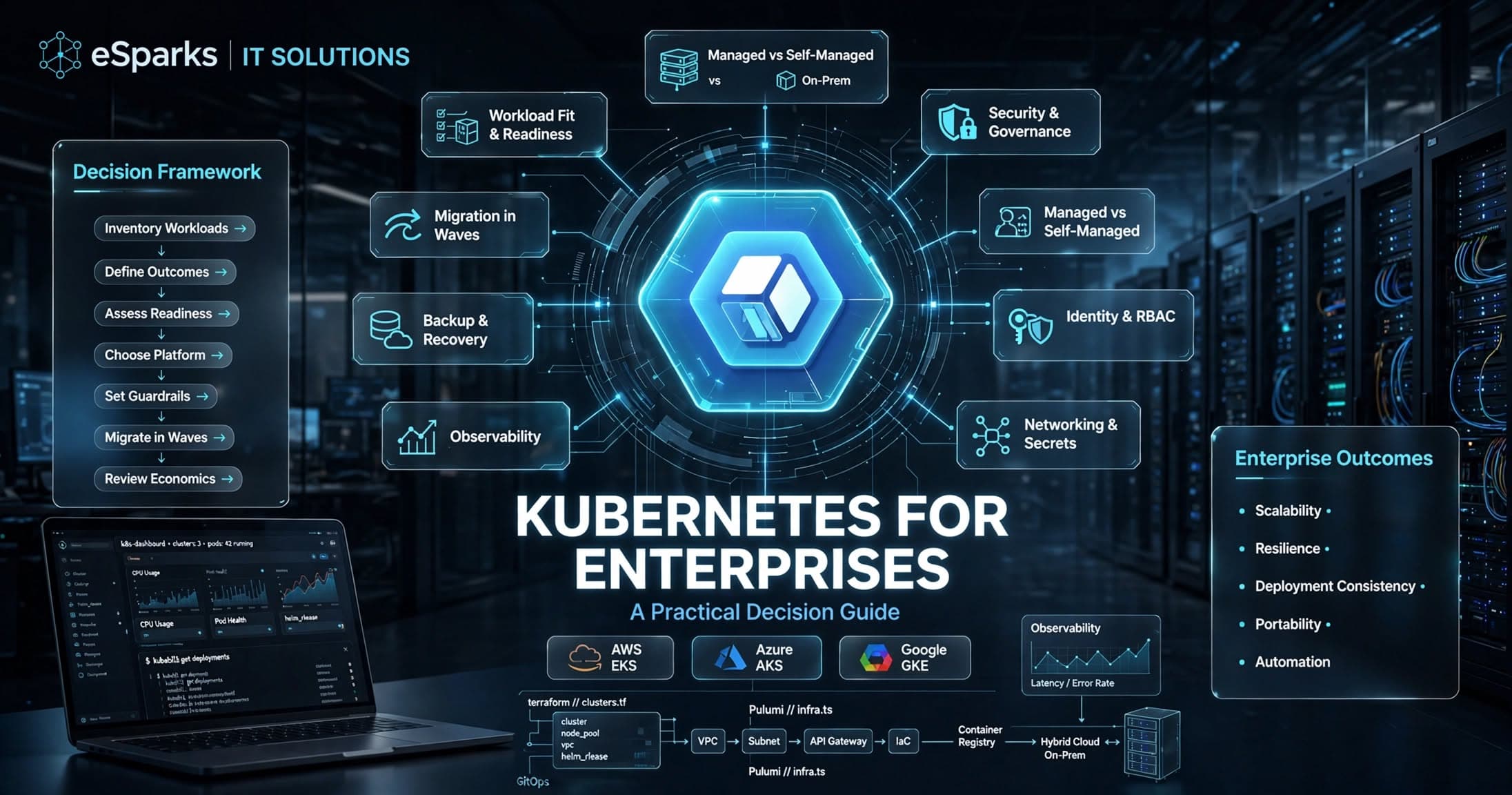
Kubernetes for Enterprises: A Practical Decision Guide
Kubernetes for enterprises can improve scalability, resilience, and release speed—but only when platform maturity, security, and operating model align.
Sep 26, 2026
Read More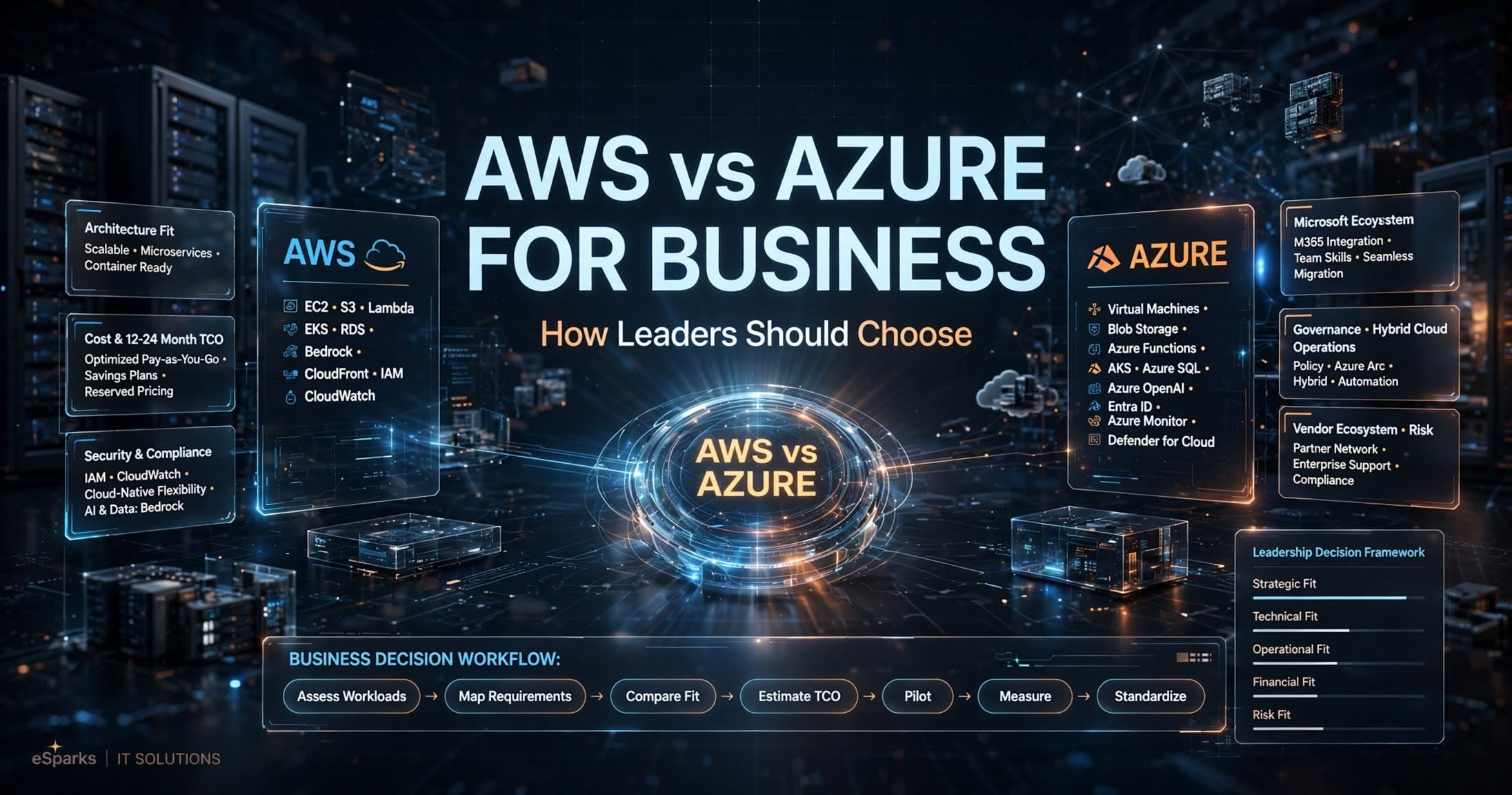
Cloud Computing
AWS vs Azure for Business: How Leaders Should Choose
Compare aws vs azure for business across cost, security, Microsoft fit, AI, and operations with a practical decision framework for leaders.
Sep 25, 2026
Read More
Cloud Computing
Mysql to Postgresql Migration Service: UK Decision Guide
A practical UK guide to choosing a mysql to postgresql migration service, covering risks, cost, timelines, tooling and delivery approach.
Sep 14, 2026
Read MoreReady to Transform Your Business?
Let's discuss how our expertise can help you achieve your goals